Microsoft Office 2024 Pro Plus for Windows

24.50


  • ๐Ÿ“ฉย Instant Email Delivery โ€“ Get your original activation key for Office 2024 Pro Plus LTSCย and official download link within minutes.
  • ๐Ÿ’ฏย 100% Money-Back Guaranteeย โ€“ If youโ€™re unable to activate your product and our support team canโ€™t resolve the issue, youโ€™ll receive a full refund.
  • ๐Ÿ”‘ย 1 License = 1 Activationย โ€“ Once activated, your license isย valid for a lifetime.

One key can be used only one time for one activation on one installation. If you want to reinstall the Office in the future for a second time on the same or a new machine you need to buy a second key.

Download the latest version directly from the official Office website.

๐Ÿ›ก๏ธ Premium Warranty

Secure your purchase with our Premium Warranty:

  • ๐Ÿ”‘ One-Time License Replacement (12-Month Coverage) โ€” covers reinstalls, system resets, upgrades, or device change
  • ๐Ÿ’Ž VIP Customer Service โ€” faster assistance when you need it most
  • ๐Ÿท๏ธ 10% Off Coupon โ€” for your next order (valid 30 days)
Secure Checkout and Trusted Payment Options

๐Ÿ›ก๏ธ You are covered by Buyer Protection ยท read our FAQ

SKU: Office2024PP Categories: , Tags: , , , , , Brand:

Important Information About Microsoft Office 2024 Pro Plus LTSC for Windows

Microsoft Office 2024 Pro Plus LTSC is the most complete standalone edition of Office, designed for professionals, businesses, and students who need a reliable, long-term productivity solution.
Built on the Long-Term Servicing Channel (LTSC), this release offers:

  • One-time purchase, lifetime license โ€“ no subscriptions or recurring fees.
  • Offline installation โ€“ does not require a Microsoft account.
  • Stable feature set โ€“ no disruptive updates.
  • Single activation โ€“ one product key per installation.

Office 2024 Pro Plus LTSC for Windows โ€“ Lifetime Productivity

Office 2024 Pro Plus LTSC delivers the latest offline-licensed Microsoft Office suite, combining premium features, powerful tools, and consistent performance โ€” all without the need for an online subscription.

Whatโ€™s Included in Office 2024 Pro Plus LTSC

  • Word 2024 โ€“ Advanced editing, modern templates, and distraction-free reading.
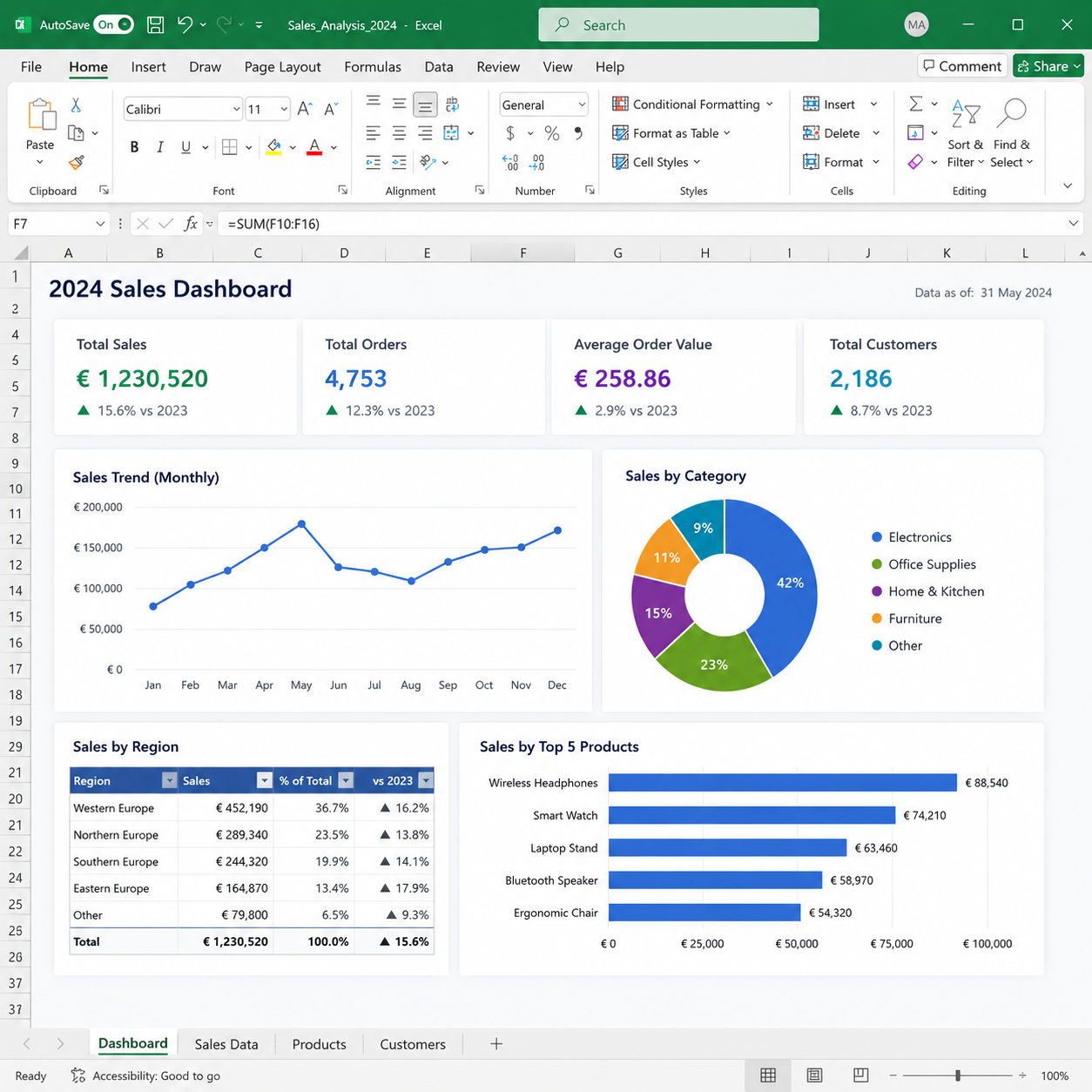
  • Excel 2024 โ€“ Dynamic arrays, XLOOKUP, new functions, and enhanced charts.
  • PowerPoint 2024 โ€“ AI-driven design tools, video recording, and advanced animations.
  • Outlook 2024 โ€“ Focused Inbox, integrated Translator, and smart scheduling.
  • Access 2024 โ€“ Robust database management tools.
  • OneNote 2024 โ€“ Fully integrated note-taking across devices.
  • Teams (program only) โ€“ Chat and collaborate without the Essentials subscription

One-Time Purchase. Modern. Future-Ready

  • No recurring costs โ€“ Own it for life after a single payment.
  • Performance & security updates โ€“ Keep your software safe and stable.
  • Works offline โ€“ Perfect for secure environments.
  • Designed for professionals โ€“ Trusted worldwide by businesses and educational institutions.

Get Office 2024 Pro Plus for Windows Today and Enjoy These Exclusive Benefits!

๐Ÿš€ย Instant Digital Delivery โ€“ Receive your Office 2024 product key and download link via email within minutes of purchase. No delays, no hassle!

๐Ÿ’ฏย 100% Money-Back Guaranteeย โ€“ We stand by our products. If youโ€™re unable to activate your key and our support team canโ€™t resolve the issue, youโ€™ll receive a full refundโ€”guaranteed.

โญย Trusted by Thousandsย โ€“ Donโ€™t just take our word for it! Our customers consistently rate us highly onย Googleย andย Trustpilotย for our reliability and service.

Explore Other Office Options

If Office 2024 Pro Plus isnโ€™t the perfect fit for your needs, consider these alternatives:

๐Ÿ’กChoose the right version and take your productivity to the next level!

Boost Your Productivity with the Windows OS

Maximize your efficiency by pairing Office 2021 with a compatible Windows OS. Here are our top recommendations:

๐Ÿ’กFind the perfect Windows edition to match your needs!

Minimum System Requirements for Office 2021 Pro Plus for Windows

Component Requirement
Operating System Windows 10 or Windows 11
Processor 1.6 GHz, 2-core processor
RAM 4 GB (64-bit)
Storage 4 GB available disk space
Display 1280 x 768 resolution
Graphics DirectX 10 compatible graphics card
Additional Internet connection required for activation and updates

Weโ€™ve prepared a dedicated step-by-step guide. You can follow it here: Office 2024 Pro Plus LTSC โ€“ Download, Installation & Activation Instructions

Why Choose Office 2024 Pro Plus LTSC for Windows?

  • Lifetime license โ€“ no recurring fees
  • Full suite with advanced apps: Word, Excel, PowerPoint, Outlook, Access, & Teams
  • Perfect for businesses, freelancers & power users
  • Works seamlessly on Windows 10 & 11
  • Instant digital delivery โ€“ start working immediately

โœ… Get Office 2024 Pro Plus LTSC for Windows today and unlock professional tools built for modern businesses and power users!

Frequently Asked Questions โ€“ Office 2024 Pro Plus for Windows

What is Office 2024 Pro Plus LTSC?

Office 2024 Pro Plus LTSC (Long-Term Servicing Channel) is Microsoft’s most complete standalone edition of Office, designed for users who need a reliable, subscription-free productivity suite. It includes the full range of applications โ€” Word, Excel, PowerPoint, Outlook, Access, OneNote, and Teams โ€” and is licensed for permanent use with a single one-time purchase. Unlike Microsoft 365, it does not require an ongoing subscription.

How do I download Office 2024 Pro Plus after purchase?

After completing your order, you will receive an email containing your product key and the official Microsoft download link. Visit the official Microsoft Office website and follow the on-screen instructions to download the installer. For a full step-by-step walkthrough, refer to our dedicated Office 2024 Pro Plus LTSC โ€“ Download, Installation & Activation Instructions guide.

How do I install Office 2024 Pro Plus on Windows?

Once you have downloaded the installer from the official Microsoft website, run the setup file and follow the on-screen prompts. Installation typically takes between 5 and 15 minutes depending on your internet speed and system performance. Make sure your device meets the minimum system requirements: Windows 10 or Windows 11, a 1.6 GHz dual-core processor, 4 GB RAM, and at least 4 GB of available storage space.

How do I activate Office 2024 Pro Plus?

After installation, open any Office application (such as Word or Excel). You will be prompted to enter your product key. Enter the 25-character key you received by email and follow the on-screen activation steps. An internet connection is required during initial activation. Once activated, the licence remains valid for the lifetime of the installation. For detailed instructions, see our Office 2024 Pro Plus activation guide.

Can I use Office 2024 Pro Plus offline after activation?

Yes. One of the key advantages of Office 2024 Pro Plus LTSC is that it works fully offline after initial activation. You do not need a constant internet connection to use Word, Excel, PowerPoint, or any other included application. This makes it ideal for secure environments, remote working, or locations with limited connectivity.

How quickly will I receive my product key?

Delivery is instant in the vast majority of cases. Your product key and download link are sent automatically to your email address within minutes of payment confirmation. If you have not received your email after 15 minutes, please check your spam or junk folder before contacting support.

Is this a lifetime licence? Will I need to pay again?

Yes โ€” Office 2024 Pro Plus is a one-time purchase with a lifetime licence. There are no subscriptions, no renewal fees, and no hidden charges. You pay once and own it forever. Please note that one product key covers one activation on one installation. If you reinstall Office on a new device or a freshly formatted machine in the future, you will need to purchase a new key.

Can I use the same key on multiple devices?

No. Each product key is valid for a single activation on a single installation. If you need to install Office 2024 Pro Plus on additional devices, you will need to purchase a separate key for each one. Shop Key Online offers competitive pricing, so equipping multiple machines remains straightforward and affordable.

What if my key does not activate?

In the rare event that your key does not activate, please contact our support team with your order details. We will investigate and resolve the issue as quickly as possible. If we are unable to provide a working key, you are covered by our 100% Money-Back Guarantee โ€” you will receive a full refund.

What is the difference between Office 2024 Pro Plus and Microsoft 365?

Office 2024 Pro Plus is a one-time purchase with a fixed, stable feature set โ€” you own the software outright and it never expires. Microsoft 365 is a subscription service that requires monthly or annual payments and delivers rolling feature updates. If you prefer a predictable cost, offline reliability, and no ongoing commitment, Office 2024 Pro Plus is the better choice. For an alternative standalone option, browse our full Office 2024 range at Shop Key Online.

Is Office 2024 Pro Plus compatible with Windows 10?

Yes. Office 2024 Pro Plus is fully compatible with both Windows 10 and Windows 11. If you are looking to upgrade your operating system alongside Office, take a look at our Windows 11 Pro Retail licence for a seamless pairing.

Does Office 2024 Pro Plus include Microsoft Teams?

Yes, Teams is included as a standalone application (programme only). You can use it for chat and collaboration without requiring a Microsoft Teams Essentials or Microsoft 365 subscription. Full Teams meeting and calling features that rely on a Microsoft 365 backend will require the relevant subscription separately.

Do I need a Microsoft account to use Office 2024 Pro Plus?

No. Office 2024 Pro Plus LTSC does not require you to sign in to or create a Microsoft account to activate or use the software. This is one of the key distinctions from Office 2021 versions that are bound to a Microsoft account. You can activate and run the suite entirely without an account, making it the preferred choice for businesses and users who prefer account-free software.

Reviews

There are no reviews yet.

Only logged in customers who have purchased this product may leave a review.

You may also like…