
Office 2016
Showing all 4 results
-

Microsoft Office 2016 Pro Plus for Windows
€13.95 Add to cart -

Microsoft Office 2016 Home & Student for Windows
€13.25 Add to cart -
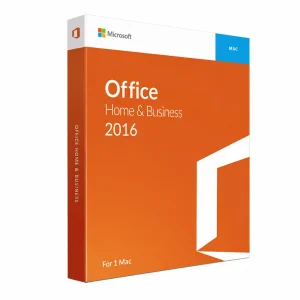
Microsoft Office 2016 Home & Business For MAC
€15.75 Add to cart -

Office Remote Installation Service
€10.00 Add to cart
Microsoft Office 2016 was officially released on 22 September 2015 and quickly became one of the most widely adopted productivity suites in the world. Whether you are a student working on assignments, a home user managing everyday tasks, or a professional handling complex documents and data analysis, Office 2016 delivers the classic desktop applications you know and trust — without a monthly subscription. At Shop Key Online, we offer a curated selection of genuine Office 2016 licence keys at competitive prices, all delivered instantly to your inbox.
Why Choose an Office 2016 Licence?
In a market increasingly dominated by subscription services, Office 2016 stands apart as a one-time purchase that gives you permanent access to your software. There are no recurring fees, no forced upgrades, and no dependency on an internet connection to use your apps. Once activated, your licence is yours for life.
- Perpetual licence — pay once, use forever with no ongoing costs
- Full desktop applications — Word, Excel, PowerPoint, Outlook, and more installed locally on your device
- Offline functionality — work productively without a constant internet connection
- Stable, proven platform — trusted by hundreds of millions of users worldwide
- Compatible with Windows and Mac — editions available for both major platforms
- Instant digital delivery — receive your genuine activation key by email within minutes of purchase
Office 2016 also introduced several meaningful improvements over its predecessor, including real-time co-authoring in Word and PowerPoint, an improved Tell Me search bar for fast access to commands, and enhanced data analysis tools in Excel. According to Microsoft’s official announcement, Office 2016 was designed to be the most collaborative version of Office ever released.
Browse Our Office 2016 Range
Our Office 2016 collection includes editions for both Windows and Mac users, ensuring there is a version to suit every need and budget. Below are the key products available in this category:
- Microsoft Office 2016 Home & Student for Windows — Ideal for students and home users who need the core Office applications including Word, Excel, PowerPoint, and OneNote for use on a single Windows PC.
- Microsoft Office 2016 Pro Plus for Windows — The most comprehensive Windows edition, including Word, Excel, PowerPoint, Outlook, Publisher, Access, and more — perfect for professionals and power users who need the full suite.
- Microsoft Office 2016 Home & Business for Mac — Tailored for Mac users who need core productivity and email tools, including Word, Excel, PowerPoint, Outlook, and OneNote, with a licence for commercial use.
All editions come with a genuine activation key, an official download link, and are backed by our 100% money-back guarantee if you are unable to activate.
How to Choose the Right Office 2016 Edition
Selecting the correct edition is straightforward once you know what to look for. Consider the following when making your decision:
- Your device: Choose a Windows edition for PCs running Windows 10 or Windows 7, and a Mac edition for Apple computers.
- Your usage: Home & Student is ideal for personal tasks such as essay writing and budgeting. Home & Business adds Outlook and commercial use rights. Pro Plus covers the full application set for demanding professional workflows.
- Number of users: All Office 2016 licences are for a single device. If you need to cover multiple computers, consider our Bundle Deals for cost-effective multi-licence options.
- Future needs: If you anticipate needing newer features or long-term support beyond October 2025, you may wish to consider Office 2021 or Office 2024 instead.
Not sure which edition fits your needs? Browse the full Microsoft Office category to compare all available versions side by side.
Shop Key Online: Trusted Digital Software Retailer
At Shop Key Online, every software key we sell is 100% genuine and sourced through authorised distribution channels. When you purchase an Office 2016 licence from us, you benefit from:
- Instant email delivery — your activation key arrives within minutes
- 100% money-back guarantee on all activation failures
- Secure checkout with trusted payment methods
- Dedicated customer support available to assist with activation queries
We also stock a broad range of complementary software for your setup. If you need a reliable operating system to run alongside Office 2016, explore our Windows 10 licences. For complete device protection, browse our range of Antivirus software.
Frequently Asked Questions
What is included in Microsoft Office 2016?
The applications included vary by edition. Home & Student for Windows includes Word, Excel, PowerPoint, and OneNote. Home & Business adds Outlook and commercial use rights. Pro Plus for Windows is the most complete option, adding Publisher, Access, Skype for Business, and additional enterprise tools on top of the core applications. The Mac edition includes Word, Excel, PowerPoint, Outlook, and OneNote.
Is Office 2016 still supported by Microsoft?
Microsoft’s mainstream support for Office 2016 ended in October 2020, but extended support — which includes critical security patches — continues until 14 October 2025, as confirmed on the Microsoft Lifecycle page. This means Office 2016 remains a secure and fully functional choice for everyday use up to that date.
Does Office 2016 require an internet connection?
No. Once you have downloaded and activated your copy of Office 2016, the applications run entirely offline on your computer. An internet connection is only needed for the initial download and activation, and for optional cloud-connected features such as OneDrive syncing.
How does Office 2016 differ from Microsoft 365?
Microsoft 365 (formerly Office 365) is a subscription service that requires an ongoing monthly or annual fee. In return, it provides access to the latest version of Office apps, cloud storage, and regular feature updates. Office 2016, by contrast, is a one-time purchase with no recurring charges — you install it once and it is yours permanently. It does not receive new features after purchase, but it remains reliable and fully functional for core productivity tasks.
Can I use my Office 2016 key on more than one computer?
Standard Office 2016 licences sold at Shop Key Online are single-device activations. Each key is tied to one installation on one computer. If you need Office on multiple devices, we recommend checking our Bundle Deals category for multi-licence packages that offer better value.
Is Office 2016 compatible with Windows 11?
Yes, Office 2016 is compatible with Windows 11, though Microsoft notes that this combination is not officially supported for the full lifecycle. For the best long-term experience on Windows 11, you may wish to consider upgrading to Office 2021 or Office 2024, both of which are fully supported on Microsoft’s latest operating system.
