


Microsoft Office 2016 Home & Student for Windows – Trusted Tools for Home & School
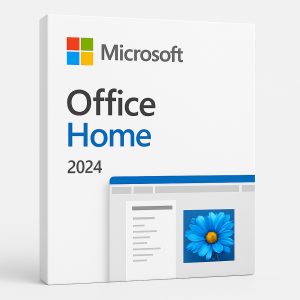
Get the essential tools you need for school, personal projects, and home organization with Office 2016 Home & Student for Windows. Designed for students, families, and home users, this suite offers the reliable Microsoft Office apps you need with a familiar interface and lifetime access — all with no ongoing subscriptions. Whether you’re writing papers, building spreadsheets, or creating presentations, Office 2016 has you covered.
What’s Included in Office 2016 Home & Student for Windows?

-
Word – Create professional-quality documents, essays, and reports
-
Excel – Analyze data and create budgets with powerful spreadsheets
-
PowerPoint – Design visually engaging presentations with ease
-
OneNote – Organize class notes, personal ideas, and to-do lists in one place
Ideal for Students & Families
Perfect for schoolwork, personal projects, and home organization, Microsoft Office 2016 delivers proven tools that help you get more done. Its familiar interface ensures easy learning for new users, while providing the power and flexibility you expect from Microsoft Office.
One-Time Purchase – Lifetime Access
Pay once and own Office 2016 for life. There are no recurring fees or subscriptions — making it a cost-effective solution for families and students who need dependable software on a single Windows PC.
Compatible with New & Older Windows Versions
Office 2016 Home & Student works with Windows 7, Windows 8.1, Windows 10, and Windows 11, ensuring compatibility across both older and modern systems.
Get Office Office 2016 Home & Student for Windows Today and Enjoy These Exclusive Benefits!
 Instant Digital Delivery – Receive your Office 2016 product key and download link via email within minutes of purchase. No delays, no hassle!
 100% Money-Back Guarantee – We stand by our products. If you’re unable to activate your key and our support team can’t resolve the issue, you’ll receive a full refund—guaranteed.
 Trusted by Thousands – Don’t just take our word for it! Our customers consistently rate us highly on Google and Trustpilot for our reliability and service.
Explore Other Office Options
If Office 2016 for Windows isn’t the perfect fit for your needs, consider these alternatives:
-
Microsoft Office 2021 Pro Plus – A complete package for professionals and businesses, including Word, Excel, PowerPoint, OneNote, Outlook, Publisher, Access, and Skype for Business.
-
Microsoft Office 2019 Pro Plus – A robust suite with classic Office applications, ideal for advanced users needing powerful tools.
-
Microsoft Office 2021 Home & Student for Windows – Perfect for students and families, this suite includes essential apps like Word, Excel, and PowerPoint, providing the tools needed for school projects, personal tasks, and everyday productivity.
-
Microsoft Office 2019 Home & Student for Windows – Ideal for students and families, this suite includes essential apps like Word, Excel, and PowerPoint, providing the core tools needed for schoolwork and personal projects.
-
Microsoft Office 2016 Pro Plus – A powerful productivity suite designed for professionals, offering essential tools like Word, Excel, PowerPoint, and Outlook to streamline your work.
 Choose the right version and take your productivity to the next level!
Boost Your Productivity with the Windows OS
Maximize your efficiency by pairing Office 2016 with a compatible Windows OS. Here are our top recommendations:
-
Microsoft Windows 11 Pro Retail – Built for power users and businesses, offering advanced security, productivity, and management features.
-
2-PC Minimum Order Windows 11 Professional Retail – Ideal for professionals and businesses needing multiple licenses at a great value.
-
Microsoft Windows 10 Pro Retail – A stable and reliable operating system packed with advanced features for business and professional use.
-
2-PC Minimum Order Windows 10 Professional Retail – Ideal for professionals and businesses needing multiple licenses at a great value.
Find the perfect Windows edition to match your needs!
Minimum System Requirements for Office 2016 Home & Student for Windows
|
Component |
Requirement |
|---|---|
|
Operating System |
Windows 7, Windows 8.1, Windows 10, Windows 11 |
|
Processor |
1 GHz or faster, SSE2 support |
|
RAM |
2 GB (64-bit) |
|
Storage |
3 GB available disk space |
|
Display |
1280 x 800 resolution |
|
Graphics |
DirectX 10 compatible graphics card |
|
Additional |
Internet connection required for activation and updates |
Why Choose Office 2016 Home & Student for Windows?
-
One-time purchase – no recurring fees
-
Includes Word, Excel, PowerPoint & OneNote
-
Ideal for students, home users & families
-
Compatible with Windows 7, 8.1, 10 & 11
-
Instant digital delivery – start using within minutes
✅ Order Office 2016 Home & Student for Windows today and enjoy trusted productivity tools with lifetime access!




Reviews
There are no reviews yet.