
Windows server 2016 support ends on January 12, 2027, when Microsoft stops issuing security updates, bug fixes, and technical assistance for the platform. Any server still running Windows Server 2016 after that date will keep working, but it will no longer receive patches for newly discovered vulnerabilities — a serious exposure for any business network.
Microsoft confirmed the date through its official servicing notice, closing years of speculation about whether the platform would get another extension. For IT teams that still have Windows Server 2016 in production, the countdown is now fixed, and the planning window is shrinking.
When Does Windows Server 2016 Support End?
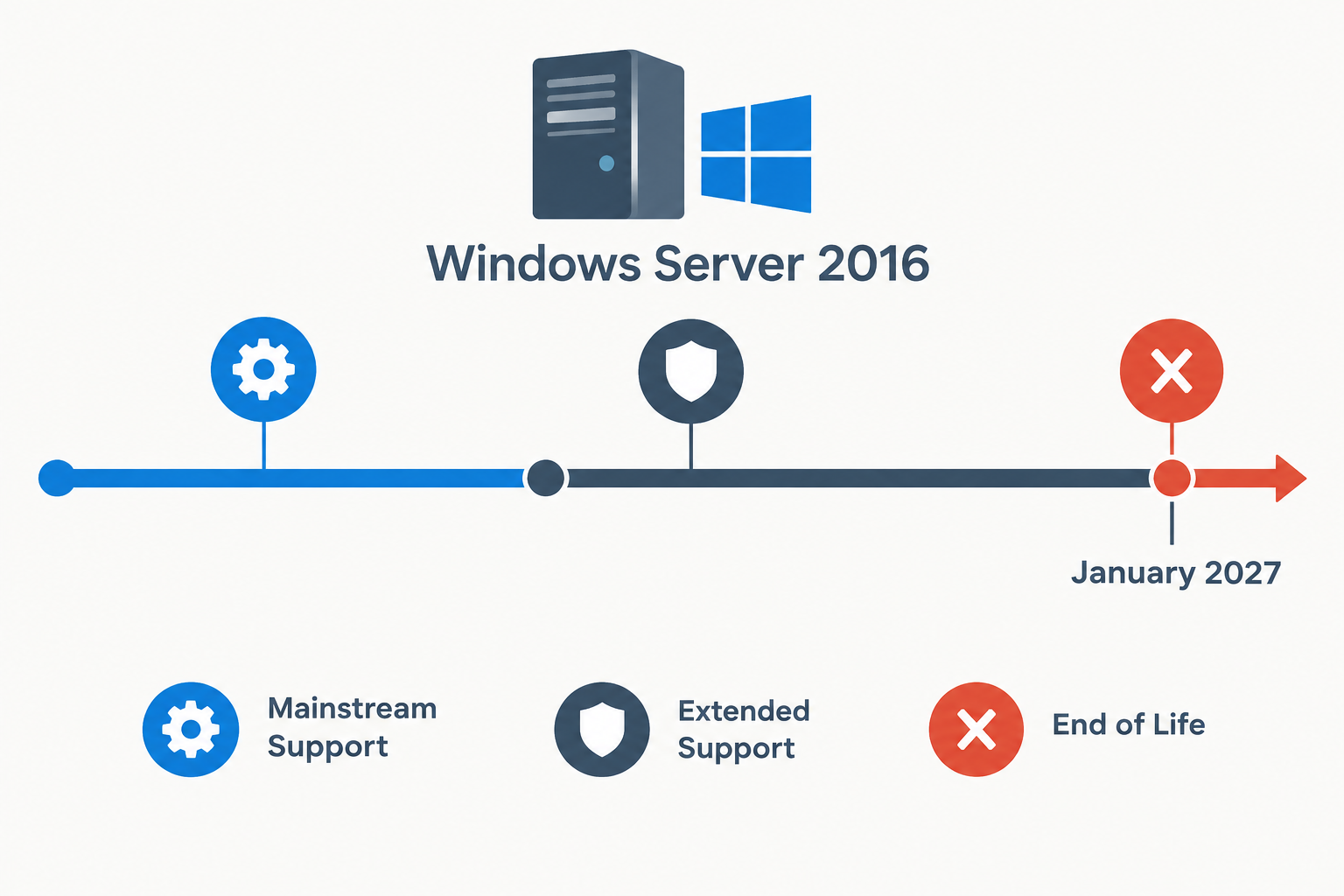
Windows Server 2016 support ends on January 12, 2027, which marks the close of its extended support phase under the Microsoft Lifecycle Policy. Mainstream support for the platform already ended in January 2022, which is why feature updates and design-change requests stopped years ago — but security patching continued through extended support until now.
This applies across every Windows Server 2016 edition, including Standard, Datacenter, Essentials, and MultiPoint Premium. After the cutoff:
- No more monthly security updates or Patch Tuesday fixes
- No free technical support from Microsoft for the OS
- No new non-security hotfixes
- No updates to built-in Windows Defender definitions tied to the OS version
What Windows Server 2016 Extended Support Covers
Windows Server 2016 extended support currently still includes security-only updates, which is the main reason many organizations have been able to delay migration this long. Once that phase closes, the only way to keep receiving patches is to pay for Extended Security Updates (ESU) or move to a supported release.
Extended support historically does not include new features, design changes, or warranty claims tied to functionality requests — it has always been security-patching only. That narrower scope is ending entirely in January 2027 unless a server is enrolled in ESU.
Why This Windows Server 2016 End-of-Life Deadline Matters
This deadline matters because Windows Server 2016 still runs a significant share of on-premises infrastructure, including domain controllers, file servers, and line-of-business application hosts. Unlike a desktop OS retirement, a server end-of-life event touches authentication, data storage, and often compliance obligations.
Running an unsupported server operating system also creates downstream risk for anything connected to it — backup software, security tooling, and compliance frameworks like PCI DSS or HIPAA often require supported, patched operating systems as a baseline control. Once Microsoft’s official end-of-support notice takes effect, continuing to run Windows Server 2016 without ESU coverage can put those certifications at risk.
Common Workloads Still Running on Windows Server 2016
Many small and mid-sized businesses deployed Windows Server 2016 as Active Directory domain controllers, print servers, or hosts for legacy line-of-business software that has not been re-certified on newer releases. These are exactly the workloads that need the earliest attention, since domain controller upgrades require careful sequencing to avoid breaking authentication for the whole network.
Extended Security Updates: Pricing and Eligibility

Organizations that cannot migrate before the deadline can buy Extended Security Updates to keep receiving critical and important security patches for a limited time. Microsoft prices the first year of ESU at $61 USD per device, with a discounted rate for devices already managed through Intune or Windows Autopatch, according to Microsoft’s Windows IT Pro blog.
ESU is intended as a bridge, not a long-term plan. It only covers security fixes classified as Critical or Important, and pricing typically increases each renewal year. For a fleet of servers, the cumulative cost of multiple years of ESU can quickly exceed the cost of migrating to a currently supported release.
Who Should Consider ESU?
- Businesses with a legacy application that genuinely cannot be moved before January 2027
- Organizations mid-way through a phased migration that needs a few extra months of coverage
- Regulated industries that need a documented bridge while hardware procurement completes
Migration Options Before Windows Server 2016 Support Ends
The most direct way to avoid the Windows Server 2016 support cutoff is to migrate to a currently supported release before January 12, 2027. Two realistic in-place and side-by-side paths exist for most environments, and the right one depends on hardware age, application compatibility, and licensing.
Upgrading to Windows Server 2022 or 2025
Windows Server 2022 and Windows Server 2025 are both actively supported releases, and Microsoft has documented in-place upgrade paths from earlier Windows Server versions for many editions. Before upgrading, admins should check application compatibility, available disk space, and whether current hardware meets driver requirements for the newer OS.
Teams planning a Windows Server upgrade alongside other infrastructure changes — such as encrypted DNS or domain naming conventions — may also want to review how DNS over HTTPS works in newer Windows Server releases and how admin credential and computer-name limits can affect domain migrations before committing to a timeline.
Moving Workloads to Azure
Migrating eligible workloads to Azure Virtual Machines is another path Microsoft actively promotes for Windows Server 2016 end of support, since Azure-hosted instances can qualify for different ESU terms than on-premises servers. This suits organizations already consolidating on-prem infrastructure or reducing data center footprint.
Risks of Running Unsupported Servers After January 2027

Running Windows Server 2016 past its support date does not stop the server from functioning, but it does stop Microsoft from patching newly discovered vulnerabilities on that platform. Attackers specifically watch for end-of-support operating systems because unpatched, publicly known flaws become permanent attack surface.
Beyond security, unsupported servers often fail vendor compatibility checks for backup software, antivirus engines, and monitoring agents, which can quietly degrade protection even on servers that otherwise still “work fine.” Cyber-insurance renewals increasingly ask directly whether server operating systems are within vendor support, and an honest “no” can affect premiums or coverage.
Building a Migration Timeline
A realistic Windows Server 2016 migration plan starts with inventory, not with the migration itself. Before choosing a target platform, IT teams need a clear picture of what is actually running and what depends on it.
- Inventory every server still on Windows Server 2016, including roles (domain controller, file server, application host)
- Identify applications tied to the OS version and confirm compatibility with Windows Server 2022 or 2025
- Prioritize domain controllers and internet-facing roles first, since they carry the highest security exposure
- Decide per-server whether the path is in-place upgrade, side-by-side migration, Azure move, or short-term ESU
- Schedule cutover windows well before January 2027 to leave room for rollback testing
Organizations juggling multiple end-of-support deadlines at once — Windows Server 2016 alongside other Microsoft end-of-support timelines — should treat this as a single consolidated project rather than separate fire drills, since licensing, hardware refresh, and staff time overlap across them.
Frequently Asked Questions
When does Windows Server 2016 support end?
Windows server 2016 support ends on January 12, 2027, which is when extended support under the Microsoft Lifecycle Policy closes. Mainstream support for the platform had already ended earlier, in January 2022.
What happens after Windows Server 2016 end of support?
After Windows Server 2016 end of support, Microsoft stops releasing security updates, bug fixes, and non-security hotfixes for the operating system. The server keeps running, but any newly discovered vulnerability in the OS will go unpatched unless the device is enrolled in Extended Security Updates.
Can I still get security updates after support ends?
Yes, through the paid Extended Security Updates program, which covers Critical and Important security fixes only for a limited number of years. ESU is designed as a short-term bridge while migration completes, not a permanent alternative to upgrading.
Is there an upgrade path from Windows Server 2016 to newer versions?
Microsoft documents supported upgrade paths from Windows Server 2016 to both Windows Server 2022 and Windows Server 2025 for many editions, including in-place upgrade options. Compatibility, hardware requirements, and application testing should be confirmed before starting an in-place upgrade on production systems.
Should a small business migrate now or buy ESU?
For most small businesses, migrating before the deadline is more cost-effective long-term than repeatedly renewing ESU, since ESU pricing increases each year and only covers security patches. ESU makes sense mainly as a short bridge for a single legacy application that cannot move in time.
