
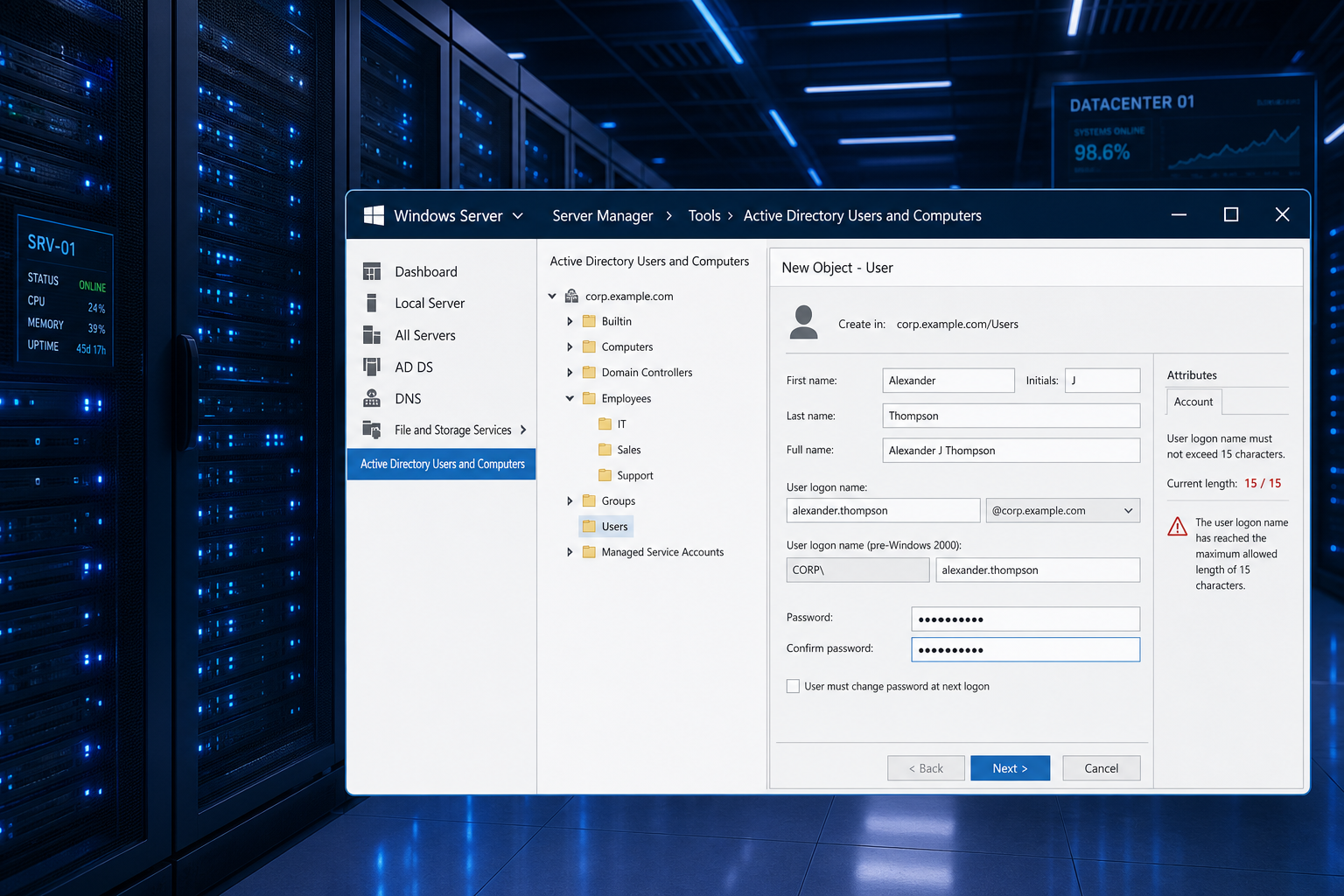
The Windows Server admin credentials limit is one of the most disruptive — and least documented — constraints enterprise IT teams hit when scaling Active Directory. In short, Windows Server enforces a hard 15-character ceiling on computer names (via the NetBIOS/sAMAccountName attribute), and a 20-character ceiling on user account names, regardless of how modern your environment is. If your naming convention was designed before your organisation grew, it is almost certainly now colliding with this limit at the worst possible time.
This guide explains exactly where the restriction comes from, what it silently breaks in real-world enterprise environments, and — critically — how to redesign your domain strategy so the limit stops being a blocker.
Why Does the Admin Credentials Limit Exist?

The root cause is legacy: the NetBIOS naming protocol, introduced in the 1980s, imposes a hard 15-character ceiling on host names. When Microsoft built Windows NT and later Active Directory, it inherited this restriction in the sAMAccountName attribute used for computer objects. According to Microsoft’s official naming conventions documentation, Windows does not permit computer names that exceed 15 characters — and you cannot specify a DNS host name that differs from the NetBIOS host name for a machine.
This was a reasonable compromise in 1993. In 2024, with enterprises running hundreds of servers across multiple regions, service tiers, and environments, a 15-character slot forces painful abbreviation choices. Consider a naming pattern like CORPUS-PROD-SQL-01 — that is already 16 characters and fails Active Directory validation on creation.
The Two Separate Admin Credentials Limit Confuse
Understanding the admin credentials limit properly means separating two distinct restrictions that are often conflated:
-
Computer name (sAMAccountName for machine objects): Hard limit of 15 characters. This applies to every server, workstation, and domain controller you join to the domain. No workaround exists within standard AD tooling.
-
User account name (sAMAccountName for user objects): Limit of 20 characters. Your administrator user accounts —
svc.sql.backupadmin, for example — can stretch to 20 characters, but no further via the sAMAccountName attribute. -
User Principal Name (UPN): Can be up to 104 characters (
[email protected]style). This is the modern login format and is not subject to the 15-character NetBIOS constraint.
The confusion arises because both restrictions live under the umbrella of “Windows Server admin credentials limit,” but they apply to entirely different object classes in AD. Computer names are the harder wall to hit, and the one that typically breaks automated provisioning pipelines.
What Breaks When You Hit the Server Admin Username Limit

The server admin username limit does not just prevent you from creating a name — it causes cascading failures across tooling that assumes names will be consistent and predictable:
-
Automated provisioning scripts that generate machine names from a template (region + environment + role + sequence) silently truncate names or fail with cryptic AD errors.
-
SCCM / Intune deployments that rely on machine name for policy targeting can misapply Group Policy Objects when two truncated names collide.
-
SQL Server named instances derive their default instance path from the machine name — a 15-character computer name limits your SQL instance identifier before you add any instance-level suffix.
-
SIEM and log aggregation tools correlating events by hostname produce ambiguous results when multiple truncated names map to the same first 15 characters.
-
Certificate SANs issued by internal PKI may not match the intended hostname if the NetBIOS name and the DNS name diverge after truncation.
One real-world scenario reported repeatedly by sysadmins: a staging server named CORPUS-STAGE-SQL01 (17 chars) and a production server named CORPUS-PROD-SQL01 (16 chars) both truncate to CORPUS-STAGE-SQL and CORPUS-PROD-SQL0 respectively — close enough to cause GPO mis-targeting but not identical enough to throw an obvious duplicate-name error immediately.
How the Windows Admin Account Limit Affects Service Accounts
The Windows admin account limit on user sAMAccountNames (20 characters) is where service account strategies come unstuck. Enterprises frequently adopt naming patterns like:
-
svc-[application]-[environment]-[role] -
adm-[department]-[region]-[function]
These patterns make accounts self-documenting and auditable. But svc-salesforce-prod-api is already 21 characters — one over the sAMAccountName limit. Teams either truncate silently (losing readability) or adopt a parallel documentation system to decode abbreviated names, adding operational overhead and audit risk.
Group Managed Service Accounts (gMSA) — Microsoft’s recommended solution for service account security — also inherit the 20-character sAMAccountName limit, since gMSA names map directly to the same AD attribute. Organisations adopting gMSAs as part of a zero-trust credential hygiene programme need to bake the 20-character ceiling into their naming design from day one.
Adapting Your Domain Strategy: Practical Approaches

There is no registry key or Group Policy setting that raises the 15-character computer name ceiling — it is an AD schema constraint rooted in NetBIOS. What you can do is redesign your naming conventions to work within the limit without sacrificing readability or uniqueness.
1. Adopt a Compressed Naming Schema
Replace verbose segments with defined abbreviations and document the legend centrally. For example:
-
Region:
EU,US,AP(2 chars instead ofEUROPE) -
Environment:
P= production,S= staging,D= dev (1 char) -
Role:
SQL,WEB,DC,FS(2-3 chars) -
Sequence:
01–99(2 chars)
A pattern of [REGION][ENV][ROLE][SEQ] — e.g. EUP-SQL-01 (10 chars) — is fully compliant, human-readable after one glance at the legend, and leaves 5 characters of buffer for edge cases.
2. Use UPN as the Canonical Administrator Identity
For user and service accounts, lean into the UPN ([email protected]) as the primary identity in documentation, monitoring, and runbooks. The sAMAccountName becomes an internal technical handle, not the display name. With UPNs supporting up to 104 characters, you have ample room for self-documenting login names — and modern authentication flows (Azure AD, ADFS, Kerberos with SPN delegation) all resolve against UPN natively.
3. Enforce Naming Policies at the Provisioning Layer
Use your infrastructure-as-code toolset (Terraform, Bicep, Ansible) to validate generated names against the 15-character ceiling before they reach Active Directory. Catching a violation in a CI/CD pipeline is exponentially cheaper than renaming a domain-joined server after the fact — a process that requires rejoining the domain, updating DNS, re-issuing certificates, and repointing any scripts or monitoring agents that reference the old hostname.
4. Audit Existing Names Before They Cause Collisions
Run a PowerShell audit across your AD computer objects to surface any name that sits at 14–15 characters:
-
Get-ADComputer -Filter * | Where-Object { $_.Name.Length -ge 14 } | Select-Object Name, DNSHostName
Machines at exactly 15 characters are not broken today, but they are at maximum capacity — any rename attempt to add an environment suffix will immediately breach the limit and require a domain-rejoin.
5. Standardise on gMSA for All New Service Accounts
Group Managed Service Accounts eliminate password management overhead and rotate credentials automatically. Design your gMSA naming taxonomy within the 20-character sAMAccountName limit from the outset: gMSA-[role]-[env] patterns keep names short, typed, and auditable without truncation ambiguity.
Windows Admin Account Limit: Common Questions from Enterprise Teams
Can I rename a domain-joined server to fix a name that is too long?
Yes — but it is a significant operation. Renaming a domain computer requires removing it from the domain, renaming the machine, and rejoining. DNS records, DHCP leases, SPN registrations, certificates, and any hardcoded references in application config files all need updating. Plan for a maintenance window and test in a non-production environment first.
Does Windows Server 2025 raise the 15-character limit?
No. Even on Windows Server 2025, the computer name NetBIOS/sAMAccountName restriction remains at 15 characters. This is a long-standing AD schema constraint — there is no mechanism to override it via the OS version or feature update.
What about Azure Active Directory / Entra ID?
Azure AD (now Microsoft Entra ID) uses different object attributes and does not enforce the 15-character NetBIOS limit in the same way for cloud-native identities. However, hybrid environments that sync on-premises AD to Entra ID still carry on-prem sAMAccountName constraints into the sync, so the 15/20 character limits remain relevant for any organisation with on-premises domain controllers.
Why This Matters More Than Ever in 2024
Modern enterprise infrastructure has grown faster than legacy AD constraints were designed to accommodate. Organisations running hundreds of servers across multiple cloud regions, deploying microservices with per-service admin accounts, and automating credential lifecycle via DevSecOps pipelines are all colliding with a restriction that dates to the early 1990s at an increasing rate.
Understanding the admin credentials limit — and designing around it deliberately — is now a baseline competency for any Windows infrastructure engineer. The organisations that treat it as an afterthought spend significant engineering time on reactive renaming and collision debugging. The ones that bake it into their naming standards from day one spend that time shipping infrastructure instead.
If you need a genuine Windows licence for your servers or workstations, browse the full range of Microsoft Windows licences at ShopKeyOnline — including options for Windows 11 Pro, delivered instantly via email.
FAQ: Windows Server Admin Credentials Limit
What is the exact character limit for Windows Server admin usernames?
Administrator user accounts are subject to a 20-character sAMAccountName limit. Computer names (including servers joined to a domain) are capped at 15 characters by the NetBIOS naming protocol embedded in Active Directory. UPN-format logon names ([email protected]) can be up to 104 characters.
Why is the computer name limit 15 characters and not more?
The 15-character ceiling originates from the NetBIOS protocol specification, which predates DNS and was built into the foundational layers of Windows NT and Active Directory. Microsoft has preserved it for backwards compatibility with systems and protocols that still rely on NetBIOS name resolution, including certain legacy authentication flows and older network devices.
Can I bypass the Windows Server admin credentials limit with a registry change?
No. The 15-character limit for computer names is enforced at the Active Directory schema level, not via a registry key or Group Policy. There is no supported or unsupported registry edit that raises this limit. Your only option is to design naming conventions that stay within it.
Does the limit affect Group Managed Service Accounts (gMSA)?
Yes. gMSA objects use the sAMAccountName attribute, which is capped at 20 characters for user-class objects. This means your gMSA naming taxonomy must also respect the 20-character limit. Plan your gMSA naming scheme before deployment — renaming a gMSA after dependent services are configured is a disruptive operation.
How do I find domain-joined computers close to the 15-character limit?
Run the following in an elevated PowerShell session on a domain controller: Get-ADComputer -Filter * | Where-Object { $_.Name.Length -ge 14 } | Select-Object Name, DNSHostName. This returns all computer objects with names of 14 or 15 characters — your highest-risk assets if a rename or suffix is ever needed.
