AVG Ultimate for PC, Android, Mac, or iOS โ€“ 1 Device, 1 Year โ€“ Global Key

20.95


  • ๐Ÿ“ฉ Instant Email Delivery โ€“ Get your original activation key for AVG Ultimate and official download link within minutes.

  • ๐Ÿ’ฏ 100% Money-Back Guarantee โ€“ If youโ€™re unable to activate your product and our support team canโ€™t resolve the issue, youโ€™ll receive a full refund.

  • ๐Ÿ”‘ 1 License = 1 Device, 1 Year Subscription โ€“ This subscription covers one device: PC, Mac, Android, or iOS for a full year, delivering constant security updates, new features, and dedicated support across your chosen platform.

Secure Checkout and Trusted Payment Options

๐Ÿ›ก๏ธ You are covered by Buyer Protection ยท read our FAQ

AVG Ultimate โ€“ 1 Device, 1 Year Subscription โ€“ Premium Security & Performance for Your Device

Protect your device with AVG Ultimate, the all-in-one security and performance suite designed for PCs, Macs, Android phones, and iOS devices. Whether youโ€™re browsing on your Windows laptop, securing your Android smartphone, or optimizing your Mac, AVG Ultimate delivers advanced antivirus protection, privacy tools, and system optimization โ€” all with a 1-year subscription for a single device.

Why Choose AVG Ultimate?

AVG Ultimate logo displayed on a dark background with layered 3D geometric shapes.

  • Complete Multi-Platform Protection โ€“ Safeguard your PC, Mac, Android, or iOS device against viruses, malware, ransomware, spyware, and phishing attacks.

  • Real-Time Threat Detection โ€“ Advanced AI technology continuously monitors your apps, files, and downloads to block threats before they cause harm.

  • Privacy & Identity Protection โ€“ Keep your online activity and sensitive information private with AVGโ€™s enhanced privacy features, including anti-tracking and webcam protection (on supported platforms).

  • Performance Optimization Tools โ€“ Speed up your device with automatic junk file cleaning, disk optimization, and app performance improvements (on Windows and Android).

  • Cross-Platform Flexibility โ€“ Activate your subscription on 1 device of your choice, whether itโ€™s a Windows PC, Mac, Android smartphone, or iPhone.

Get AVG Ultimate for PC, Android, Mac, or iOS and Enjoy These Exclusive Benefits!

๐Ÿš€ Instant Digital Delivery โ€“ Receive your AVG Ultimate product key and download link via email within minutes of purchase. No delays, no hassle!

๐Ÿ’ฏ 100% Money-Back Guarantee โ€“ We stand by our products. If youโ€™re unable to activate your key and our support team canโ€™t resolve the issue, youโ€™ll receive a full refundโ€”guaranteed.

โญ Trusted by Thousands โ€“ Donโ€™t just take our word for it! Our customers consistently rate us highly on Google and Trustpilot for our reliability and service.

Explore the Best Selling Microsoft Office Softwares

Maximize your efficiency by pairing AVG Ultimate with a compatible Office suite. Here are our top recommendations:

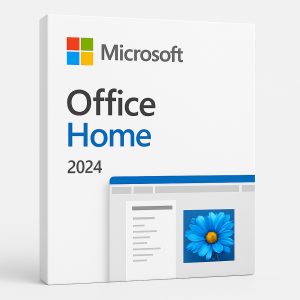
  • Office Home 2024 โ€“ The perfect choice for students and home users, featuring essential apps like Word, Excel, PowerPoint, and OneNote.

  • Office 2021 Pro Plus โ€“ A complete package for professionals and businesses, including Word, Excel, PowerPoint, OneNote, Outlook, Publisher, Access, and Skype for Business.

  • Office 2019 Pro Plus โ€“ A robust suite with classic Office applications, ideal for advanced users needing powerful tools.

๐Ÿ’ก Choose the right version and take your productivity to the next level!

Boost Your Productivity with the Windows OS

Maximize your efficiency by pairing AVG Ultimate with a compatible Windows OS. Here are our top recommendations:

๐Ÿ’ก Find the perfect Windows edition to match your needs!

Minimum System Requirements for AVG Ultimate

Platform

Minimum Requirements

Windows

Windows 10 or Windows 11, 1 GHz processor, 2 GB RAM, 2 GB disk space, internet connection

Mac

macOS 10.11 (El Capitan) or later, Intel processor, 2 GB RAM, 500 MB disk space, internet connection

Android

Android 6.0 (Marshmallow) or later, internet connection

iOS

iOS 13.0 or later, internet connection

Why Choose AVG Ultimate?

  • Comprehensive security & performance tools

  • Protects 1 device (PC, Mac, Android, or iOS)

  • Real-time updates & advanced AI threat detection

  • Privacy protection & performance boosters

  • One subscription for complete peace of mind

  • Instant digital delivery of activation key & installation guide

โœ… Order AVG Ultimate today for premium protection, enhanced privacy, and system optimization โ€” all in one easy-to-manage package!

AVG Ultimate โ€“ Frequently Asked Questions

What is AVG Ultimate?

AVG Ultimate is an all-in-one security and performance suite that combines advanced antivirus protection, privacy tools, and system optimisation features in a single subscription. It is available for PC (Windows), Mac, Android, and iOS, covering one device for one full year under this licence.

What devices does this licence cover?

This product covers 1 device for 1 year. You can activate it on a Windows PC, Mac, Android smartphone or tablet, or an iOS device โ€” whichever platform best suits your needs. Only one device can be active per licence.

How do I download AVG Ultimate after purchasing?

After completing your purchase, you will receive an email containing your activation code and an official download link. Follow the link to download the installer directly from AVG’s official servers. For Windows, run the avg_internet_security_setup.exe file once downloaded. For Mac, open the .dmg installer. For Android or iOS, download the relevant AVG app from the Google Play Store or Apple App Store.

How do I install AVG Ultimate on Windows?

  1. Open the downloaded installer file (avg_internet_security_setup.exe).
  2. Follow the on-screen prompts and allow the installation to complete.
  3. Once installed, open the application.
  4. Navigate to โ˜ฐ Menu โ†’ Enter activation code.
  5. Enter your activation code (including hyphens) and click Activate.

Your AVG Ultimate subscription will be active immediately after a successful activation. For further guidance, visit the official AVG installation and activation guide.

How do I install AVG Ultimate on Mac?

  1. Open the downloaded .dmg installer file.
  2. Drag the AVG application to your Applications folder.
  3. Launch AVG from your Applications folder.
  4. When prompted, sign in to or create your AVG Account.
  5. Enter your activation code to link the subscription to your device.

Your Mac must be running macOS 10.11 (El Capitan) or later for AVG Ultimate to function correctly.

How do I install AVG Ultimate on Android or iOS?

For Android, download the AVG AntiVirus app from the Google Play Store. For iOS, download the AVG Mobile Security app from the Apple App Store. Once installed, open the app, sign in to your AVG Account, and enter your activation code to unlock the full AVG Ultimate subscription on your device.

How do I activate my AVG Ultimate licence key?

  1. Install the appropriate AVG application for your platform (see above).
  2. Open the application and go to Menu โ†’ My Subscription or the Enter activation code section.
  3. Type in the activation code exactly as provided in your email, including hyphens.
  4. Click Activate โ€” your subscription will be confirmed immediately.

You can also activate directly via your AVG Account at account.avg.com.

When will I receive my activation key?

Your AVG Ultimate activation key is delivered digitally via email, typically within minutes of your purchase being confirmed. Please also check your spam or junk folder if you do not see it in your inbox. If you have not received your key within a reasonable timeframe, please contact our support team at Shop Key Online.

Is AVG Ultimate a global product key?

Yes. This is a Global Key, meaning it can be activated regardless of your geographic location. There are no regional restrictions โ€” it works on Windows PCs, Macs, Android devices, and iOS devices worldwide.

Can I transfer my AVG Ultimate subscription to a different device?

Yes. If you wish to transfer your AVG Ultimate subscription to a different device, you can do so by logging in to your AVG Account, deactivating the licence on the current device, and then activating it on the new device. Note that this licence covers only 1 device at a time.

What is covered by the money-back guarantee?

If you are unable to activate your AVG Ultimate key and our support team at Shop Key Online is unable to resolve the issue, you will receive a full refund. This guarantee ensures you can purchase with confidence. Please reach out to our support team as a first step before requesting a refund.

What are the minimum system requirements for AVG Ultimate?

The minimum system requirements vary by platform:

  • Windows: Windows 10 or Windows 11, 1 GHz processor, 2 GB RAM, 2 GB free disk space, internet connection.
  • Mac: macOS 10.11 (El Capitan) or later, Intel processor, 2 GB RAM, 500 MB free disk space, internet connection.
  • Android: Android 6.0 (Marshmallow) or later, internet connection.
  • iOS: iOS 13.0 or later, internet connection.

Where can I find more antivirus options?

If you are looking to compare security solutions or explore other products, browse our full range in the Antivirus category at Shop Key Online.

Reviews

There are no reviews yet.

Only logged in customers who have purchased this product may leave a review.

You may also like…