Microsoft Excel 2024 for Windows โ€“ Bind to Account

45.95


  • โœ… Excel 2024 Activation Key

  • ๐Ÿ“ง Fast email delivery โ€“ usually within minutes

  • ๐Ÿ”— Official download links included

  • ๐Ÿ› ๏ธ Easy installation and activation instructions

  • ๐Ÿ’ฌ Free 24/7 Customer Support

  • ๐Ÿ”‘ 1 License = 1 Activation โ€“ Valid for a lifetime on one device

After registering the key at the official Office site, itโ€™s bound to your Microsoft account. Just head to the Services & Subscriptions section anytime to reinstall Excel 2024 on the same or a new device.

Secure Checkout and Trusted Payment Options

๐Ÿ›ก๏ธ You are covered by Buyer Protection ยท read our FAQ

SKU: Excel-2024 Categories: , Tags: , , , , Brand:

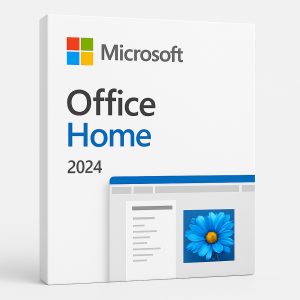
Excel 2024 product box with Microsoft logo on white background

Excel 2024 for Windows โ€“ The Essential Spreadsheet Tool for Data, Finance & Analysis

Whether youโ€™re managing budgets, tracking expenses, building reports, or analyzing complex data, Excel 2024 for Windows is your go-to tool for powerful, professional spreadsheet work. This latest version of Microsoft Excel is built for home users, students, financial professionals, and small businesses that want full-featured performance โ€” without monthly subscriptions.

๐Ÿ“ฆ Whatโ€™s Included in Excel 2024 for Windows?

This stand-alone version of Microsoft Excel includes:

  • Advanced spreadsheet and data management tools

  • PivotTables, conditional formatting, and smart charts

  • AI-powered suggestions and formula autocomplete

  • Integrated Power Query & Power Pivot for deeper data analysis

  • Real-time collaboration and cloud-saving via OneDrive

๐Ÿ’ป Designed for Windows 10 & Windows 11

Excel 2024 is fully optimized for modern Windows PCs, offering a fast, responsive experience on both Windows 10 and Windows 11. Use it confidently across desktops, laptops, and tablets to get your work done wherever you are.

โœจ Smart Features & Productivity Tools

Excel 2024 includes intelligent features that help you analyze, visualize, and present your data better than ever. With templates, charts, new formula enhancements, and smart automation, youโ€™ll work faster and make smarter decisions with ease.

๐Ÿ›’ One-Time Purchase โ€“ Lifetime License

No subscriptions. No recurring fees. Just one payment for lifetime access to Microsoft Excel 2024. Perfect for individuals, students, and professionals who need Excel on one device โ€” permanently.

โœ… Get Excel 2024 for Windows Today and Enjoy These Exclusive Benefits!

๐Ÿš€ Instant Digital Delivery โ€“ Receive your Excel 2024 product key and download link via email within minutes of purchase. No delays, no hassle!

๐Ÿ’ฌ Free 24/7 Customer Support โ€“ Weโ€™re here for you anytime via email, live chat, or phone to help with installation, activation, or any questions you might have โ€” day or night.

๐Ÿ’ฏ 100% Money-Back Guarantee โ€“ We stand by our products. If youโ€™re unable to activate your key and our support team canโ€™t resolve the issue, youโ€™ll receive a full refundโ€”guaranteed.

โญ Trusted by Thousands โ€“ Donโ€™t just take our word for it! Our customers consistently rate us highly on Google and Trustpilot for our reliability and service.

๐Ÿ”„ Explore Other Office Options

Need more than just Word? Check out these complete Office suites:

๐Ÿ’ป Enhance Your Experience with the Right OS

Pair Word 2024 with a genuine Windows OS for optimal performance:

๐Ÿ› ๏ธ Minimum System Requirements for Excel 2024 (Windows)

Component

Requirement

Operating System

Windows 11 or Windows 10 (ARM-based devices require Windows 11)

Processor

1.1 GHz or faster, 2-core

RAM

4 GB RAM

Storage

4 GB of available disk space

Display

1280 x 768 screen resolution

Graphics

DirectX 9 or higher, WDDM 2.0 or higher driver

Internet

Required for installation, activation, and updates

Browser

Latest version of Microsoft Edge, Chrome, or Firefox

.NET Version

Some features may require .NET 3.5 or 4.6+

Go to aka.ms/systemrequirements for the latest compatibility details.

๐Ÿ“ˆ Why Buy Excel 2024 for Windows?

  • Lifetime license โ€” no subscriptions or renewals

  • Complete data management, reporting, and analysis toolkit

  • Optimized for Windows 10 and Windows 11

  • Instant delivery, reliable support, and secure activation

๐Ÿ›’ Buy Excel 2024 for Windows today and unlock powerful spreadsheet features with lifetime access!

Frequently Asked Questions โ€“ Excel 2024 for Windows

What is Excel 2024 and what makes it different from older versions?

Excel 2024 is the latest standalone version of Microsoft Excel, released as a one-time purchase. It includes new formula functions, improved charting tools, enhanced Power Query, and AI-assisted analysis features not available in Excel 2021 or earlier. Unlike a Microsoft 365 subscription, Excel 2024 gives you a permanent licence with no monthly fees โ€” you pay once and own it for life.

How do I download Excel 2024 after purchase?

Once your order is confirmed, you will receive an email containing your Excel 2024 product key and an official download link. Follow these steps to get started:

  1. Go to setup.office.com โ€” sign in with your Microsoft account, or create a free one if you do not already have one.

  2. Once signed in, click Download Excel to begin downloading the installer to your PC.

  3. When the download is complete, run the installer file and follow the on-screen instructions. Installation typically completes within 10โ€“15 minutes, depending on your internet speed.

How do I install Excel 2024?

After the installer has downloaded, installation is quick and straightforward:

  1. Locate the downloaded installer file (usually in your Downloads folder) and double-click it to run.

  2. If prompted by Windows User Account Control, click Yes to allow the installation to proceed.

  3. The Office installer will launch automatically and install Excel 2024 on your PC. No additional configuration is needed โ€” simply wait for the progress bar to complete.

  4. Once installation is finished, click Close and launch Excel 2024 from the Start Menu.

How do I activate Excel 2024?

Activation by login to your Microsoft account you used to register the key:

  1. Open Excel 2024 from the Start Menu.

  2. Click File in the top-left corner, then select Account.

  3. Click Activate Product.

  4. Sign in with the same Microsoft account used to redeem your license.

  5. You can view or manage your licence at any time under Microsoft Services & Subscriptions.

An internet connection is required for activation. Once activated, Excel 2024 works fully offline.

Can I reinstall Excel 2024 on a new device?

Yes. Because your licence is bound to your Microsoft account, you can reinstall Excel 2024 on the same or a replacement device at any time โ€” simply sign in to your Microsoft account, go to Services & Subscriptions, and click Install. Note that the licence covers one device at a time.

Is Excel 2024 compatible with Windows 10?

Yes. Excel 2024 is fully compatible with both Windows 10 and Windows 11. The minimum requirement is a 1.1 GHz dual-core processor, 4 GB RAM, and 4 GB of available disk space. For ARM-based devices, Windows 11 is required. See the system requirements table on this page for the full list.

Does Excel 2024 work on Mac?

This particular listing is the Windows-only version of Excel 2024. If you need Excel for a Mac, please check the Office Home 2024 for Windows or Mac, which includes Excel and is compatible with macOS.

Is this a subscription or a one-time purchase?

This is a one-time purchase with a lifetime licence. There are no monthly or annual fees. Once activated, Excel 2024 is yours permanently on the device you install it on โ€” no renewal required.

How long does delivery take?

Delivery is instant and digital. Your Excel 2024 product key and download link are sent to your email address within minutes of your order being processed. There is nothing physical to ship, so you can get started right away.

What if I need help with installation or activation?

Our customer support team is available 24/7 to assist you. If you run into any issues during download, installation, or activation of Excel 2024, contact us via email or live chat and we will guide you through the process step by step.

What if my product key does not work?

In the unlikely event that your key does not activate successfully, contact our support team immediately. We will troubleshoot the issue with you and, if we are unable to resolve it, issue a full refund โ€” no questions asked. For a step-by-step installation guide, you can also refer to our Office 2024 Download, Installation & Activation Instructions page.

Can I use Excel 2024 alongside an existing Microsoft 365 subscription?

Microsoft does not support running both a Microsoft 365 subscription and a standalone version of Office on the same device simultaneously. If you already have Microsoft 365 installed, we recommend uninstalling it before activating Excel 2024, or upgrading to a full suite. Browse our Office 2024 Pro Plus for Windows for a complete productivity package that includes all core Office applications.

Reviews

There are no reviews yet.

Only logged in customers who have purchased this product may leave a review.

You may also like…