


Important Information About Office 2019 Professional Plus for Windows – Bound to MS Account
When you purchase Office 2019 Professional Plus for Windows – Bound to MS Account, your license is directly linked to your Microsoft account.
You must register your product key at setup.office.com.
When you register it, the license becomes bound to your MS account, not just your device.
You can reinstall Office anytime by simply signing in with your Microsoft account, even if you change or reset your PC.
No need to reuse the key after binding — your account handles activation automatically.
✅ This ensures a lifetime license with maximum flexibility for device upgrades and replacements.
Office 2021 Professional Plus for Windows – Lifetime License Linked to Your Microsoft Account
Office 2019 Professional Plus is the dependable solution for businesses, freelancers, and advanced users seeking a one-time purchase Office license tied directly to their Microsoft account. With lifetime access and account-bound flexibility, Office 2019 delivers the essential productivity tools professionals rely on — without subscriptions or recurring fees.
What’s Included in Office 2019 Professional Plus for Windows
When you choose Office 2019 Professional Plus, you get full access to Microsoft’s professional suite of applications:
-
Word – Create polished documents with advanced formatting.
-
Excel – Analyze data efficiently with functions, charts, and pivot tables.
-
PowerPoint – Build engaging presentations with clean design options.
-
Outlook – Manage email, calendars, and contacts in one place.
-
Publisher – Design print-ready marketing materials.
-
Access – Create and manage databases with ease.
-
OneNote – Capture notes and ideas across devices.
Why Choose Office 2019 Professional Plus for Windows?
-
License Bound to Your Microsoft Account – Enjoy lifetime ownership with the flexibility to reinstall if you upgrade or change your PC.
-
One-Time Purchase, No Subscriptions – Pay once, own it forever. No recurring fees or hidden charges.
-
Built for Professionals – Perfect for small businesses, corporate teams, and independent consultants.
-
Modern Features – Enhanced real-time collaboration, AI-powered writing assistance, new Excel formulas, and OneDrive integration.
Lifetime Access – Flexibility You Can Trust
Because your Office 2019 Professional Plus license is bound to your Microsoft account, you can reinstall Office if you change devices or reset your PC.
-
Install it once → Linked forever.
-
Sign in with your Microsoft account to reinstall anytime.
-
Lifetime access with no extra costs.
Get Office 2019 Professional Plus Today and Enjoy These Exclusive Benefits!
 Instant Digital Delivery – Receive your Office 2019 product key and download link via email within minutes of purchase. No delays, no hassle!
 100% Money-Back Guarantee – We stand by our products. If you’re unable to activate your key and our support team can’t resolve the issue, you’ll receive a full refund—guaranteed.
 Trusted by Thousands – Don’t just take our word for it! Our customers consistently rate us highly on Google and Trustpilot for our reliability and service.
Explore Other Office Options
If Office 2019 Professional Plus – Bound to Microsoft Account isn’t the perfect fit for your needs, consider these alternatives:
-
Office 2021 Pro Plus – Retail Key – A complete package for professionals and businesses, including Word, Excel, PowerPoint, OneNote, Outlook, Publisher, Access, and Skype for Business.
-
Office 2021 Professional Plus – OEM License – Cheaper version for home users, including Word, Excel, PowerPoint, OneNote, Outlook, Publisher, Access, and Skype for Business.
-
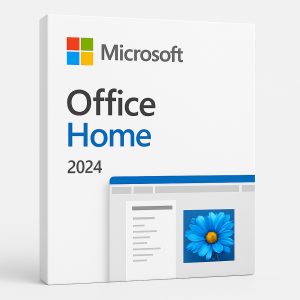
Office Home 2024 for Windows or MAC – Perfect for home users, this suite offers essential apps like Word and Excel, giving you the tools you need for everyday tasks and personal projects.
-
Office 2019 Professional Plus – Retail Key – One-time activation for professionals needing a stable and affordable solution.
 Choose the right version and take your productivity to the next level!
Boost Your Productivity with the Windows OS
Maximize your efficiency by pairing Office 2019 with a compatible Windows OS. Here are our top recommendations:
-
Windows 11 Pro Retail – Built for power users and businesses, offering advanced security, productivity, and management features.
-
2-PC Minimum Order Windows 11 Professional Retail – Ideal for professionals and businesses needing multiple licenses at a great value.
-
Windows 10 Pro Retail – A stable and reliable operating system packed with advanced features for business and professional use.
-
2-PC Minimum Order Windows 10 Professional Retail – Ideal for professionals and businesses needing multiple licenses at a great value.
Find the perfect Windows edition to match your needs!
Minimum System Requirements for Office 2019 for Windows
|
Component |
Requirement |
|---|---|
|
Operating System |
Windows 10 or Windows 11 |
|
Processor |
1.6 GHz, 2-core processor |
|
RAM |
4 GB (64-bit) |
|
Storage |
4 GB available disk space |
|
Display |
1280 x 768 resolution |
|
Graphics |
DirectX 10 compatible graphics card |
|
Additional |
Internet connection required for activation and updates |
Why Choose Office 2019 Professional Plus for Windows?
-
Lifetime license – no recurring fees
-
License bound to your Microsoft account – reinstall anytime
-
Full suite with advanced apps: Word, Excel, PowerPoint, Outlook, Access, Publisher & more
-
Perfect for businesses, freelancers, and professional users
-
Works seamlessly on Windows 10 & Windows 11
-
Instant digital delivery – start working immediately
✅ Get Office 2019 Professional Plus for Windows today and enjoy lifetime flexibility and powerful productivity tools built for modern users!




Reviews
There are no reviews yet.