

The Windows 10 ESU deadline of October 13, 2026 is the hard stop — after that date, no further security patches will be issued for Windows 10, period. If you’re still running Windows 10 — whether on a home desktop or a fleet of business machines — this guide breaks down exactly what Extended Security Updates (ESU) cost, how to enroll before the cutoff, and how to decide whether to upgrade, replace, or let the patches lapse.
Why Millions of PCs Are Still on Windows 10
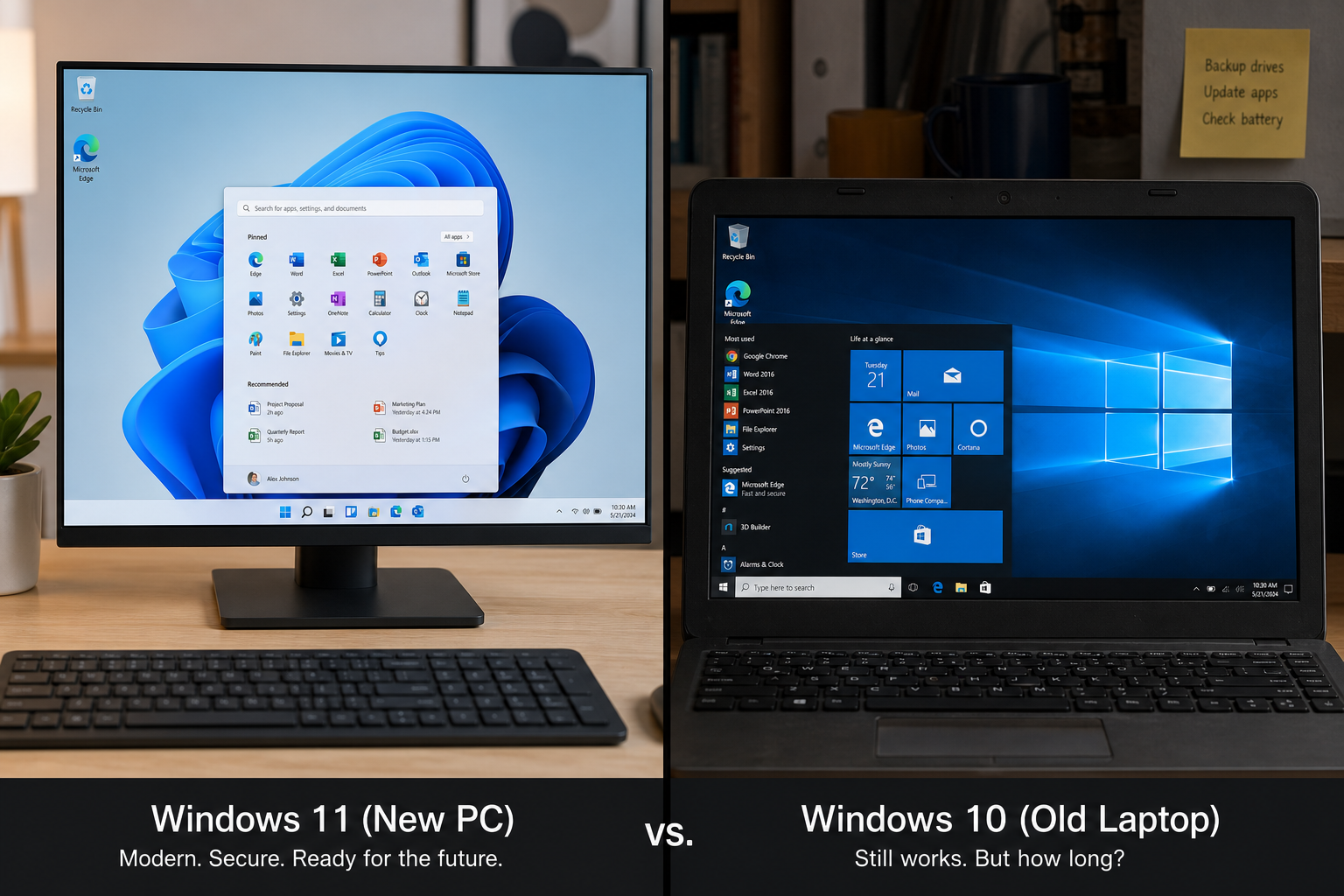
Despite Windows 11 being available since October 2021, a large share of desktops worldwide never made the jump. According to Statcounter’s desktop Windows version market share data, Windows 10 still held roughly 28% of all Windows desktop sessions globally as of April 2026 — representing hundreds of millions of machines. The reasons are familiar to any IT manager or power user:
-
Hardware incompatibility. Windows 11 requires TPM 2.0, Secure Boot, and a CPU on Microsoft’s supported list. Many machines bought between 2015 and 2018 fail the check.
-
Legacy software. Older line-of-business apps, specialist hardware drivers, or industry tools that haven’t been validated on Windows 11.
-
Upgrade fatigue. Businesses that only just finished their Windows 10 rollout are reluctant to absorb another migration cycle.
-
Cost. Buying new hardware or a new licence has a budget impact that’s easy to postpone — until a deadline forces the issue.
Windows 10 mainstream support ended on October 14, 2025. ESU is the one-year bridge that keeps those machines patched while you plan the next step.
What Is the Windows 10 ESU Program?
Extended Security Updates are exactly what the name says: security-only patches delivered after an operating system’s end-of-support date. They do not add new features, fix bugs, or improve performance — they simply keep known vulnerabilities from going unpatched. Microsoft has offered ESU programmes before (Windows 7, Windows Server 2008), so the model is well understood.
For Windows 10, the ESU window runs from October 14, 2025 through October 13, 2026 — one year, one price tier, one hard stop. There is no Year 2 for consumers. Commercial customers face a doubling price structure if Microsoft were to extend further, but as of this writing, October 13, 2026 is the absolute final ESU date for all editions.
Only devices running Windows 10, version 22H2 are eligible. If you haven’t updated to 22H2 yet, do that first via Windows Update before attempting to enrol.
Windows 10 ESU Cost: Three Ways to Enrol (Consumer)
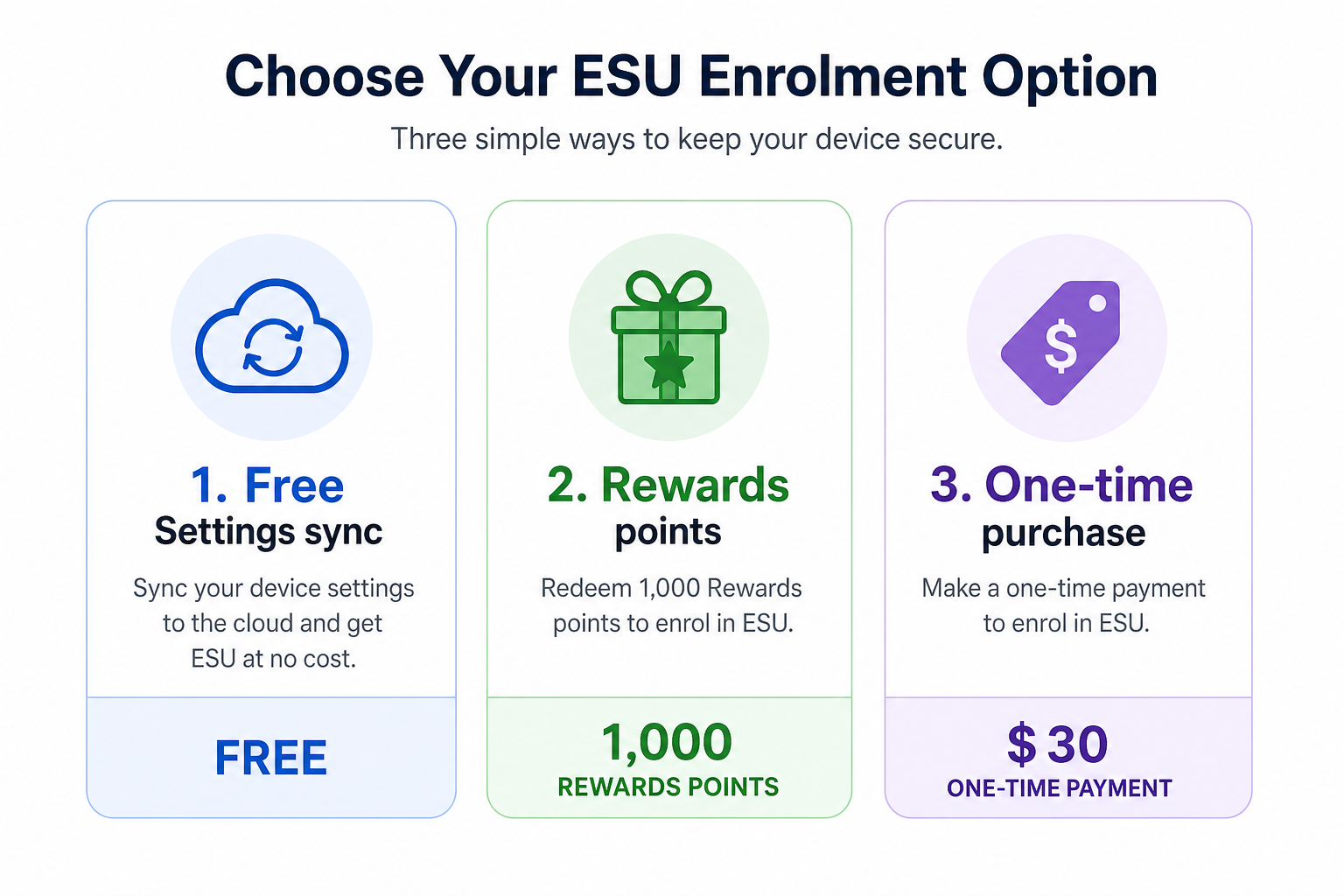
Microsoft has made consumer ESU enrolment unusually accessible compared with previous ESU programmes. There are three routes, and one of them is free:
-
Free — PC Settings sync. If your Windows 10 device is signed in with a Microsoft account and PC Settings backup/sync is enabled, ESU enrolment is included at no extra charge. This is the easiest route for home users who are already in the Microsoft ecosystem.
-
1,000 Microsoft Rewards points. If you collect Rewards points through Bing searches, Microsoft Edge, or Xbox, you can redeem 1,000 points for ESU access — effectively zero cash outlay for active Rewards users.
-
One-time purchase of $30 USD. A flat fee covering the full ESU period through October 13, 2026. This is the straightforward paid option for anyone who doesn’t use Settings sync or doesn’t have Rewards points.
To start enrolment: open Settings → Update & Security → Windows Update. If your device is eligible, you’ll see an Enroll in Extended Security Updates prompt. Follow the on-screen flow — you’ll be prompted to sign in with a Microsoft account if you aren’t already.
ESU October 2026 Pricing for Commercial and Business Users
For organisations managing multiple devices, ESU pricing is structured differently. Commercial ESU costs $61 per device per year for Year 1 (October 2025–October 2026). Microsoft’s ESU programme for business is cumulative — if you skipped Year 1 and tried to enrol in a hypothetical Year 2, you’d owe both year’s costs. There is currently no Year 2 offered for Windows 10 beyond the October 2026 ESU deadline, so the commercial rate is effectively a one-year $61/device fee.
For a small business with, say, 20 machines that can’t be upgraded, that totals $1,220 — not trivial, but far cheaper than rushed hardware replacement. Schools and government entities can also access ESU through Microsoft Volume Licensing. Enrolment for commercial users is managed through the Microsoft 365 admin centre or via a Microsoft cloud solution provider.
How to Enrol Before the Windows 10 ESU Deadline

You can enrol any time up to and including October 13, 2026, but the longer you wait after October 14, 2025, the longer your machine runs without security patches before ESU kicks in. Step-by-step for consumers:
-
Confirm you’re on Windows 10 version 22H2 (Start → Settings → System → About → Windows specifications).
-
Sign in to Windows with a Microsoft account (or create one if needed).
-
Open Settings → Update & Security → Windows Update.
-
Click the ESU enrolment prompt and choose your payment method: free via Settings sync, Rewards points, or $30 purchase.
-
After enrolment, restart and check for updates — the first ESU patch batch should install immediately if any are pending.
Commercial admins deploying across multiple devices should follow the Microsoft Learn guide on the Windows 10 ESU programme for Volume Licensing and MAK key deployment instructions.
The Decision Framework: Upgrade, Replace, or Let ESU Lapse?
ESU buys time — it doesn’t solve the underlying problem. Use the year between now and the Windows 10 end of support ESU cutoff to make a deliberate choice. Here’s a practical framework:
Option 1 — Upgrade to Windows 11 (Best for Most Users)
If your hardware passes the Windows 11 compatibility check (TPM 2.0, Secure Boot, a supported 64-bit CPU), upgrading is the strongest long-term move. Windows 11 is supported until at least 2031, adds security features like hardware-enforced stack protection and improved BitLocker defaults, and the upgrade itself is free if you hold a genuine Windows 10 licence.
Already have a genuine Windows 10 key but need a fresh Windows 11 licence for a rebuild or new machine? Shop Key Online’s Windows 11 Pro Retail key (€17.95) lets you activate a clean install in minutes — original key, official download, instant email delivery.
Option 2 — Buy a New Device
If your machine fails the Windows 11 hardware check, ESU year is the ideal runway to budget for replacement. New hardware ships with Windows 11 pre-installed and typically comes with a multi-year hardware warranty. Don’t buy a new machine and then leave it on Windows 10 — that’s the worst of both worlds.
When you’re ready to activate Windows on a new build, our Windows 11 Home Retail key (€15.65) or the Windows 11 Pro OEM key (€15.95) give you genuine activation at a fraction of retail box pricing.
Option 3 — Let ESU Lapse (Acceptable Only in Narrow Situations)
If a machine is completely air-gapped (never connects to the internet or an external network), running a single dedicated function, and managed by someone who understands the risk, letting ESU lapse may be tolerable. This is not an acceptable posture for any internet-connected machine, business workstation, or device that handles personal data.
One More Deadline to Factor In: Office 2021
October 13, 2026 isn’t just the Windows 10 ESU cutoff — it’s also the end of support for Microsoft Office 2021. If you’re running both on the same machine, you face a double-deadline. Read our full breakdown in Office 2021 End of Support October 2026: Your Upgrade Plan to make sure your productivity suite is covered alongside your OS.
Windows 10 ESU: Quick-Reference Summary
-
Hard deadline: October 13, 2026 — no patches after this date, ever.
-
Consumer cost: Free (Settings sync), 1,000 Rewards points, or $30 one-time.
-
Commercial cost: $61 per device per year (Year 1 only available).
-
Eligibility: Windows 10 version 22H2 only.
-
Enrolment: Settings → Update & Security → Windows Update → ESU prompt.
-
ESU scope: Security patches only — no new features or bug fixes.
-
Best action: Use ESU as a planned transition runway, not a long-term solution.
FAQ
Can I still enrol in Windows 10 ESU after October 14, 2025?
Yes — Microsoft allows enrolment any time up to October 13, 2026. However, your machine will be unpatched between October 14, 2025 and the date you enrol. Enrol as soon as possible to close that gap.
Does Windows 10 ESU include feature updates or bug fixes?
No. ESU delivers security patches only — the same Critical and Important security updates that Microsoft would normally release on Patch Tuesday. No new features, no performance improvements, no bug fixes beyond security vulnerabilities.
What happens to my PC after the October 2026 ESU deadline?
Your PC keeps working. Windows 10 doesn’t stop functioning the day ESU expires. However, it will no longer receive any security updates from Microsoft, meaning newly discovered vulnerabilities will go unpatched indefinitely. The risk grows every month. Internet-connected machines become increasingly attractive targets for ransomware and malware exploits.
Is the $30 consumer ESU a subscription or one-time fee?
It’s a one-time purchase that covers the entire ESU period — from October 14, 2025 through October 13, 2026. There is currently no Year 2 consumer ESU, so you won’t be auto-renewed or charged again.
Can I get Windows 10 ESU for free?
Yes, if your Microsoft account has PC Settings sync enabled on the device, ESU is included at no extra cost. You can also redeem 1,000 Microsoft Rewards points instead of paying cash. The $30 option exists for users who don’t use Settings sync and don’t have Rewards points banked.
Will my Windows 10 licence carry over if I upgrade to Windows 11?
Yes — a genuine Windows 10 digital licence entitles you to a free in-place upgrade to Windows 11 on the same hardware, provided the hardware meets the minimum requirements. If you’re building a new machine or doing a clean install, you’ll need a new Windows 11 licence key.
