

Office 2021 support ends on October 13, 2026 — and Microsoft has confirmed there will be no extensions, no paid security updates, and no exceptions. After that date, any vulnerability found in Word, Excel, PowerPoint, or Outlook will stay permanently unpatched. You have roughly five months to decide what to do. This guide walks you through every realistic option, their costs, and how to pick the right one for your situation.
What “Office 2021 end of life” Actually Means
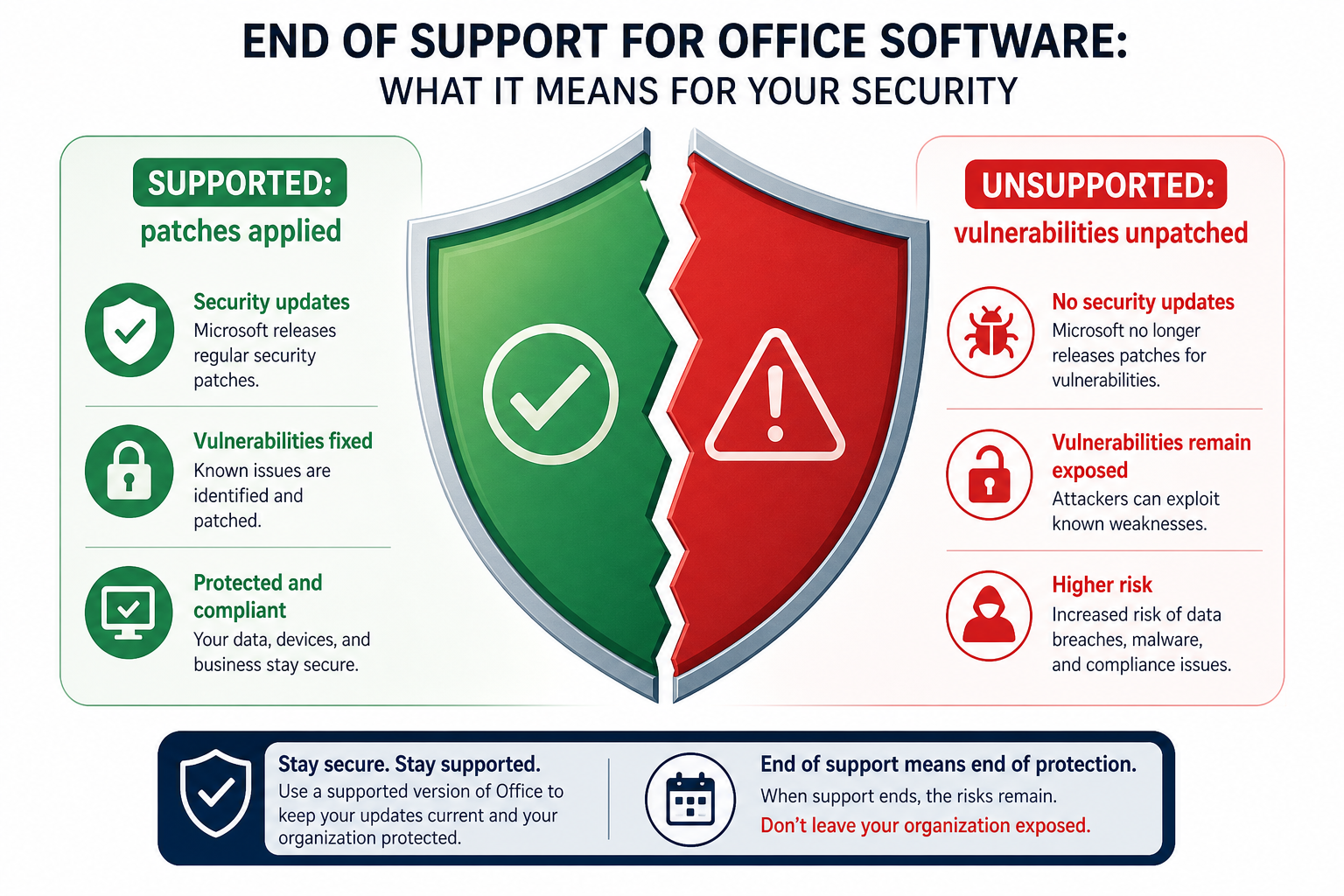
When Microsoft ends support for an Office version, it stops releasing security patches, bug fixes, and technical assistance for that product. The software does not stop working on October 14, 2026 — your documents will still open. What stops is protection. Every security flaw discovered after the 2026 Office deadline will be known publicly but never fixed, making your installation a permanent target for malware, ransomware, and phishing exploits that abuse those holes.
This is not theoretical. After Office 2013 lost support in April 2023, researchers documented a sharp uptick in exploits targeting its unpatched components. Office is deeply integrated with Windows — a compromised macro or a malicious attachment can move laterally through a business network within minutes.
Who Is Most at Risk When Office 2021 Support Ends?
Not every user faces equal risk. Below is a quick breakdown:
-
Small businesses handling client data or payments — highest risk; a breach can trigger regulatory penalties under GDPR or PCI-DSS.
-
Freelancers with confidential client files — moderate-to-high risk; malicious document attacks are a common freelancer vector.
-
Students using Office only for coursework on an isolated device — lower risk, but still vulnerable to phishing via Outlook.
-
Home users who rarely open external files — lowest risk, though still inadvisable to run unsupported software indefinitely.
Your Four Options Before the Office 2021 End of Life
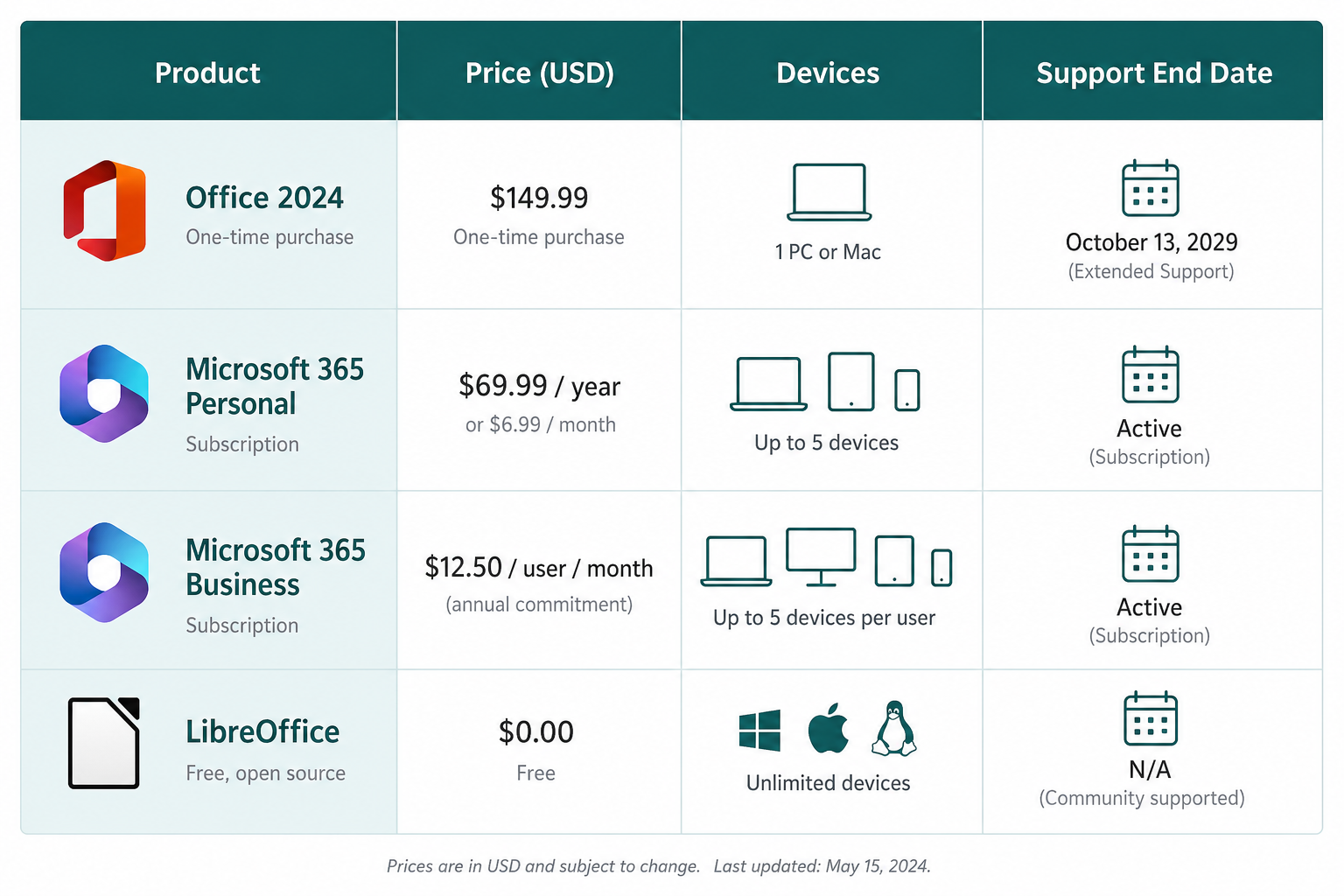
With the Office 2021 end of life confirmed, you have four realistic paths. Each has genuine trade-offs.
Option 1: Upgrade to Office 2024 (One-Time Purchase)
Office 2024 is the direct successor to Office 2021. It is a perpetual licence — you pay once and own it. Microsoft has extended its mainstream support lifecycle to October 2029, giving you at least three more years of security patches. It includes the same core applications: Word, Excel, PowerPoint, and Outlook, plus OneNote.
Key improvements over Office 2021 include better performance on Windows 11, updated collaboration features, and tighter integration with OneDrive. There are no AI Copilot features in the perpetual version — those are subscription-only.
Microsoft Office Home 2024 is the entry-level edition at €115.95 for a single PC or Mac, covering the core apps most people need — Word, Excel, PowerPoint, and OneNote — as a one-time purchase with no subscription. Step up to Office Home & Business 2024 at €207.95 and you also gain Outlook, making it the better fit if you handle a lot of email alongside the everyday productivity apps.
For professionals and businesses, Office 2024 Pro Plus is the most complete standalone edition at just €24.50 — LTSC-based, no Microsoft account required, with the full suite including Access. Once you’ve purchased, our Office 2024 Pro Plus download and activation guide walks you through setup so you’re up and running in minutes.
If you also need to upgrade your operating system at the same time, the Windows 11 Pro + Office 2024 Pro Plus bundle offers both licences together at a significant saving over buying separately.
Option 2: Switch to Microsoft 365 (Subscription)
Microsoft 365 Personal costs £59.99 / $69.99 per year (roughly £5 / $6 per month). Microsoft 365 Family covers up to six users for £79.99 / $99.99 per year. Business plans start at £4.50 / $6.00 per user per month for Microsoft 365 Business Basic.
Advantages: always up to date, 1 TB OneDrive storage per user, access to Copilot AI features, and licences that cover up to five devices simultaneously. The downside is the ongoing cost — over five years, Personal works out to around £300, compared to a one-time Office 2024 purchase.
Microsoft 365 makes most sense if you collaborate heavily, work across multiple devices, need cloud storage, or want the latest AI tools as they roll out.
Option 3: Stay on Office 2021 and Accept the Risk
Technically, nothing forces you to upgrade after the Office 2021 support ends date. The software continues to function. But running unsupported productivity software that handles email, documents, and financial spreadsheets is a calculated risk — and in many industries, it may also put you out of compliance with data protection regulations.
If you choose to stay, mitigate risk by: disabling macros entirely, blocking all external email attachments by default, keeping Windows fully patched, running a reputable endpoint security suite, and making daily encrypted backups. Even then, this is a temporary workaround, not a long-term solution.
Option 4: Switch to a Free Alternative
LibreOffice, Google Workspace (free tier), and Apple iWork are all zero-cost options. They cover basic word processing, spreadsheets, and presentations. The realistic limitations are compatibility gaps with complex Excel formulas, advanced Word macros, and Outlook email rules. If your workflow is straightforward, a free alternative may be entirely adequate.
Decision Checklist: Which Path Is Right for You?
Work through these questions to narrow your choice before the 2026 Office deadline:
-
Do you share files with clients or colleagues who use Microsoft Office? If yes, stay with Office (2024 or 365) for full compatibility.
-
Do you work across more than two devices? If yes, Microsoft 365 often works out cheaper than multiple perpetual licences.
-
Do you need AI writing, summarisation, or data-analysis features? If yes, only Microsoft 365 (with Copilot) delivers these.
-
Do you want a one-time cost with no recurring bill? If yes, Office 2024 perpetual is your answer.
-
Is your use limited to basic documents with no external file exchange? If yes, a free alternative is worth trialling first.
-
Are you subject to data-handling regulations (GDPR, HIPAA, PCI-DSS)? If yes, running unsupported software after the Office 2021 end of life date is almost certainly non-compliant — upgrade promptly.
How Much Time Do You Actually Have?
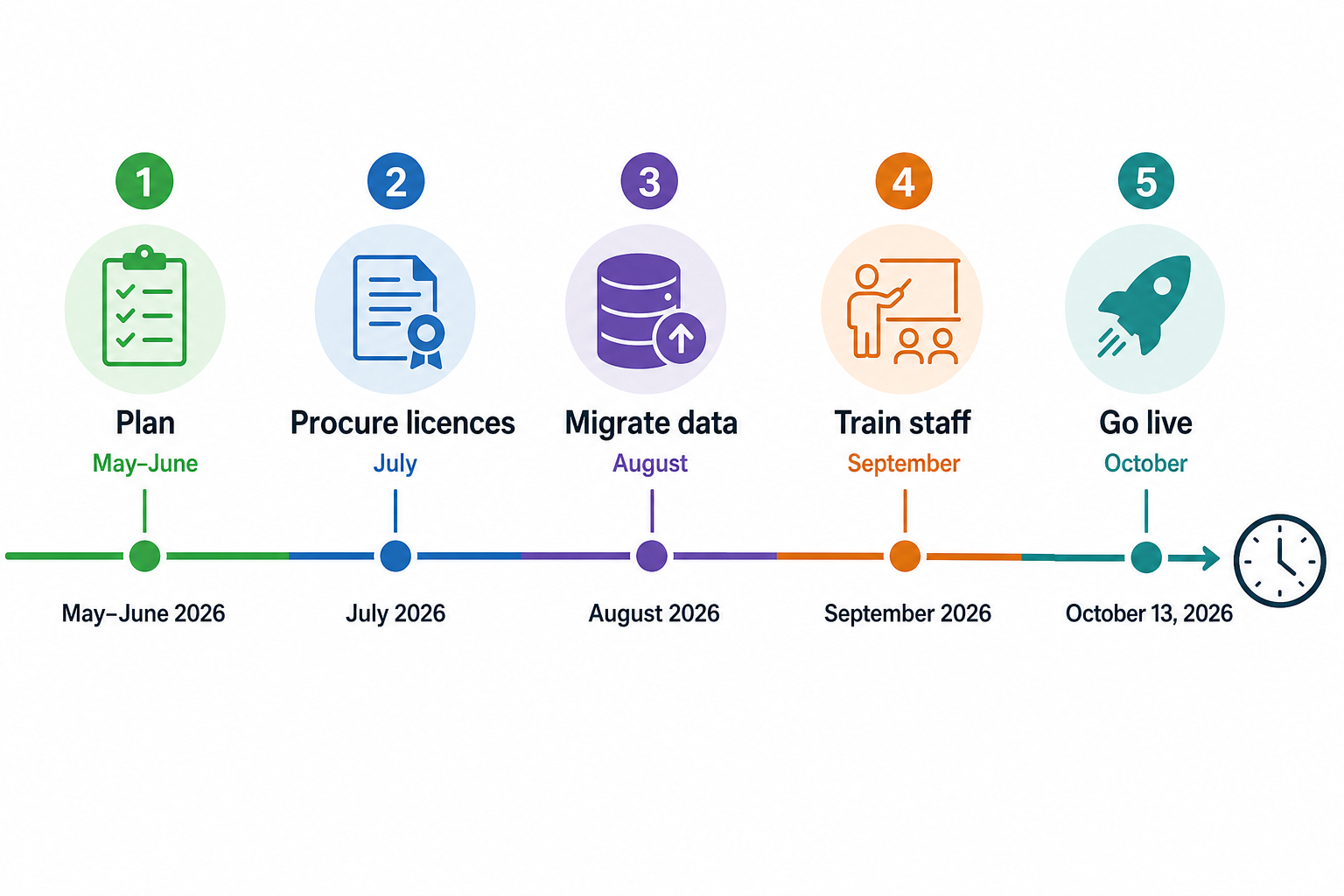
Today is May 23, 2026. October 13, 2026 is approximately 143 days away. That sounds comfortable, but consider: procurement and IT approval in a small business can take two to four weeks; staff retraining on a new version or platform can take another week; and migrating email profiles and custom templates is often the longest step of all. Starting now means a relaxed, tested migration. Waiting until September means a scramble.
Frequently Asked Questions
Will Office 2021 stop working after the Office deadline on October 13, 2026?
No. The applications will continue to open and run normally. What stops is security patching and technical support from Microsoft. Your documents, templates, and settings remain intact. The risk is not that Office breaks — it is that unpatched vulnerabilities become permanent attack vectors.
Does the Office 2021 end of support October 2026 affect Mac users too?
Yes. Microsoft Office 2021 for Mac shares the same October 13, 2026 end-of-support date as the Windows version. Mac users running Office 2021 should follow the same upgrade planning steps described above.
Is there any paid Extended Security Update (ESU) programme for Office 2021?
No. Unlike Windows, Microsoft does not offer a paid ESU programme for consumer or small-business Office versions. There is no way to buy extra patch coverage for Office 2021 after its end-of-support date. This is confirmed in Microsoft’s official lifecycle documentation.
Can I still activate a new Office 2021 key after October 2026?
Activation servers are separate from security update infrastructure. Microsoft has not announced a shutdown of Office 2021 activation services — you will likely still be able to activate a legitimate key after October 2026. However, doing so would mean running unsupported software from day one, which is not recommended for any business use.
What happens to my OneDrive files if I stay on Office 2021?
Your OneDrive storage and files are unaffected by the Office 2021 support deadline — they are tied to your Microsoft account, not your Office version. However, the OneDrive sync client bundled with Office 2021 may eventually lose compatibility with updated OneDrive server features, so expect degraded functionality over time.
How do I migrate my Outlook email and calendar to Office 2024?
The simplest method is to export your Outlook data file (.PST) from Office 2021, install Office 2024, and then import the .PST during the Outlook setup wizard. Your account settings (IMAP/Exchange) reconnect automatically when you enter your email address. Allow 30–60 minutes for a large mailbox migration.
