
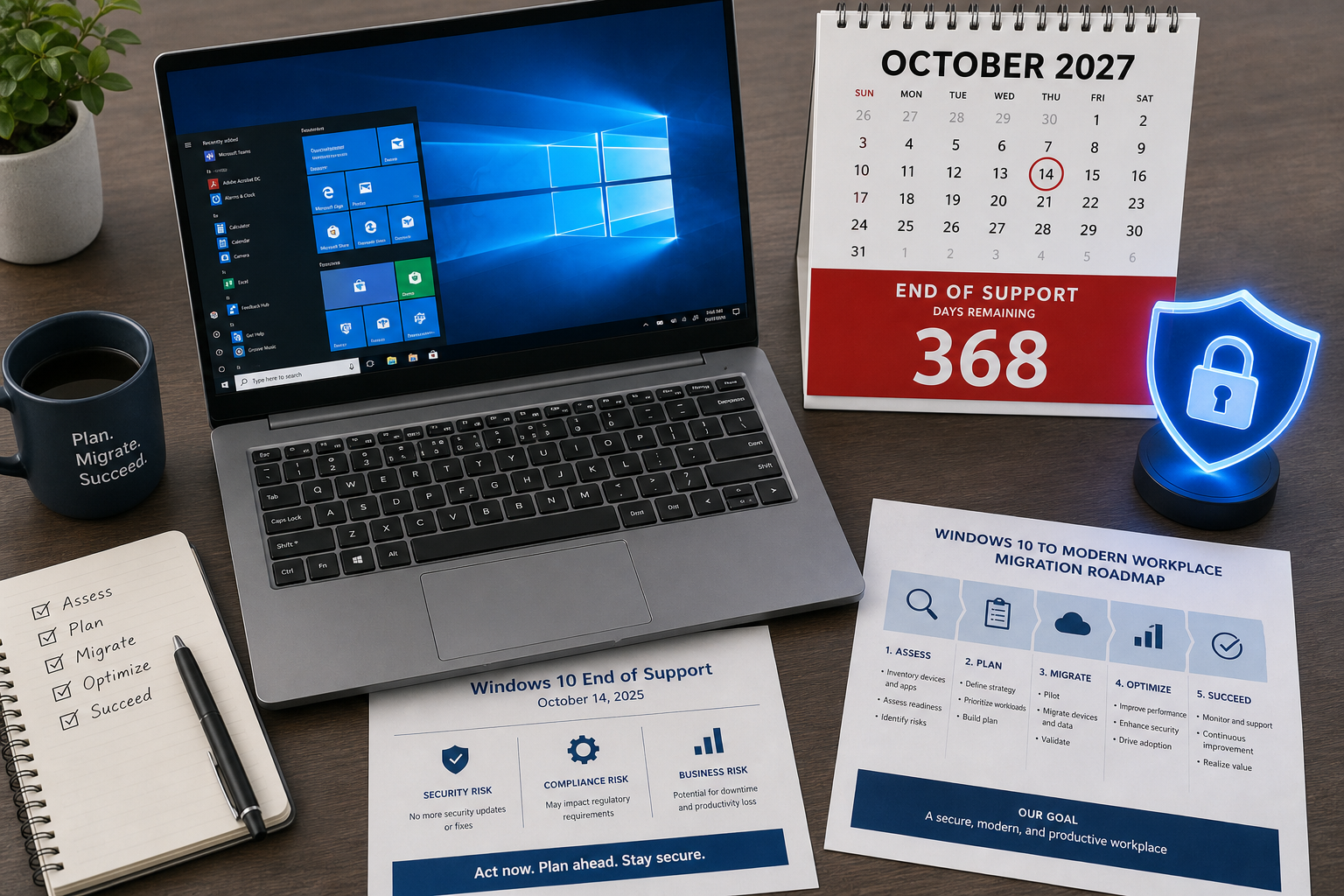
The Windows 10 support extension to October 2027 is the most significant breathing room Microsoft has handed businesses since the original end-of-life date was announced. If you are running Windows 10 across a fleet of PCs, a small office, or even a single workstation, this extra year changes your migration calculus — but it does not cancel it. Here is exactly what the extension covers, what it costs, and how smart businesses should respond.
What Microsoft Actually Announced about Windows 10 support extension
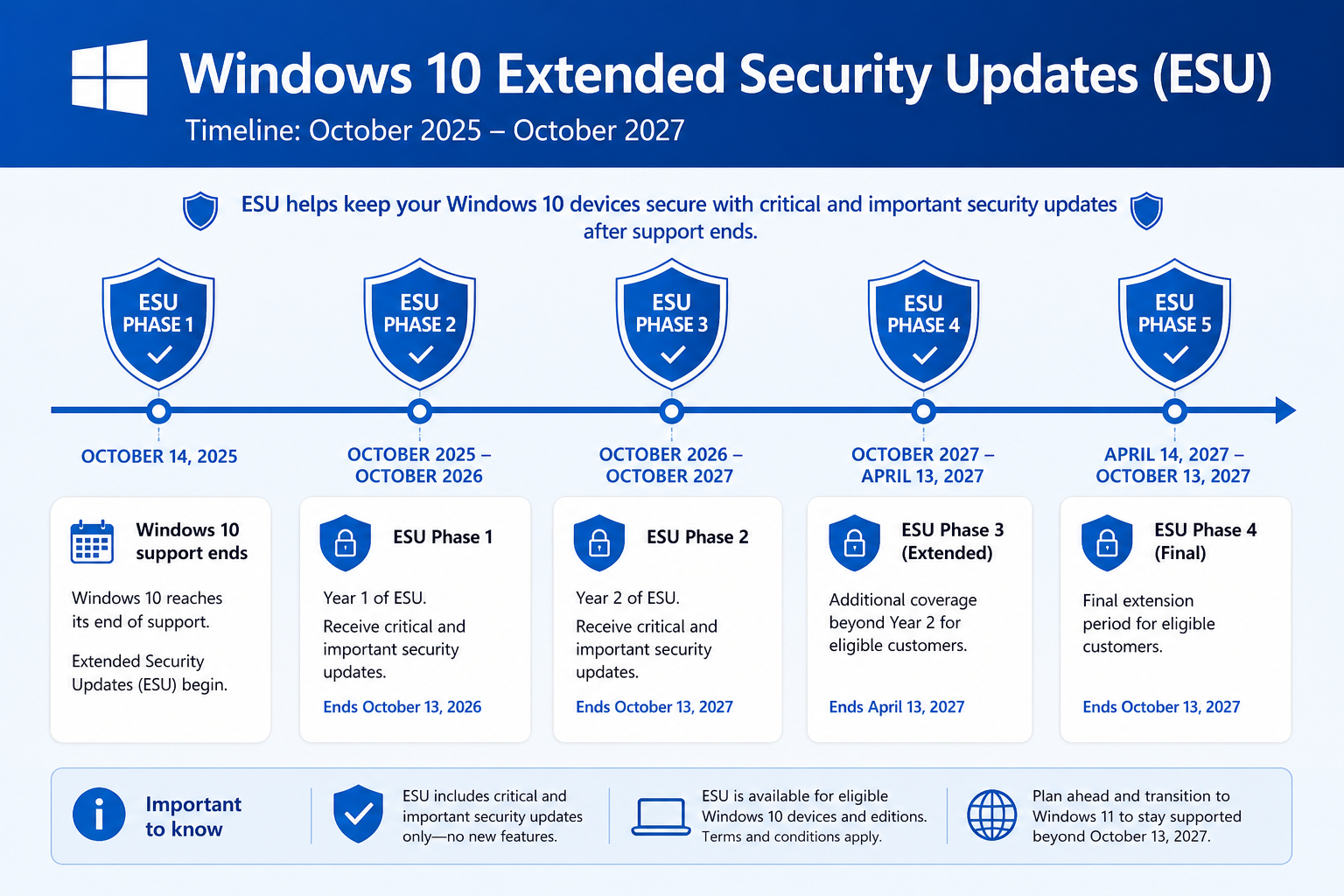
Microsoft quietly updated its Extended Security Update (ESU) programme page in mid-2026 to confirm that Windows 10 security patches will continue until October 12, 2027 — a full year beyond the previously publicised October 2026 consumer ESU deadline. As reported by BleepingComputer, the update was made without a formal press release, catching many IT teams off guard. The core facts are straightforward:
-
Windows 10 mainstream support ended on October 14, 2025.
-
The consumer ESU programme, originally covering one year to October 2026, has been extended to October 12, 2027.
-
Enterprise customers can enrol in ESU for up to three years from the original end-of-support date, potentially covering patches all the way through 2028.
-
Consumers can enrol at any time before the programme closes on October 12, 2027.
This is not a return to full feature development. No new features, no UI changes, no performance improvements — only critical and important security patches. Think of it as a safety net, not a subscription to a living product.
The Windows 10 ESU 2027 Timeline at a Glance
Understanding the exact milestones helps you plan procurement and migration windows without gaps in coverage.
-
July 2015 — Windows 10 first released, reaching over one billion active devices by 2020.
-
October 14, 2025 — Mainstream support ends; no more feature or quality updates outside ESU.
-
October 2025 – October 2026 — Original ESU Year 1 window; consumer price set at $30 USD per device.
-
October 2026 – October 12, 2027 — Newly extended ESU window announced in 2026; consumers remain covered.
-
October 12, 2027 — Absolute final date; no further patches of any kind after this point.
According to Microsoft’s official ESU documentation on Microsoft Learn, organisations of all sizes — not just large enterprises — can participate in the programme, making the Windows 10 end of support story more nuanced than a hard-stop deadline.
What Windows 10 Extended Security Updates Actually Cover
The ESU programme delivers security patches only — not the full update experience you were used to during mainstream support. Here is a clear breakdown of what is and is not included.
What Windows 10 ESU Includes
-
Critical and important security patches for the OS kernel, networking stack, and core components
-
Patches for actively exploited zero-day vulnerabilities (Patch Tuesday delivery schedule maintained)
-
Updates for Internet Explorer components embedded in the OS (where applicable)
-
Microsoft Defender Antivirus definition updates
What ESU Does NOT Include
-
New features or UI improvements
-
Non-security bug fixes or quality-of-life patches
-
Driver updates or hardware compatibility expansions
-
Technical support incidents — you are on your own for troubleshooting outside of security
In short, the Windows 10 extended security updates keep your machines from becoming an immediate liability, but they do not make Windows 10 a modern, supported platform.
How Much Does the ESU Programme Cost?
Pricing varies significantly depending on whether you are a consumer or an enterprise, and this distinction matters for budget planning.
-
Consumers: $30 USD per device for Year 1 of ESU coverage. Microsoft also allowed redemption via 1,000 Microsoft Rewards points as an alternative.
-
Businesses via Volume Licensing: The first ESU year was priced at approximately $61 USD per device. Critically, the price doubles for each subsequent year — making the cumulative three-year enterprise ESU cost up to $427 per device according to figures cited by BleepingComputer.
-
Education and non-profits: Separate pricing tiers exist through Microsoft’s volume licensing channels — check your agreement directly.
For a business running 50 machines on Windows 10, even the Year 1 enterprise ESU cost represents a meaningful line item. That context makes upgrading to Windows 11 look financially attractive for many organisations — especially when Windows 11 Pro licences are available at a fraction of that cost.
Should You Upgrade to Windows 11 Now or Wait?
The Windows 10 support extension gives you room to breathe, not an excuse to stop planning. Here is how to think through the decision for your situation.
Upgrade Now If…
-
Your hardware already meets Windows 11 requirements (TPM 2.0, 64-bit processor, 4 GB RAM, 64 GB storage)
-
You handle sensitive data or operate in a regulated industry where a modern security baseline is non-negotiable
-
You are planning a hardware refresh in the next 12 months anyway
-
The cumulative ESU licensing cost exceeds the cost of a Windows 11 licence — which, for many businesses, it quickly does
Use the Extension If…
-
You have a significant number of older PCs that fail the TPM 2.0 check and a hardware refresh budget has not been approved yet
-
You run specialist legacy software that has not been certified for Windows 11
-
Your IT team is in the middle of a large rollout and needs a controlled, phased migration timeline
-
A critical business system requires Windows 10 specifically, and your vendor has not yet issued a Windows 11-compatible update
The honest answer for most small and medium businesses is: use the extension as a planning runway, not a permanent solution. October 2027 will arrive faster than most IT roadmaps expect.
Windows 10 vs Windows 11: The Real Upgrade Case
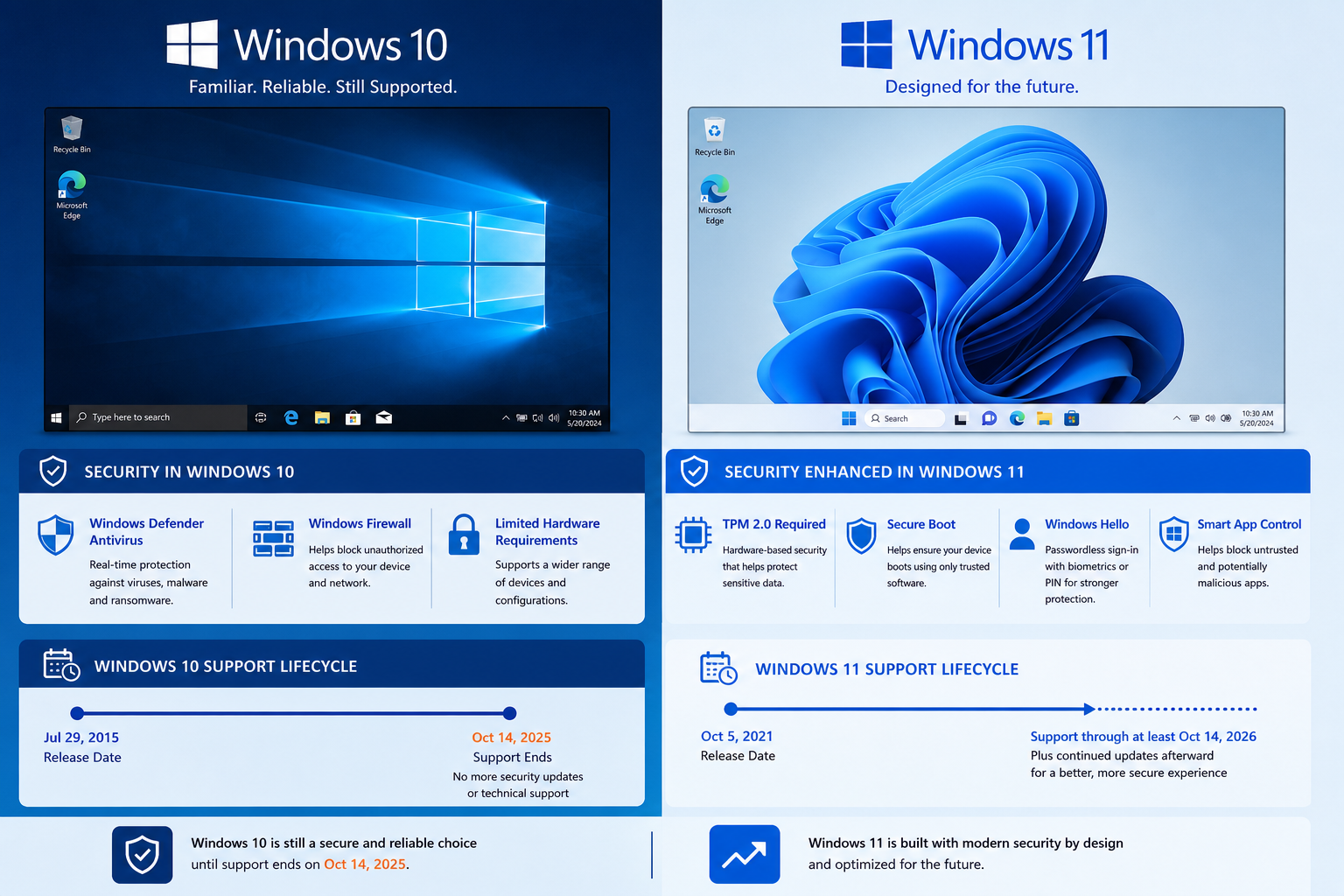
Beyond the deadline pressure, Windows 11 offers genuine improvements that make migration worthwhile on its own merits — not just because Microsoft is forcing your hand.
-
Security architecture: Windows 11 mandates TPM 2.0 and Secure Boot at the hardware level, meaning every Windows 11 machine has a stronger baseline than most Windows 10 deployments.
-
Performance: Memory management, DirectStorage, and background process scheduling are all improved in Windows 11.
-
Support lifecycle: Windows 11 mainstream support runs until at least October 2031, giving you a stable platform for the rest of the decade.
-
Microsoft Copilot integration: AI-assisted features are baked into Windows 11 and will not be backported to Windows 10.
If you are ready to make the move, ShopKeyOnline offers Windows 11 Pro Retail (from €17.95) — a cost-effective way to licence compatible machines without paying the cumulative ESU bill. For businesses that want to keep some Windows 10 machines running during a phased transition, a Windows 10 Pro + Office 2021 bundle (from €33.90) keeps those desktops productive and properly licensed in the meantime.
Building a Practical Migration Plan Around the 2027 Deadline
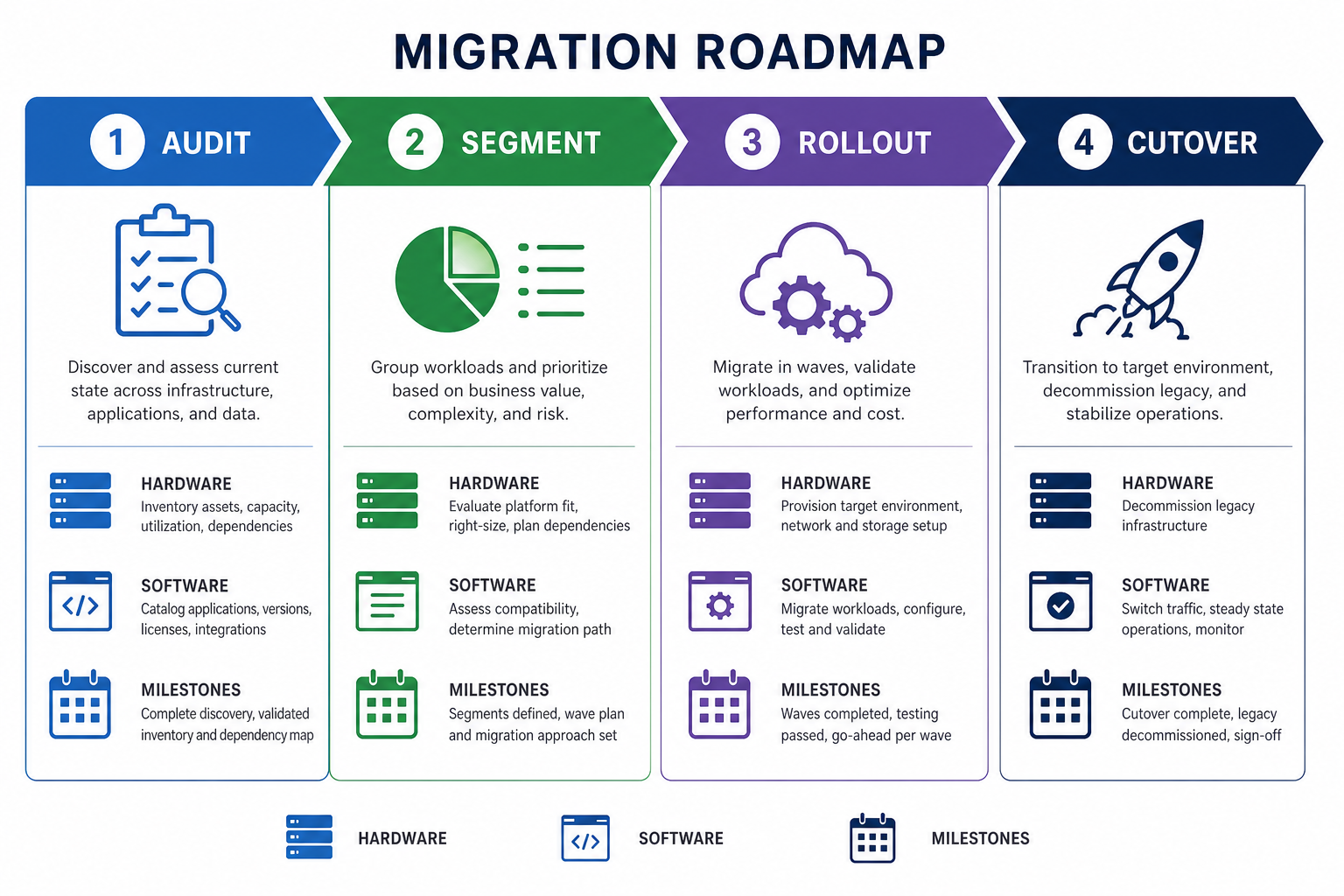
The Windows 10 ESU 2027 extension gives most businesses roughly 15 months from mid-2026 to complete a migration — more time than many had before. Here is a pragmatic phased approach.
Phase 1: Audit (Now)
Run a hardware inventory. Identify every machine still on Windows 10 and check each one against the Windows 11 compatibility requirements. Tools like the PC Health Check app or Microsoft Endpoint Manager give you a clear picture within hours.
Phase 2: Segment Your Fleet (Month 1-2)
Split machines into three groups: compatible machines ready to upgrade now, machines that need a hardware refresh before they can run Windows 11, and any legacy-software dependencies that require a specialist review. Prioritise the first group immediately.
Phase 3: Staged Rollout (Months 3-12)
Begin upgrading compatible machines department by department. This limits disruption and gives your support team time to handle issues without firefighting across the whole organisation at once. Enrol genuinely legacy machines in the ESU programme for the duration.
Phase 4: Hardware Refresh and Cutover (By Mid-2027)
By mid-2027 at the latest, remaining Windows 10 machines should be retired or replaced. Cutting over three to six months before the October 2027 deadline gives you a buffer for unexpected delays — because there will be none after that date.
Frequently Asked Questions
Is the Windows 10 support extension to 2027 free for consumers?
Microsoft confirmed that consumers who enrolled in the Extended Security Update programme can remain covered through October 12, 2027. The original enrolment cost was $30 USD per device for the first year. Check Microsoft’s official ESU page for the latest pricing, as the 2026 extension changed the terms from the original announcement.
What happens to my Windows 10 PC after October 2027?
After October 12, 2027, Microsoft will issue no further patches of any kind — no security fixes, no zero-day responses, nothing. Your PC will continue to function, but it will accumulate unpatched vulnerabilities over time, making it increasingly risky to use online. At that point, upgrading to Windows 11 or replacing the hardware is the only responsible path.
Does the Windows 10 end of support affect Office 2021?
Office 2021 has its own support timeline — mainstream support ended in October 2026. While Office 2021 may continue to run on Windows 10 through 2027, neither product will receive security updates after their respective deadlines. Businesses relying on both should factor both timelines into their upgrade planning.
Can I upgrade to Windows 11 for free from Windows 10?
If your hardware meets Windows 11 requirements and you are running a genuine copy of Windows 10, Microsoft offered a free in-place upgrade path. However, for devices that did not qualify or where you need a clean licence, a retail Windows 11 key is the cleanest solution and ensures full activation and support from day one.
How do enterprise businesses enrol in Windows 10 ESU?
Enterprise customers enrol through Microsoft Volume Licensing or Microsoft 365 admin portals. ESU activation keys are distributed to enrolled devices via Windows Update or deployment tools such as WSUS and Microsoft Endpoint Configuration Manager. The three-year enterprise maximum means coverage can theoretically extend to 2028, but the escalating annual cost makes this option expensive for large fleets.
