

If you’ve been using Microsoft Copilot in Word, Excel, or PowerPoint and found it falling short, you’re far from alone — and Claude for Office is quickly becoming the AI alternative to Copilot that many professionals are reaching for instead. Anthropic’s Claude is now available as a native add-in across the entire Microsoft 365 suite, giving you a second AI option right inside the ribbon, no workarounds required. This guide walks you through what Claude offers, how to install it, and how it genuinely compares so you can decide which tool earns a permanent spot in your workflow.
Why Professionals Are Rethinking Copilot

Microsoft 365 Copilot is deeply embedded in the Office ribbon, but deep integration doesn’t automatically mean better results. Common complaints from power users include inconsistent output quality, overly cautious rewrites, and the steep pricing — Microsoft 365 Copilot for Business starts at $18 per user per month (billed yearly) on top of an existing Microsoft 365 subscription. For smaller teams or solo professionals, that cost adds up fast. Beyond price, some users find Copilot’s responses feel generic or over-constrained, particularly for nuanced document drafting, complex data analysis in Excel, and presentation storytelling in PowerPoint. That frustration has driven a growing wave of people toward a Claude vs Copilot comparison — and for many tasks, Claude is coming out ahead.
What Is Claude and How Does It Fit into Office?
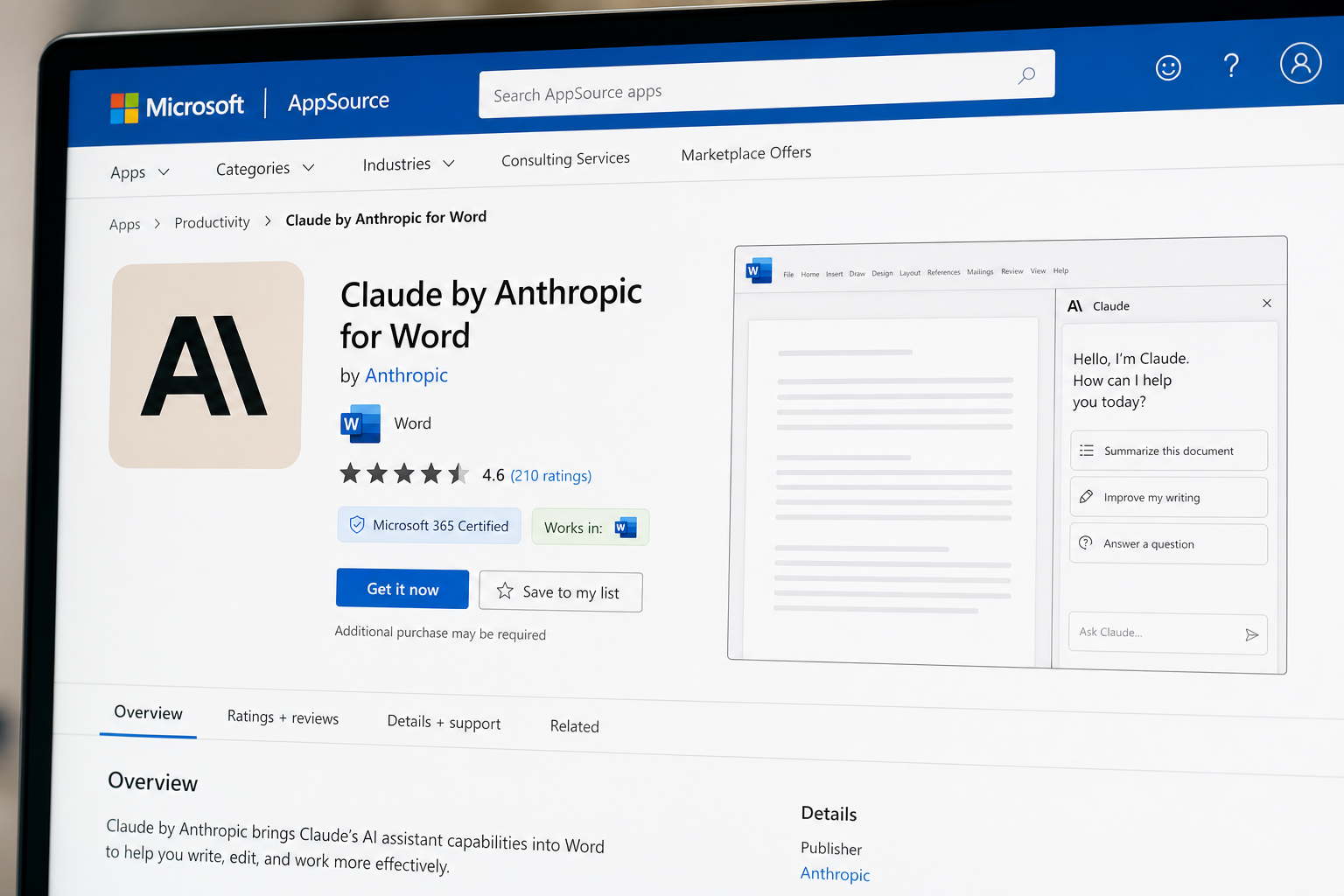
Claude is a large language model developed by Anthropic, designed with a strong focus on nuanced reasoning, long-context understanding, and document-level tasks. In 2024, Anthropic released purpose-built add-ins for Word, Excel, PowerPoint, and Outlook, all available through the Microsoft AppSource marketplace. These add-ins sit in the Office ribbon exactly like Copilot, so the experience feels familiar from the moment you install them. Importantly, Claude is also available as a model choice inside Microsoft 365 Copilot itself — so even if your organisation is committed to the Copilot ecosystem, you may be able to switch the underlying AI model to Claude for specific tasks. But many users prefer to go fully Claude for Office via the standalone add-ins, giving them direct access without any Copilot licence dependency.
Claude vs Copilot: Core Differences Worth Knowing
Before diving into installation, it helps to understand what you’re actually choosing between. Neither tool is universally superior — each has genuine strengths.
-
Context window: Claude’s models support a very large context window, making it better suited for reviewing and editing long documents, legal contracts, or multi-tab spreadsheets in one pass.
-
Tone and nuance: Users consistently report Claude produces more natural, less corporate-sounding prose — a real advantage for copywriters, marketers, and anyone drafting client communications.
-
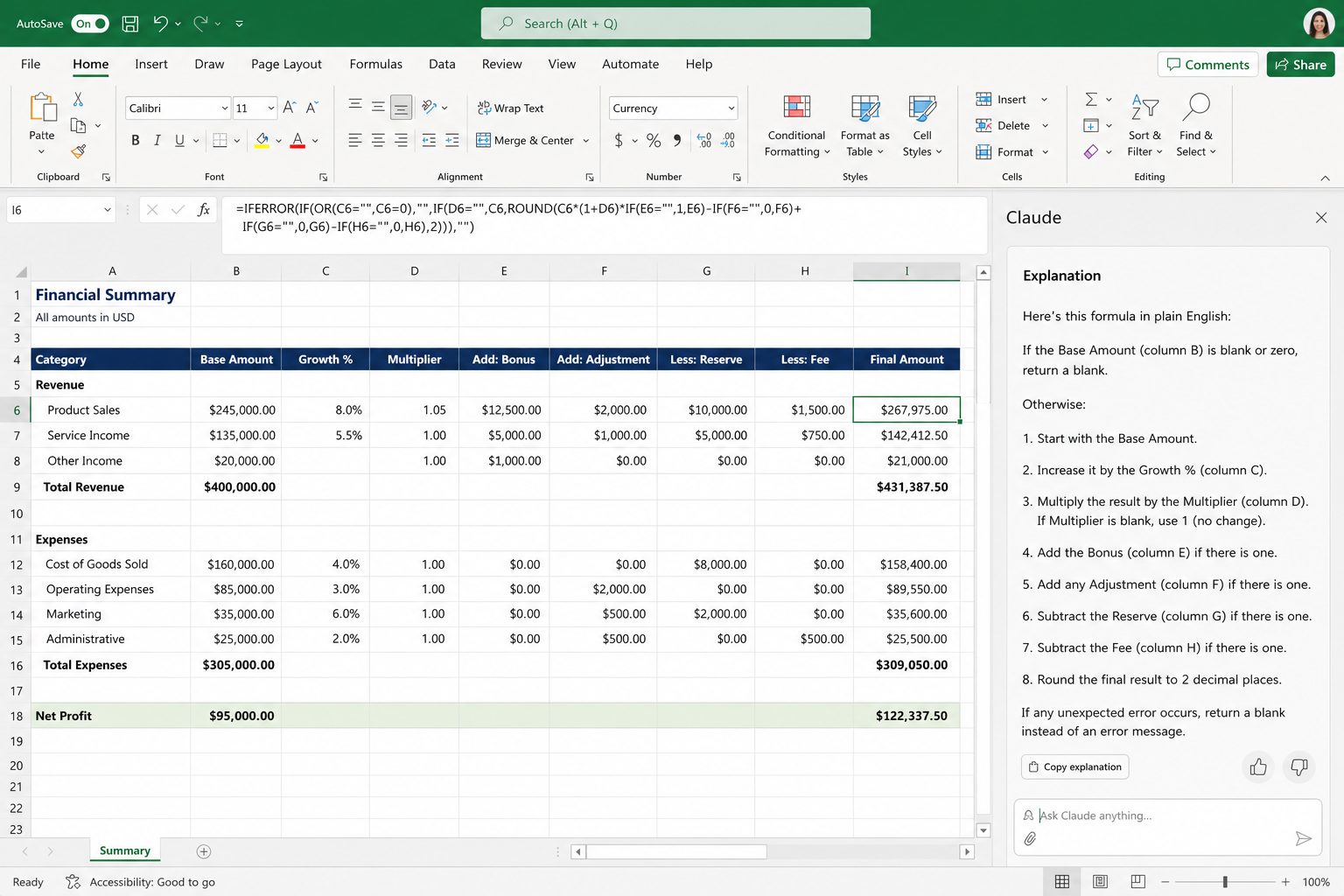
Formula generation in Excel: Both handle common formulas, but Claude’s step-by-step explanations are often clearer, making it the better teacher for users building Excel skills alongside their output.
-
Deep Microsoft 365 integration: Copilot still wins here — it can pull data from Teams, SharePoint, and your full Microsoft Graph. Claude add-ins work within the open document, not across your entire Microsoft tenant.
-
Cost: Claude Pro costs $20 per month for individuals. Compare that to the $18/month Copilot Business add-on (which itself requires a qualifying Microsoft 365 subscription). For people without a corporate Copilot licence, Claude is genuinely accessible as a standalone tool.
How to Install Claude as an AI Alternative to Copilot in Word
Installing Claude for Office in Word takes under five minutes. Follow these steps:
-
Open Microsoft Word and click Insert in the top ribbon.
-
Select Get Add-ins (or Office Add-ins depending on your version).
-
Search for Claude by Anthropic in the AppSource search bar.
-
Click Add next to the Claude for Word listing and accept the permissions prompt.
-
Once installed, a Claude panel appears in your right-hand sidebar. Sign in with your Anthropic account (a paid Claude plan is required for full functionality).
-
Highlight any text in your document, open the Claude pane, and type your instruction — redline, rewrite, summarise, or expand.
The process is identical for PowerPoint and Excel — simply search for the corresponding add-in listing in AppSource. For Excel specifically, the Claude add-in excels (no pun intended) at explaining complex formulas, generating nested IF statements, and interpreting data ranges with plain-English summaries.
Using Claude for Office in Excel: Practical Scenarios
Excel is where the Claude vs Copilot debate gets particularly interesting. Here are three real-world scenarios where Claude delivers strong results:
-
Formula explanation: Select a complex formula, ask Claude to explain it line by line — especially useful when you’ve inherited a workbook from a colleague and need to understand it fast.
-
Data interpretation: Paste in a dataset and ask Claude for a plain-English summary of trends, outliers, or anomalies. It handles tables with thousands of rows without losing context.
-
VBA script drafting: Need to automate a repetitive task? Claude can write and explain VBA macros in conversational steps, something Copilot sometimes handles inconsistently.
Claude for Office in PowerPoint: Better Storytelling
PowerPoint is arguably where the gap between the two tools is most visible. Copilot in PowerPoint is tightly connected to your Microsoft 365 brand templates and company data — great for enterprise users. But for independent professionals or those without a full Copilot licence, the Claude PowerPoint add-in offers a compelling AI alternative to Copilot for slide content. Ask it to rewrite bullet points as a compelling narrative, generate speaker notes from a heading, or critique the logical flow of a deck. Claude’s strength in long-form reasoning translates directly into sharper, more persuasive presentations.
Do You Need a New Office Licence to Use Claude?
No — the Claude add-ins work with any active Microsoft 365 subscription that supports Office add-ins. You do not need a Microsoft 365 Copilot licence. This is a key selling point of the Claude alternative to Copilot Office apps approach: you use the Microsoft suite you already own, simply augmenting it with a third-party AI pane. A perpetual-licence version of Office (such as Office 2021 or Office 2024 Pro Plus) also supports add-ins, so there’s no need to move to a subscription model just to get Claude working in your documents.
Claude vs Copilot: Which Should You Choose?
The honest answer is: it depends on your role and your existing Microsoft stack. Here’s a quick decision framework:
-
Choose Copilot if you rely heavily on SharePoint, Teams meetings, or your organisation’s Microsoft Graph data — Copilot’s cross-app context is genuinely powerful in those environments.
-
Choose Claude for Office if your priority is document quality, nuanced writing, formula understanding, or if you want AI assistance without paying for a full Copilot licence.
-
Use both if you have a Copilot licence — Microsoft 365 Copilot now allows you to switch the underlying model to Claude for specific tasks, giving you the best of both worlds inside the familiar Copilot interface.
Getting the Right Office Licence Before You Start
Before you can benefit from any AI add-in, you need a working, activated copy of Microsoft Office. If your current licence is out of date or you’re setting up a new machine, Shop Key Online offers genuine Microsoft Office keys with instant email delivery — no subscription required. The Office 2021 Professional Plus OEM licence is available from €19.15, while Office 2024 Pro Plus starts from €24.50 — both fully compatible with Claude and other Office add-ins from the Microsoft AppSource marketplace. All keys are 100% genuine, sourced from certified resellers, and backed by a money-back guarantee if activation fails.
FAQ
Is Claude free to use inside Word, Excel, and PowerPoint?
The Claude add-ins themselves are free to install from Microsoft AppSource. However, you need an active Claude account with a paid plan (Claude Pro at $20/month) to access the add-in functionality. A free Claude account gives limited usage. Your Microsoft 365 subscription is separate — no Copilot licence is required.
Does Claude work with perpetual Office licences (not Microsoft 365)?
Yes. As long as your version of Office supports add-ins — which Office 2019, Office 2021, and Office 2024 all do — you can install and use the Claude add-in. You don’t need a Microsoft 365 subscription or a Copilot licence. This makes Claude a particularly attractive AI alternative to Copilot for users on perpetual licences.
Can Claude read my whole document or just selected text?
Claude for Word and PowerPoint can work with both selected text and the full open document, depending on how you frame your prompt. For Excel, it works with selected ranges or tables you reference in your prompt. The large context window means Claude handles long documents without losing track of earlier content — a notable advantage over some competing add-ins.
Will using Claude instead of Copilot affect my Microsoft 365 subscription?
Not at all. Claude is a third-party add-in and operates independently of your Microsoft subscription tier. Switching to Claude for Office does not cancel, downgrade, or interfere with your Microsoft 365 plan. If you later want Copilot, you can simply add the Copilot licence without removing Claude.
Is my document data safe when I use Claude in Office?
Anthropic states that data sent through the Claude add-ins is subject to their standard privacy policy. For organisations handling sensitive data, Anthropic offers enterprise plans with enhanced data privacy controls, including options to prevent data being used for model training. Always review Anthropic’s current data policy for your specific use case before processing confidential documents.
