

Windows 11 RAM requirements have been a source of confusion for years — but Microsoft has now made an official U-turn, confirming that 8GB of RAM is sufficient for everyday productivity tasks on Windows 11. If you’ve been putting off an upgrade because you felt your 8GB machine wasn’t good enough, that barrier has just been removed. Here’s a clear-eyed look at what Microsoft actually said, what it means for real-world performance, and how to make the right hardware call in 2026.
What Microsoft Actually Said About 8GB RAM Windows 11
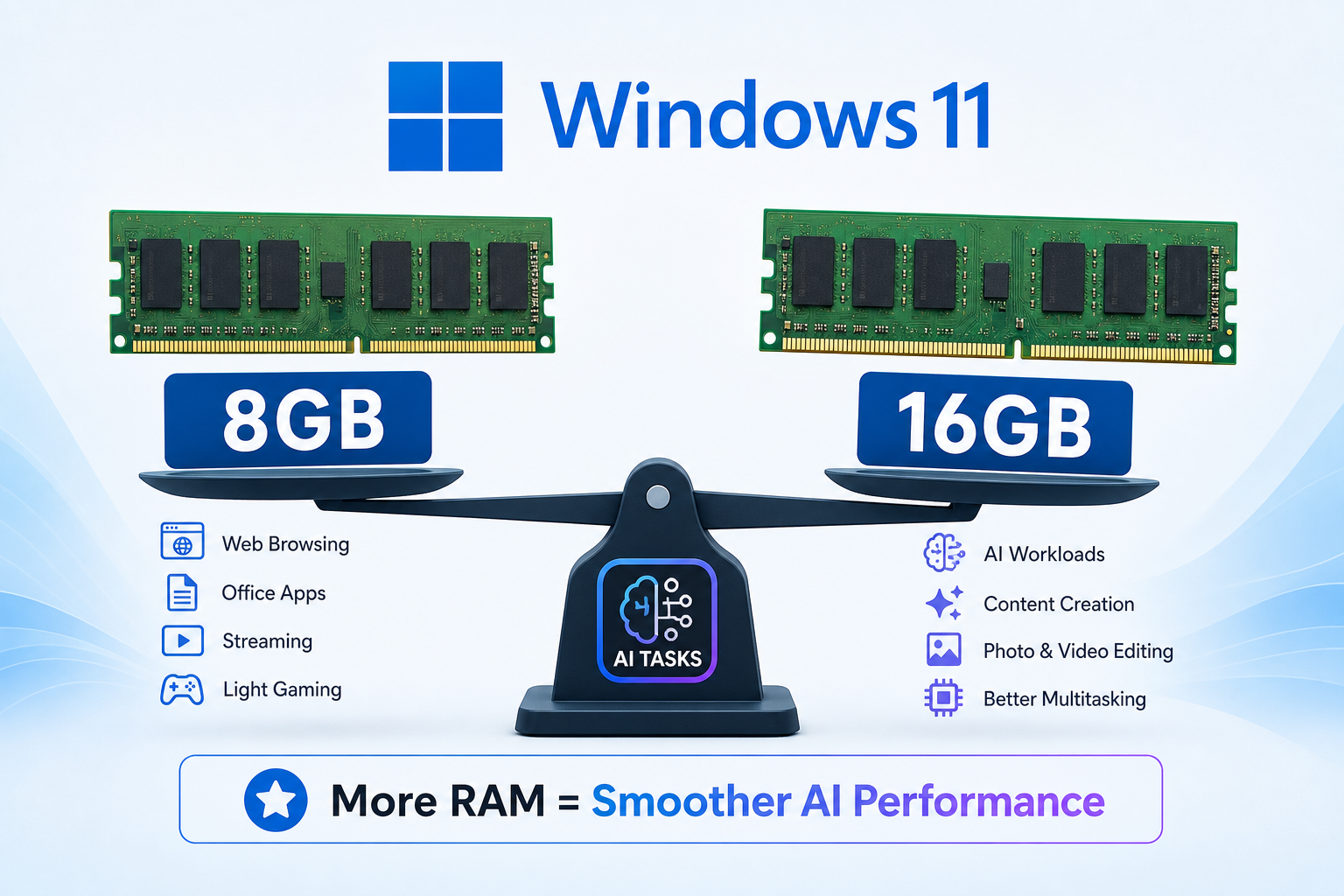
The reversal came via Microsoft’s updated Surface buying guide, where the company now describes 8GB RAM as “great for everyday use like browsing, streaming, schoolwork, and productivity apps.” This is a notable change in language from a company that spent much of 2024 and 2025 positioning 16GB as the sensible baseline for Windows 11, particularly through its Copilot+ PC marketing push.
To be clear, Microsoft’s minimum system requirement for Windows 11 has always been just 4GB — that figure hasn’t changed. What shifted is the company’s recommended framing. Rather than nudging consumers toward 16GB devices, Microsoft is now acknowledging what many tech reviewers and everyday users have demonstrated through hands-on testing: 8GB handles typical workloads just fine.
Windows Central’s real-world testing of Windows 11 with 8GB RAM in 2026 found the OS ran considerably better than expected, even while multitasking with multiple browser tabs, video streams, and productivity apps running simultaneously.
Why Microsoft Was Pushing 16GB in the First Place
To understand the reversal, it helps to know why 16GB became such a prominent talking point. In 2023 and 2024, Microsoft introduced its Copilot+ PC programme — a tier of AI-capable devices requiring at least a dedicated Neural Processing Unit (NPU) and, in most configurations, 16GB of RAM. The AI features in question, such as on-device Recall and live real-time translation, genuinely do benefit from extra memory headroom.
The problem was that this Copilot+ messaging bled into general Windows 11 marketing, creating the impression that 16GB was a universal requirement rather than a threshold specific to AI-heavy workloads. Consumers buying budget laptops for email, spreadsheets, and web browsing were effectively being told their 8GB machines were inadequate — which simply wasn’t accurate for those use cases.
The Windows 11 AI PC requirement of 16GB still stands for Copilot+ features specifically. But for standard Windows 11 productivity — the kind the vast majority of home and business users actually perform — 8GB is, and always has been, workable.
8GB RAM Windows 11 Performance: What to Realistically Expect
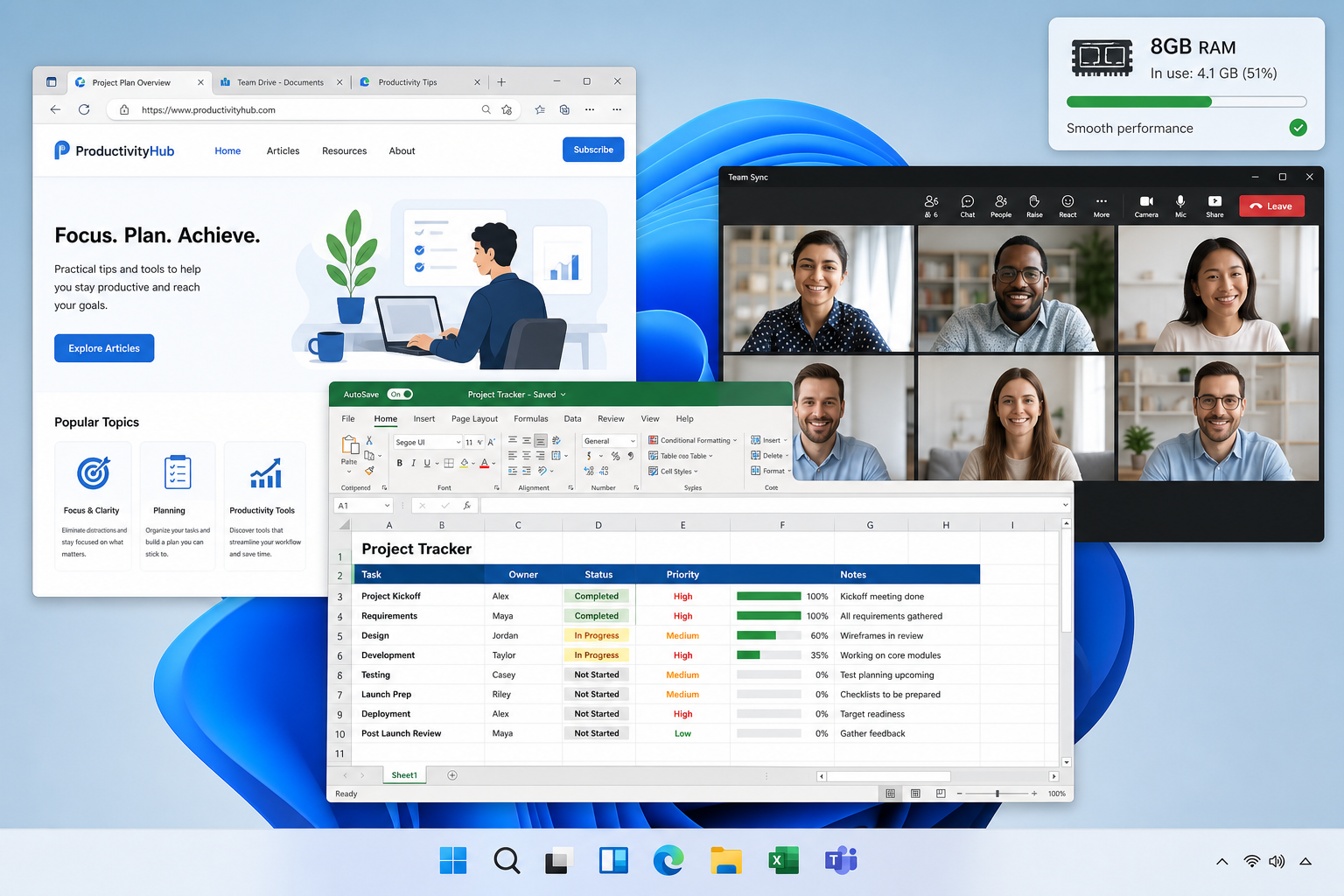
Honesty matters here. 8GB is sufficient, but it isn’t unlimited. Understanding where the boundary lies helps you make a smarter hardware decision.
Tasks That Run Smoothly on 8GB
- Web browsing with up to 10–15 tabs (Microsoft Edge is notably memory-efficient on Windows 11)
- Microsoft 365 / Office apps — Word, Excel, Outlook, PowerPoint
- Video streaming (YouTube, Netflix, Disney+)
- Video calls via Teams or Zoom with one or two apps open in the background
- Light photo editing in tools like Photos or Canva
- General file management, email, and casual gaming at modest settings
Tasks Where You’ll Feel the Constraints
- Heavy multitasking: 20+ browser tabs open alongside a video call and a local app
- Video editing in DaVinci Resolve or Adobe Premiere — 16GB is strongly recommended
- Running virtual machines, even lightweight ones
- Using Windows Copilot+ AI features like on-device Recall — these require 16GB
- Compiling code in large development environments
For the majority of home users, students, and small-business employees, that first list covers almost everything they do daily. For developers, creatives, or anyone leaning into AI-powered Windows features, 16GB remains the smarter investment.
Windows 11 Memory Needs: How This Affects Upgrade Decisions
If you’re running Windows 10 on an 8GB machine and wondering whether to upgrade, Microsoft’s clarification removes one of the last perceived blockers. Windows 10 reaches end of support on 14 October 2026, meaning no further security patches after that date. Staying on Windows 10 beyond that point is a genuine security risk — upgrading to Windows 11 is the right move for most users.
The good news: if your PC already has 8GB of RAM and meets Windows 11’s other hardware requirements (TPM 2.0, Secure Boot, a compatible processor), you do not need to buy new hardware purely for memory reasons. Check Microsoft’s official Windows 11 system requirements on Microsoft Learn to confirm your processor and firmware compatibility.
If your machine falls short on RAM — say, it only has 4GB — upgrading to 8GB is typically cheap (often under €40 for a compatible DDR4 SODIMM), and it makes a far more meaningful difference than jumping straight to 16GB for standard productivity use.
Windows 11 RAM Upgrade: Should You Still Go to 16GB?
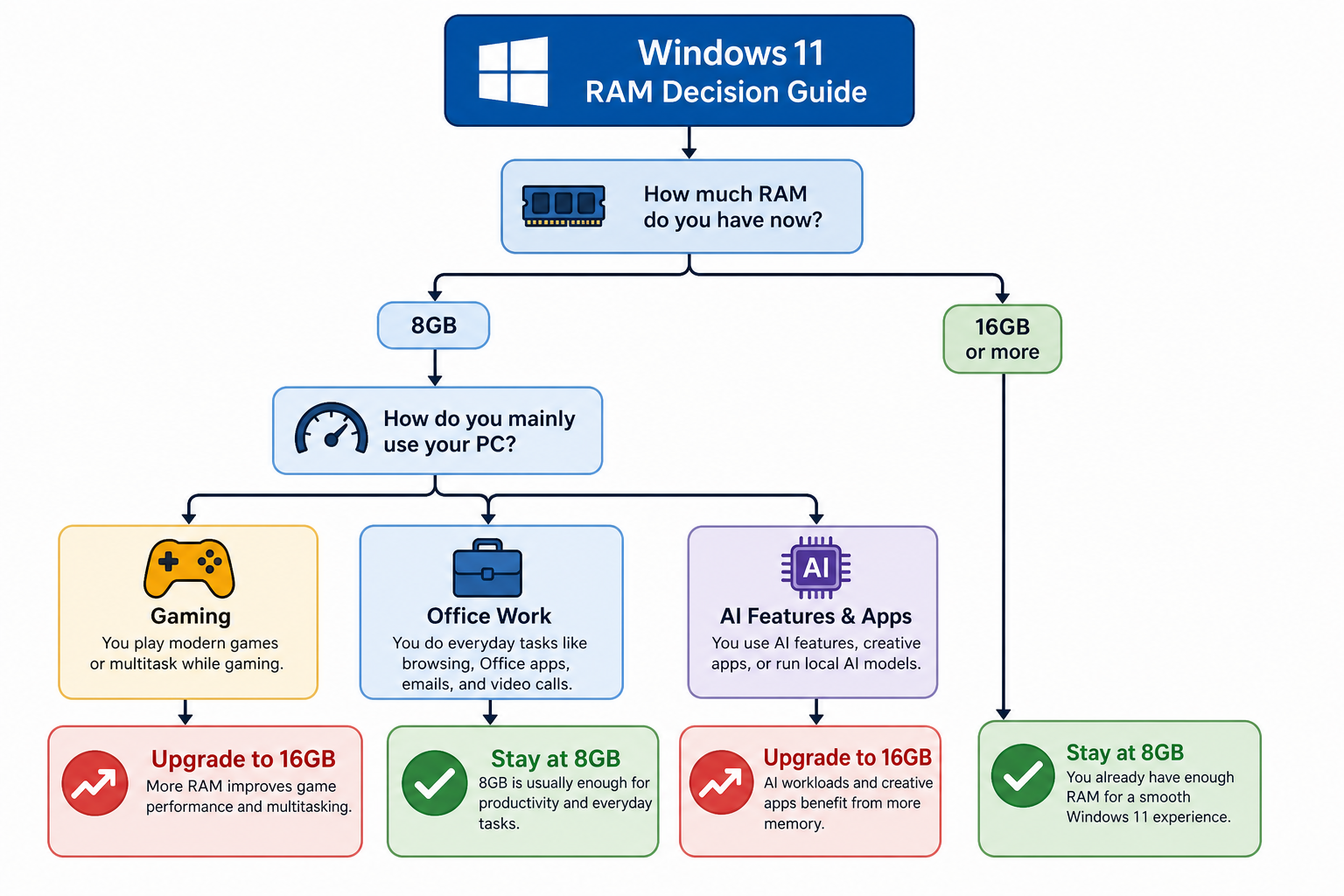
Here’s a practical framework for deciding whether to stop at 8GB or push to 16GB:
- Staying on an existing device for general use? 8GB is fine. No upgrade required if you’re already there.
- Buying a brand-new laptop or desktop? If budget allows, spec 16GB from the start — future-proofing is cheap at purchase time and expensive to add later on soldered-RAM devices.
- Planning to use Copilot+ AI features? You need 16GB plus a qualifying NPU. 8GB won’t unlock those capabilities.
- Creative professional or developer? 16GB minimum, 32GB if your workload involves VMs, large codebases, or video editing.
- Student or home user doing typical tasks? 8GB comfortably covers you through the supported lifecycle of Windows 11.
What This Means for the Windows 11 Licence Itself
One important point: whether you have 8GB or 16GB of RAM has no bearing on which Windows 11 edition you need. The distinction between Windows 11 Home and Windows 11 Pro comes down to features — domain join, BitLocker, Remote Desktop, Hyper-V, and group policy management all live exclusively in the Pro tier. RAM is irrelevant to that choice.
If you need a fresh Windows 11 licence for an upgrade or a new build, ShopKeyOnline has Windows 11 available at competitive prices. Microsoft Windows 11 Pro Retail is available from €17.95 with instant email key delivery — a straightforward option whether you’re upgrading an 8GB everyday machine or licensing a new 16GB workstation. For home users, Microsoft Windows 11 Home Retail starts from €15.65 and covers all the core productivity features confirmed to run well on 8GB.
The Broader Takeaway: RAM Marketing vs Real-World Windows 11 RAM Requirements
Microsoft’s acknowledgement that 8GB meets real-world Windows 11 memory needs for typical users is a useful reality check — not just for consumers, but for the industry. The last two years have seen a creeping “spec inflation” in PC marketing, where AI-feature prerequisites were conflated with general operating-system needs. The two are genuinely different things.
For anyone managing a fleet of business PCs, advising family members on a laptop purchase, or simply weighing up whether to upgrade their own machine, the message in 2026 is cleaner than it’s been in years: if your device has 8GB of RAM and passes the other Windows 11 hardware checks, you have a capable, fully supported productivity machine. You do not need to buy more hardware to run Windows 11 well.
That said, if you are buying new, the old advice still holds: future-proof where the price difference is small. Soldered RAM on modern thin-and-light laptops cannot be upgraded after purchase, so 16GB at the point of sale is a smarter long-term call if the budget stretches. But for the millions of existing 8GB machines already in homes and offices? Microsoft has now officially confirmed what the data always showed — they’re more than good enough.
FAQ
Is 8GB RAM enough for Windows 11 in 2026?
Yes. Microsoft has officially confirmed that 8GB of RAM is sufficient for everyday productivity tasks on Windows 11 — including browsing, streaming, schoolwork, and standard office applications. For AI-powered Copilot+ features, 16GB is still required, but those are optional capabilities, not a baseline requirement for running the OS.
What are the minimum Windows 11 RAM requirements?
Microsoft’s official minimum RAM requirement for Windows 11 is just 4GB. However, 8GB is the practical sweet spot for comfortable everyday use, and 16GB is recommended if you plan to use AI features, run virtual machines, or work with creative applications like video editing software.
Should I upgrade RAM before moving to Windows 11?
Only if you currently have 4GB or less. Machines with 4GB may experience sluggishness as Windows 11 itself consumes roughly 2–3GB at idle, leaving limited headroom for applications. Upgrading to 8GB is a cost-effective fix. If you already have 8GB, you can upgrade to Windows 11 without any RAM changes.
Does a Windows 11 RAM upgrade require a new licence key?
No. Upgrading the RAM in your PC is a hardware change that does not affect your Windows activation. Your existing licence key remains valid. You would only need a new key if you replace the motherboard, perform a clean install on a different machine, or are licensing a new PC from scratch.
Why did Microsoft previously recommend 16GB for Windows 11?
Microsoft’s 16GB recommendations were primarily tied to its Copilot+ PC programme, which requires extra memory for on-device AI features like Recall and real-time translation. That messaging was sometimes applied too broadly to general Windows 11 use, creating confusion. The company has now clarified that 8GB is genuinely adequate for standard productivity workloads.
Will a Windows 11 RAM upgrade improve performance noticeably?
Going from 4GB to 8GB produces a very noticeable improvement — reduced stuttering, faster app switching, and less reliance on page-file swapping to storage. Going from 8GB to 16GB delivers a meaningful boost for power users running multiple heavy applications simultaneously, but is unlikely to be perceptible for typical browsing and office work.
