

Microsoft’s official Windows 11 RAM specs have never been noisier — or more confusing. The company quietly deleted its own documentation recommending 32 GB of RAM for Windows 11 PCs in mid-2026, just months after pushing that figure as the “no worries” baseline for serious users. So what does the OS actually need, and why do the goalposts keep moving? Here’s everything you need to know, broken down by use case.
Why Microsoft Pulled Its 32 GB RAM Recommendation
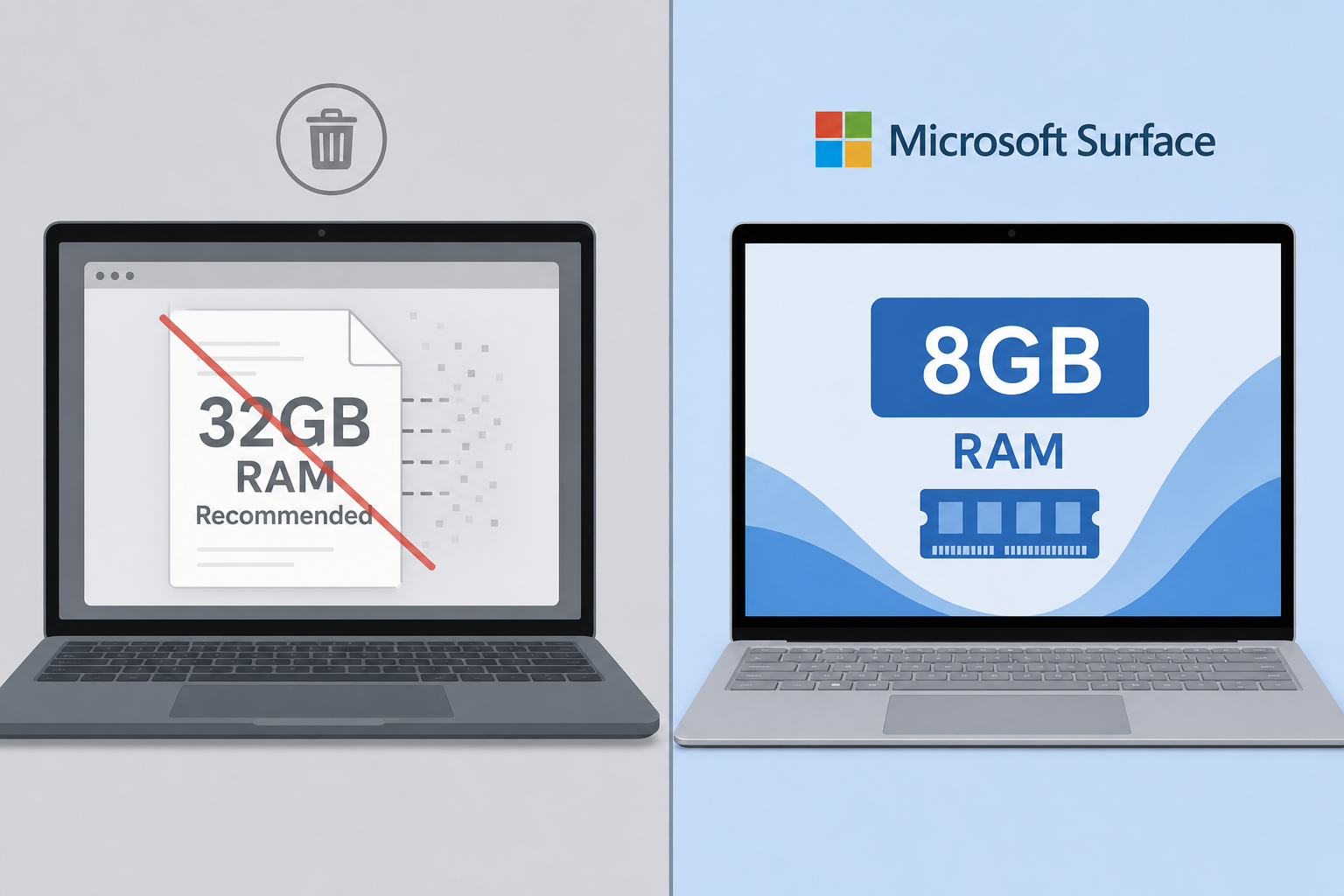
The short answer is market pressure. According to reporting by TechPowerUp, Microsoft retroactively removed documentation that had cited 32 GB as the recommended amount for demanding Windows 11 workloads. The timing is significant: global DRAM prices have risen sharply through 2025–2026, and Microsoft simultaneously launched new Surface laptops with only 8 GB of base RAM. Recommending 32 GB while shipping 8 GB devices at premium prices would have been a marketing own goal.
The removal was quiet — no blog post, no changelog, no official statement. Guides simply disappeared or were edited. The backlash from the gaming and enthusiast community was swift once users noticed, with many pointing out the contradiction between inflated recommendations and the company’s own hardware choices.
The Official Windows 11 Memory Requirements Right Now
Microsoft’s formal minimum for Windows 11 has stayed unchanged since launch: 4 GB of RAM. This is the number on the official Windows 11 system requirements page. Technically, the OS will install and boot on 4 GB — but practically, that figure sets the bar at “it runs”, not “it runs well”.
- 4 GB (absolute minimum): The OS boots. Expect heavy disk paging, sluggish multitasking, and a noticeably slow experience with more than two browser tabs open.
- 8 GB (practical minimum): Comfortable for light productivity — email, Office documents, light web browsing. Microsoft has now confirmed it is actively optimising Windows 11 for 8 GB devices through end of 2026. This is the RAM floor you should target for any new or refurbished purchase.
- 16 GB (everyday recommended): The sweet spot for most users. Handles multitasking, video calls, creative apps, and light gaming without compromise.
- 32 GB (power users and gamers): Still the right call for heavy creative workloads, 3D rendering, or running demanding modern titles — but no longer “officially” recommended by Microsoft after the documentation purge.
Windows 11 RAM Guide: How Much Do You Really Need?
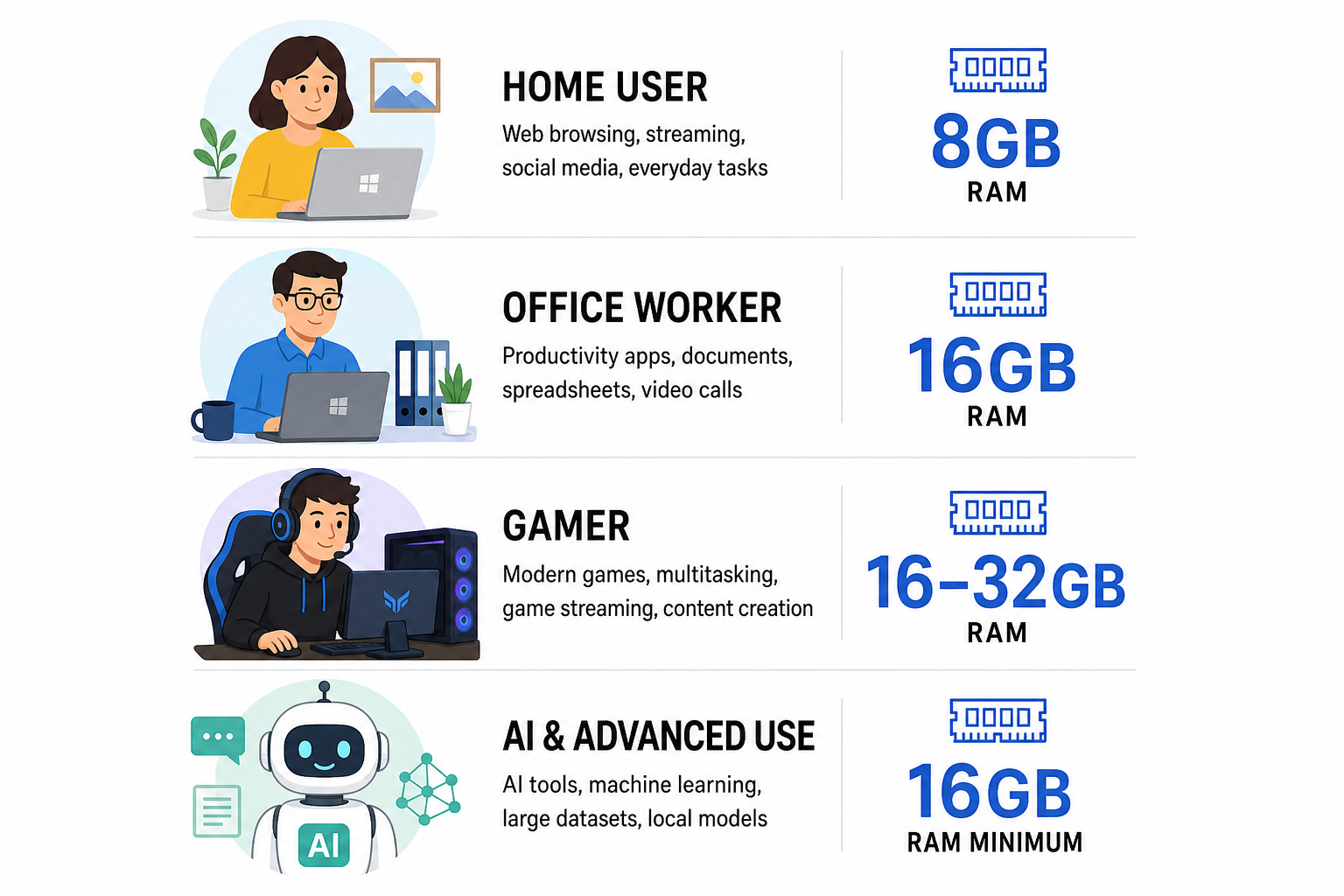
The honest answer depends entirely on what you do with your PC. Microsoft’s revised stance acknowledges that a single number cannot serve every user — here is a practical breakdown.
Everyday Home and Office Users
For browsing, streaming, email, and Microsoft 365 productivity work, 8 GB is the functional minimum in 2026. HP’s buyer guide notes that 8 GB is “the bare minimum, not a comfortable working standard” for a primary Windows 11 machine. In practice, 16 GB removes almost every bottleneck for this profile. If you are buying a new Windows 11 licence for a home or small-business machine, aim for at least 16 GB installed.
RAM Requirements Windows 11 for Gaming
Microsoft’s own gaming guide (before sections were removed) described 16 GB as “plenty for most games” and 32 GB as “ideal for serious players or those using heavy mods.” Independent benchmarks in 2026 broadly agree: 16 GB handles the vast majority of modern titles without stuttering. Budget gamers can manage on 16 GB; competitive or content-creation users should target 32 GB. The removed 32 GB recommendation was specifically tied to the gaming context — its deletion does not mean 32 GB is no longer useful for that audience.
Windows 11 AI and Copilot+ Workloads
This is where the memory requirements Windows 11 picture gets more complex. Microsoft’s Copilot+ PC certification requires a minimum of 16 GB of RAM alongside 40+ TOPS of NPU performance. Running on-device AI models — real-time translation, Recall, generative image tools — is memory-intensive by nature. If AI features are part of your workflow, 16 GB is the floor, not the ceiling. Our dedicated article on Windows 11 AI PC requirements and the 16 GB RAM standard goes deeper on this specific use case.
Light Users and Older Hardware
If you are keeping an older machine alive purely for basic tasks — a secondary family PC or a thin client for web browsing — Windows 11 on 8 GB remains workable, particularly once Microsoft ships its promised memory optimisations. Machines stuck at 4 GB should remain on a supported configuration or consider a hardware upgrade before the Windows 10 support deadline on 13 October 2026.
Why the Windows 11 RAM Specs Keep Changing
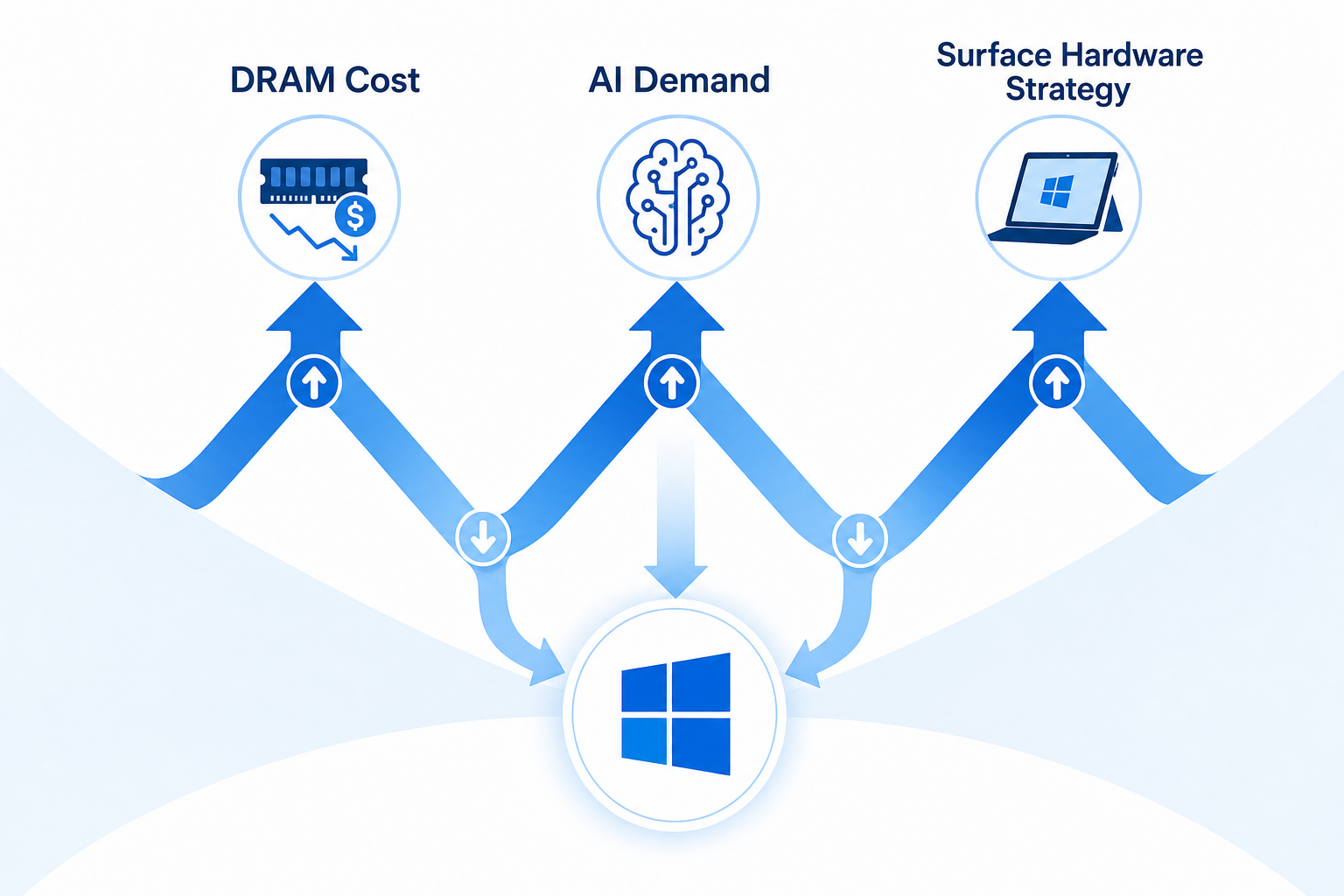
Three forces are pulling in opposite directions at Microsoft simultaneously:
- Component costs: A global DRAM shortage has pushed memory prices up significantly in 2025–2026, making high-RAM configurations more expensive for OEM partners and consumers alike.
- AI ambitions: Copilot+ and on-device AI demand more memory headroom, which pulled Microsoft’s informal recommendations upward through late 2024 and early 2025.
- Hardware product strategy: Microsoft cannot credibly sell base-model Surface devices with 8 GB while simultaneously telling buyers that 32 GB is necessary. The documentation removal resolves that contradiction — on paper, at least.
The result is guidance that has shifted from “4 GB minimum, 8 GB recommended” at Windows 11’s 2021 launch, to informal 16 GB and 32 GB suggestions during the AI push, and back toward a more modest stance in mid-2026. None of this changes the underlying performance reality — it simply reflects the business context around each revision.
Should You Upgrade Your RAM Before Buying a Windows 11 Licence?
If your current machine has 8 GB or more, buying a Windows 11 licence today is a sensible upgrade. Microsoft’s promised 8 GB optimisations make the platform more viable on modest hardware than it was in 2024. For machines at 4 GB, a RAM upgrade before activating Windows 11 will deliver a noticeably better experience — pairing that upgrade with a discounted Windows 11 licence makes the total outlay very reasonable.
ShopKeyOnline offers genuine Windows 11 licences at some of the lowest prices available in Europe. Microsoft Windows 11 Pro OEM is available from just €15.95, with instant email delivery and an official download link included. For home users, our full guide to Windows 11 RAM requirements in 2026 covers exactly how to match your hardware to the right edition.
Frequently Asked Questions
What is Microsoft’s official minimum RAM for Windows 11?
Microsoft’s official minimum is 4 GB of RAM. This has not changed since Windows 11 launched in October 2021. However, most independent benchmarks and Microsoft’s own engineers acknowledge that 8 GB is the practical floor for a usable everyday experience.
Why did Microsoft delete its 32 GB RAM recommendation?
The removal coincides with rising DRAM prices and the launch of new Surface devices with 8 GB as the base configuration. Maintaining a 32 GB recommendation while selling 8 GB laptops at premium prices created a credibility problem. The deletion was not accompanied by any official statement from Microsoft.
Is 8 GB RAM enough for Windows 11 in 2026?
Yes — for light to moderate use. Microsoft has confirmed it is actively optimising Windows 11 for 8 GB systems, with improvements expected by end of 2026. For heavier multitasking, gaming, or AI features, 16 GB remains the more comfortable choice.
Do Windows 11 RAM specs differ for gaming versus everyday use?
Yes. For everyday productivity and browsing, 8–16 GB covers most users. For gaming, 16 GB handles the vast majority of modern titles, while 32 GB benefits those running heavily modded games or streaming simultaneously. Microsoft’s recently removed gaming guide had explicitly cited 32 GB as the “ideal” for serious players.
What RAM do I need for Windows 11 Copilot+ AI features?
Microsoft requires a minimum of 16 GB of RAM for Copilot+ PC certification. On-device AI workloads — including features like Recall, live captions, and generative image tools — are memory-intensive by design. If AI is part of your use case, 16 GB is the floor, not a luxury.
Will Windows 11 run on 4 GB RAM in 2026?
Technically yes — it will install and boot. In practice, the experience is poor: heavy disk paging, slow app launches, and limited multitasking. Any machine at exactly 4 GB should be considered a candidate for a RAM upgrade before moving to Windows 11 full-time.
