

AutoCAD macros let you turn hours of repetitive drafting into a single keystroke. Whether you’re placing title blocks, purging unused layers, or generating hundreds of dimension annotations, automation means you set the rules once and AutoCAD follows them every time — saving experienced drafters an estimated 30–50 % of manual effort on template-heavy projects.
In this guide you’ll learn the three main automation paths available in AutoCAD: AutoLISP (the native, battle-tested scripting language), VBA/VB.NET (for Windows-native object-model access), and Python (the modern choice for teams already using data-driven workflows). Each section includes a working code example you can drop straight into your installation.
Why AutoCAD Automation Matters
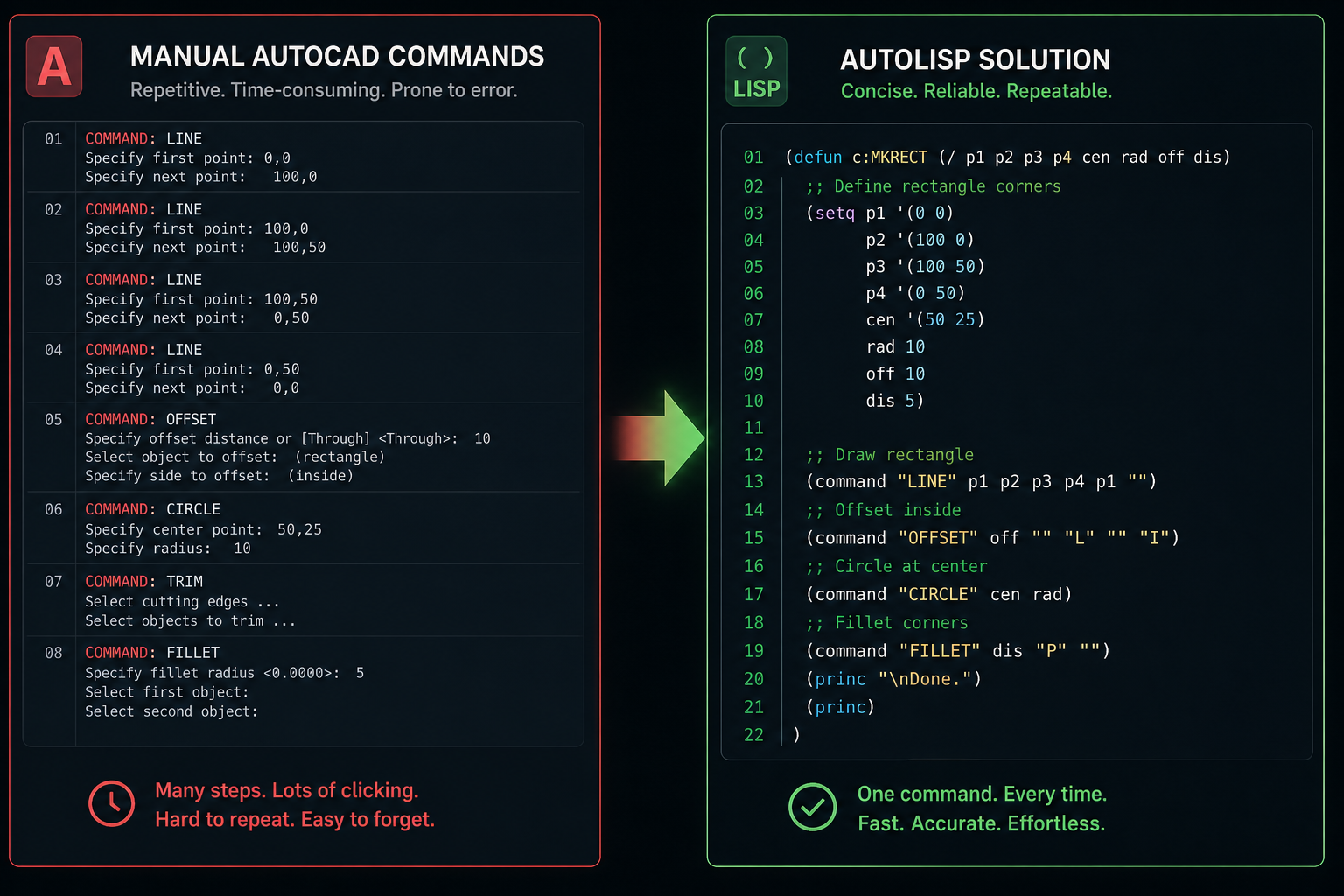
Every second you spend typing the same sequence of commands is a second you’re not designing. AutoCAD automation goes further than recorded command strings — a well-written script can read external data, make decisions based on drawing geometry, and write back results to a spreadsheet or database. Here’s what you gain immediately:
-
Consistency — scripts follow the same logic every run, eliminating human slips on repetitive tasks.
-
Speed — a LISP routine that loops through 500 blocks completes in seconds, not an afternoon.
-
Reusability — share a
.lspor.scrfile across your whole team and everyone benefits at once. -
Auditability — code is self-documenting; you can see exactly what a routine does, unlike clicking through menus.
Getting Started with AutoCAD Scripting
AutoCAD scripting begins with understanding the two simplest file types: script files (.scr) and macro strings embedded in toolbar buttons or the Action Recorder. A script file is plain text — each line is a command or value AutoCAD would accept at the command prompt.
A basic layer-creation script looks like this:
-LAYER
M
WALL-HATCH

-LAYER
C
4
WALL-HATCH
Save that as setup_layers.scr, then type SCRIPT at the command line and point AutoCAD at the file. Every command fires in sequence exactly as if you typed them. Script files are ideal for batch processing: open a drawing with OPEN, run your script, then QSAVE and CLOSE — repeat for hundreds of drawings using AutoCAD’s Batch Plot or a simple *.scr loop.
AutoCAD LISP: The Native Automation Language

AutoCAD LISP (AutoLISP) has been baked into AutoCAD since version 2.1 in 1986 and remains the quickest path to powerful AutoCAD automation. It runs inside the AutoCAD process, has full access to the drawing database, and requires zero external dependencies.
Your First AutoLISP Routine
The example below defines a command called PURGEALL that purges unused objects, sets the current layer to 0, and zooms to extents — three tasks most drafters run at session start:
(defun c:PURGEALL ()
  (command "-PURGE" "ALL" "" "N")
  (setvar "CLAYER" "0")
  (command "ZOOM" "E")
  (princ)
)
Load it by typing (load "purgeall.lsp") at the command line, or drop it into your acad.lsp / acaddoc.lsp startup files so it loads automatically with every drawing. Once loaded, typing PURGEALL runs all three steps in under a second.
Working with Drawing Entities
AutoCAD LISP really shines when you need to iterate over entities. The snippet below selects every circle on the PIPE layer and prints its radius to the command line — a foundation you can extend to export data to CSV:
(defun c:LISTPIPES (/ ss i ent ed)
  (setq ss (ssget "X" '((0 . "CIRCLE") (8 . "PIPE"))))
  (if ss
    (progn
      (setq i 0)
      (while (< i (sslength ss))
        (setq ent (ssname ss i)
              ed  (entget ent))
        (princ (strcat "\nRadius: " (rtos (cdr (assoc 40 ed)))))
        (setq i (1+ i))
      )
    )
    (princ "\nNo pipe circles found.")
  )
  (princ)
)
For the full AutoLISP function reference, consult the official Autodesk AutoCAD 2026 AutoLISP Developer’s Guide — it covers every built-in function, entity data codes, and reactor events.
VBA and VB.NET: Object-Oriented AutoCAD Automation
AutoCAD’s COM-based ActiveX/VBA interface and the managed .NET API (via VB.NET or C#) give you object-oriented access to every drawing element. VBA is ideal for quick macros wired to the AutoCAD object model, while VB.NET plug-ins (compiled DLLs loaded with NETLOAD) are suited to production-grade tools.
A VBA Macro Example
This VBA sub counts all INSERT (block reference) entities in the current model space and shows a message box — useful for a quick block audit before plotting:
Sub CountBlocks()
  Dim oEnt As AcadEntity
  Dim nCount As Integer
  nCount = 0
  For Each oEnt In ThisDrawing.ModelSpace
    If oEnt.ObjectName = "AcDbBlockReference" Then
      nCount = nCount + 1
    End If
  Next oEnt
  MsgBox "Block references found: " & nCount
End Sub
Open the VBA IDE with VBAIDE, paste the code into a module, and press F5. No recompile, no restart — you see results instantly. For team distribution, export the project as a .dvb file and load it with the VBALOAD command or add it to your startup suite.
When to Choose VB.NET Over VBA
-
You need access to modern .NET libraries (HTTP clients, JSON parsers, database connectors).
-
Your routine will be distributed as a signed plugin for security compliance.
-
Performance matters — compiled .NET code runs significantly faster than interpreted VBA for loops over large entity sets.
Python Integration for AutoCAD Scripting
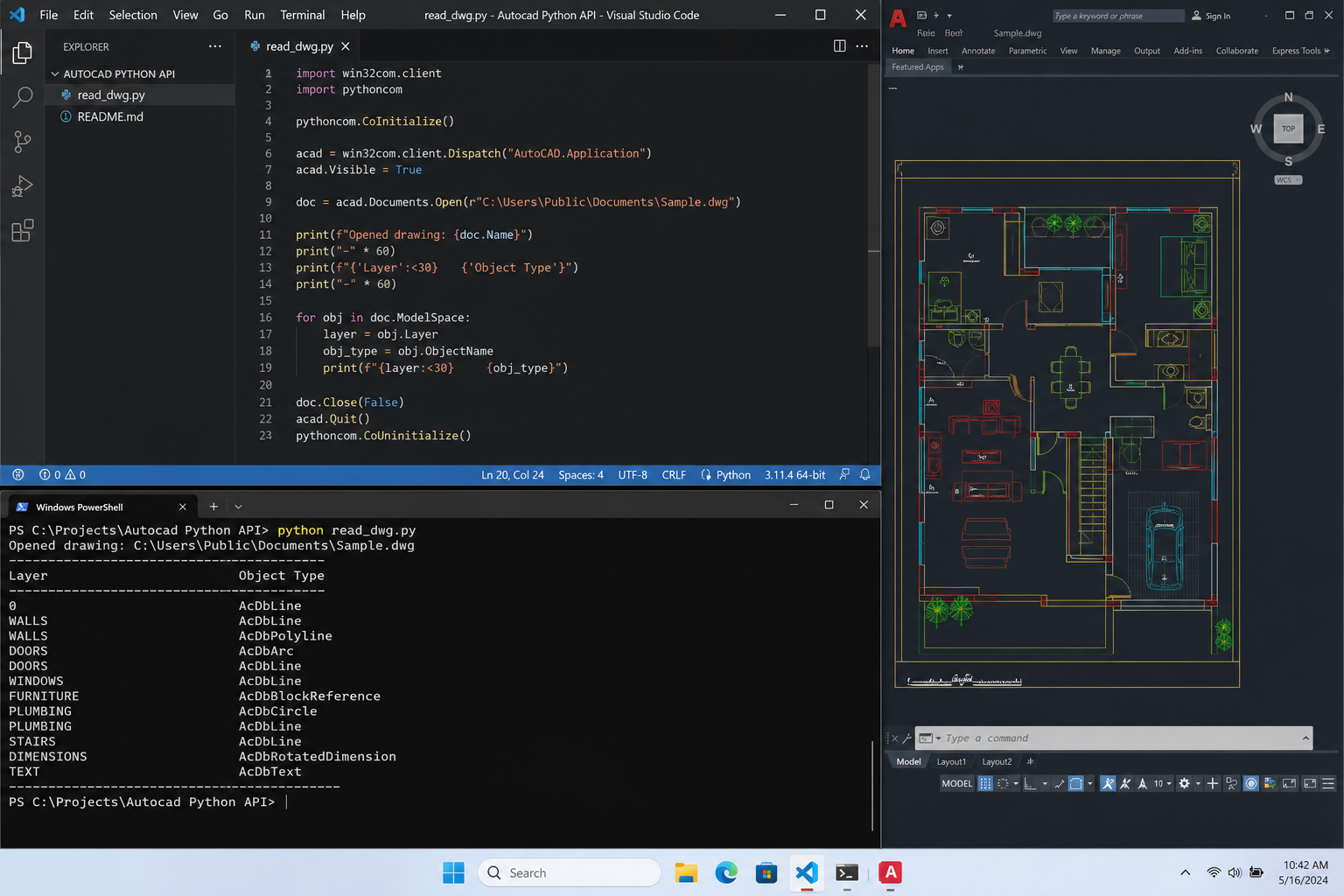
Python has become the lingua franca of engineering automation, and AutoCAD scripting is no exception. The pyautocad library wraps AutoCAD’s COM interface so you can drive the application from any Python 3 script running on the same machine.
Installing pyautocad
pip install pyautocadWith AutoCAD open, the following script connects to the running instance, iterates model-space entities, and prints the layer name and object type for every entity — a solid starting point for a drawing health-check tool:
from pyautocad import Autocad, APoint

acad = Autocad(create_if_not_exists=False)
print(f"Connected to: {acad.doc.Name}")

for entity in acad.iter_objects():
    print(f"{entity.ObjectName} — Layer: {entity.Layer}")
Real-World Python AutoCAD Automation: Bulk Title Block Update
One of the most time-consuming tasks on large projects is updating title block attributes — project number, revision, date — across dozens of drawings. The script below opens each drawing in a folder, finds the title block by block name, updates three attributes, and saves:
import os
from pyautocad import Autocad

DRAWINGS_FOLDER = r"C:\Projects\Job2024\Drawings"
TITLE_BLOCK = "TB_A1"
UPDATES = {"PROJ_NO": "2024-112", "REV": "C", "DATE": "2024-11-01"}

acad = Autocad()

for dwg_file in os.listdir(DRAWINGS_FOLDER):
    if dwg_file.endswith(".dwg"):
        acad.app.Documents.Open(os.path.join(DRAWINGS_FOLDER, dwg_file))
        for obj in acad.iter_objects("AcDbBlockReference"):
            if obj.Name == TITLE_BLOCK and obj.HasAttributes:
                for att in obj.GetAttributes():
                    if att.TagString in UPDATES:
                        att.TextString = UPDATES[att.TagString]
        acad.doc.Save()
        acad.doc.Close()

print("All drawings updated.")
On a set of 60 drawings, this runs in under two minutes — a task that would take a drafter the better part of a morning by hand.
Choosing the Right AutoCAD Automation Approach
The right tool depends on your context. Here’s a quick decision guide:
-
AutoCAD LISP — best for single-user or small-team macros, entity-level manipulation, and when you want zero external setup. Supported in every AutoCAD seat.
-
VBA / VB.NET — best when you need Windows UI elements (forms, dialogs) or deep integration with the AutoCAD object model. VB.NET preferred for any production tool.
-
Python — best when automation sits inside a broader engineering data pipeline, or your team already codes in Python for other tools (FEA, BIM, data analysis).
-
Script files (.scr) — best for dead-simple batch tasks: purge-and-save loops, consistent layer setups across new files, or one-off bulk operations.
Tips for Writing Reliable AutoCAD Scripts
Good AutoCAD automation is robust automation. Follow these practices to avoid scripts that break mid-run:
-
Always use
CMDECHO 0at the start of LISP routines to suppress command echoing — it speeds up execution and keeps the screen clean. -
Save
UNDOmarks — wrap long routines in an UNDO group so a single Ctrl+Z reverses everything if something goes wrong. -
Handle nil selections — always check that
ssgetreturns a non-nil selection set before iterating, or your routine will crash on empty drawings. -
Version-check if needed — use
(getvar "ACADVER")in LISP or theApplication.Versionproperty in VBA to branch logic for older releases. -
Comment your code — a colleague (or future you) needs to understand what
(assoc 40 ed)means six months from now.
Getting the Most from Your AutoCAD Licence
All the scripting techniques above work best when you’re running a current, fully licensed AutoCAD installation that keeps pace with Autodesk’s API updates. If you’re still on an older seat, you may be missing newer AutoLISP functions and .NET API classes introduced in recent versions. Shop Key Online stocks Autodesk AutoCAD 2026 (1 Year, 1 Device for Windows) — from €76.90 — giving you the latest scripting environment with fast email delivery of your activation key. For teams wanting longer-term coverage, the full Autodesk AutoCAD range includes 1-year and 3-year licences for both Windows and Mac, starting from €46.90.
Frequently Asked Questions
What is the difference between an AutoCAD macro and a script?
An AutoCAD macro is a short command string — typically assigned to a button or keyboard shortcut — that fires a sequence of existing AutoCAD commands. A script file (.scr) is a text file that stores a longer sequence of commands and values, run via the SCRIPT command. AutoLISP and VBA/Python routines go further, adding logic, loops, and data access that neither macros nor plain scripts can handle.
Do I need programming experience to write AutoCAD LISP routines?
Not much. AutoLISP’s syntax is simple and the learning curve is gentler than most programming languages. If you can write an Excel formula you can understand a basic LISP routine within a day. The Autodesk developer documentation and active community forums mean you’re rarely stuck for long.
Can I run Python AutoCAD automation on a Mac?
The pyautocad library relies on Windows COM (ActiveX), so it only works on Windows. Mac users can still use AutoLISP and the Action Recorder for AutoCAD automation; full Python integration typically requires a Windows environment or a virtual machine.
Is VBA still supported in modern AutoCAD versions?
Autodesk has kept VBA support alive via a separate VBA enabler download, though it is no longer installed by default from AutoCAD 2015 onwards. For new development, Autodesk recommends migrating to the .NET API (C# or VB.NET), which is fully supported and receives updates with every major AutoCAD release.
How do I load a LISP file automatically every time AutoCAD starts?
Place your .lsp file in AutoCAD’s support file search path and add a (load "yourfile.lsp") call to your acad.lsp or acaddoc.lsp file. AutoCAD loads acaddoc.lsp for every new drawing session, so any routines defined there are immediately available without manual loading.
Can AutoCAD macros work across multiple drawings in a batch?
Yes. Combine a .scr script with AutoCAD’s Script Pro utility (a free Autodesk tool), or drive multiple drawings programmatically from Python or VB.NET by opening each file, running your routine, saving, and closing. This is the most efficient approach for bulk title block updates, standards compliance checks, or mass-export workflows.
