

Copilot data exfiltration just became a boardroom-level concern. In June 2026, Varonis Threat Labs publicly disclosed SearchLeak — a three-stage vulnerability chain inside Microsoft 365 Copilot Enterprise that let an attacker silently drain emails, calendar entries, and indexed files from a victim’s account with a single click on what looked like a perfectly legitimate link. Microsoft has since patched the flaw, but SearchLeak is a stark reminder of how AI assistants can amplify the damage caused by seemingly minor security gaps.
What Is SearchLeak and Why Does It Matter?

SearchLeak is not a single bug — it is three separate weaknesses chained together into one devastating attack path. Varonis researchers demonstrated that an attacker who could get a target to click one trusted-looking URL could bypass Microsoft’s phishing filters, inject malicious instructions directly into Copilot’s reasoning process, and ultimately exfiltrate a user’s private data without triggering any obvious alerts. The attack required zero special privileges on the attacker’s side and zero technical knowledge on the victim’s side — just one click.
The disclosure, published on 15 June 2026, sent shockwaves through enterprise security teams because it revealed something uncomfortable: the same AI capabilities that make Copilot genuinely useful — deep integration with email, SharePoint, calendar, and Teams — also make it a high-value target if an adversary can manipulate its reasoning.
The Three-Stage Chain Behind Copilot Data Theft
Understanding how Copilot data theft worked in SearchLeak helps you appreciate why the patch matters and why defence-in-depth is non-negotiable.
Stage 1 — Prompt Injection via Hidden Content
Attackers embedded malicious instructions inside content that Copilot would naturally ingest — a shared document, an email body, or a calendar invite. Because Copilot’s Enterprise Search indexes all of these, the hidden text became part of the AI’s context window without the user ever seeing it. This technique, known as prompt injection, tricks the AI into treating attacker-supplied text as a legitimate system command.
Stage 2 — Phishing Filter Bypass
Microsoft’s built-in URL reputation checks normally catch suspicious links before they reach a user. SearchLeak circumvented this by using a URL that appeared fully trusted — hosted on a legitimate Microsoft-affiliated domain — so the phishing filter had no grounds to block it. Once the victim clicked, the malicious instruction payload was delivered into Copilot’s active session.
Stage 3 — Silent Data Exfiltration
With Copilot now operating under attacker-supplied instructions, the final stage involved directing the AI to retrieve and forward sensitive content — emails, files, calendar data — to an external endpoint. Crucially, this happened without any visible prompt to the user and without generating the kind of alerts a conventional data-loss-prevention (DLP) tool would catch, because the request originated from a legitimate Copilot session, not a rogue process.
Who Is Most at Risk from This AI Data Leak?
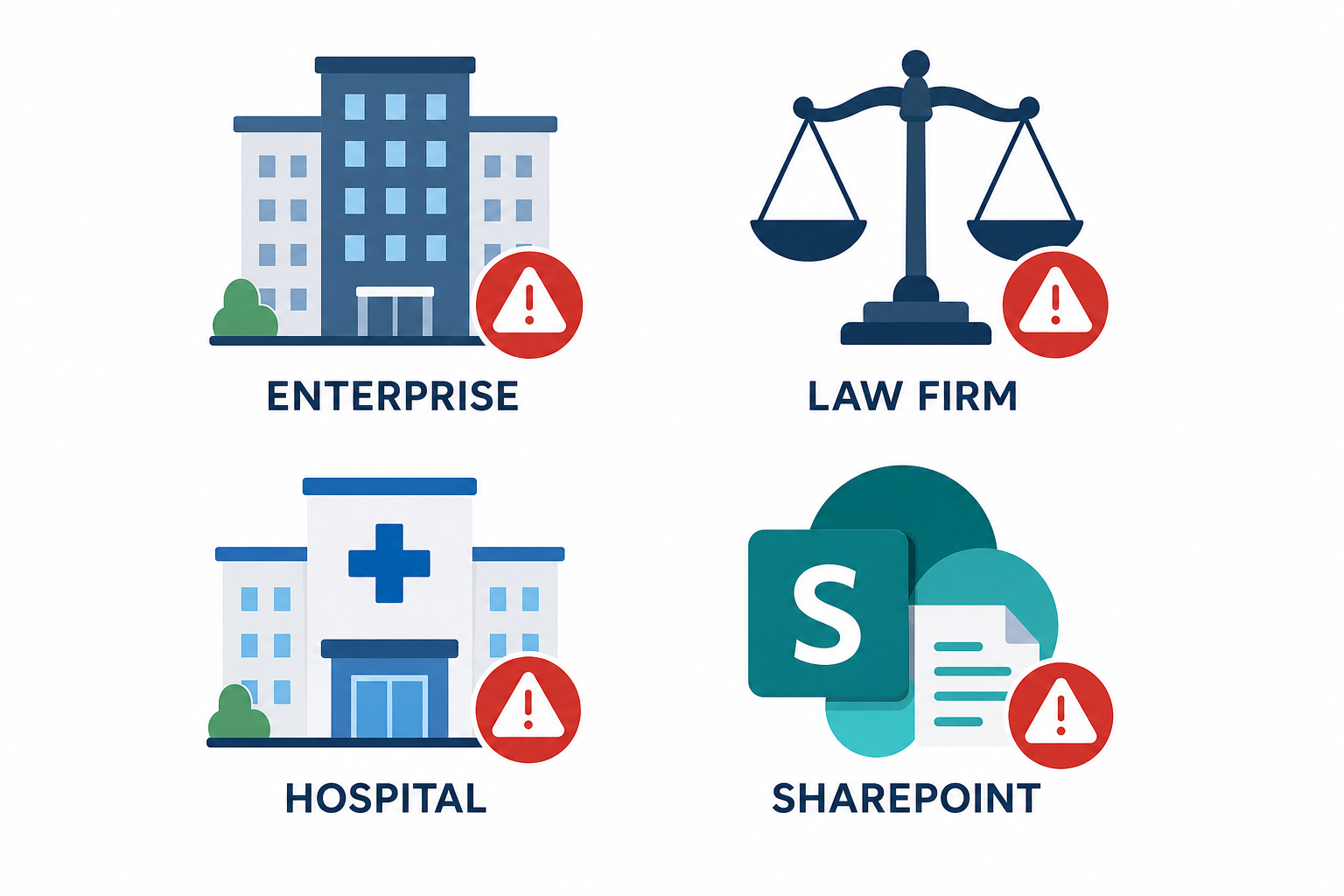
The AI data leak risk from SearchLeak-style attacks is highest for organisations that have deployed Microsoft 365 Copilot Enterprise without tightening the permissions that Copilot inherits from the underlying Microsoft 365 tenant. Research published alongside the disclosure highlights a sobering statistic: on average, 16% of a company’s business-critical files are overshared — meaning far more employees (and, by extension, Copilot sessions) have read access to sensitive data than is necessary. When those loose permissions meet a prompt-injection vector, the blast radius is enormous.
- Large enterprises with sprawling SharePoint environments and minimal access reviews.
- Professional services firms — law, finance, accountancy — where Copilot has access to privileged client data.
- Healthcare organisations where Copilot may index patient-adjacent records.
- Any team that shares documents broadly via “anyone with the link” SharePoint settings.
It is worth noting that SearchLeak itself is now patched. But the underlying conditions that made it lethal — oversharing and prompt-injection susceptibility — have not disappeared. Varonis and other researchers have already documented related chains such as EchoLeak (CVE-2025-32711) and Reprompt, confirming that M365 Copilot security is an active, evolving battleground.
M365 Copilot Security: What Microsoft Has Done
Microsoft moved quickly once Varonis reported the vulnerability through responsible disclosure. The patch closed the specific URL-trust bypass and the prompt-injection pathway that SearchLeak exploited within the Enterprise Search component. The fix was rolled out server-side, meaning most tenants received the protection without any manual update on their part.
Microsoft’s official enterprise data protection guidance for Microsoft 365 Copilot explains how the AI is designed to respect existing Microsoft 365 permissions and compliance boundaries — but as SearchLeak demonstrated, that design is only as strong as the permissions you have actually configured.
Copilot Data Exfiltration Mitigation: What Admins Should Do Right Now
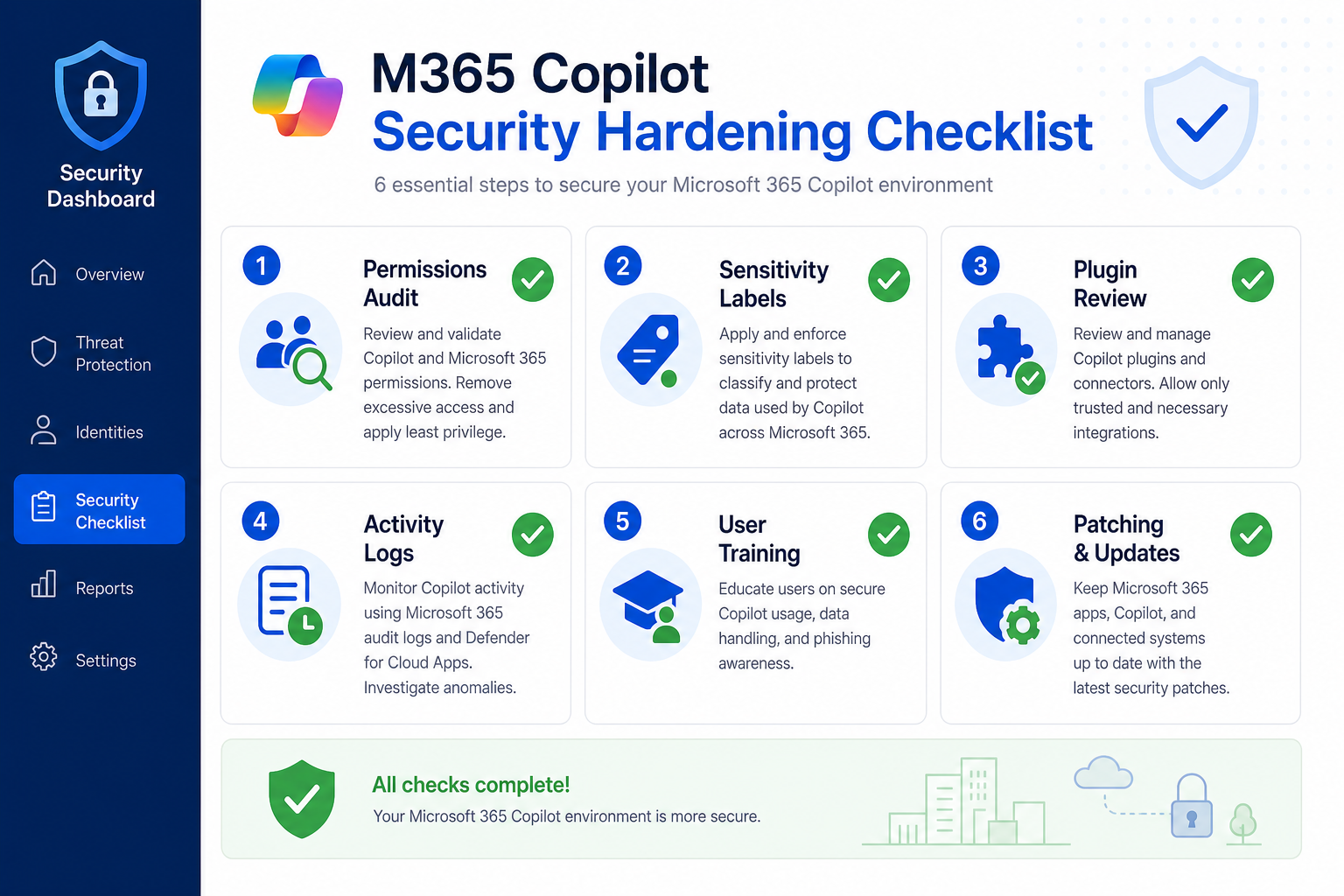
Patching handles SearchLeak specifically, but robust Copilot data exfiltration defence requires broader hygiene. Here are the steps every Microsoft 365 administrator should prioritise.
1. Audit and Tighten SharePoint and OneDrive Permissions
Run a SharePoint permissions report or use Microsoft Purview’s Content Explorer to identify files shared with “Everyone” or “Anyone with the link.” Remove broad-access grants and switch to explicit group memberships. Copilot can only surface what the signed-in user can access — reducing oversharing is the single highest-impact step you can take.
2. Enable Sensitivity Labels and Purview DLP Policies
Microsoft Purview sensitivity labels let you classify documents as Confidential or Highly Confidential, and DLP policies can block Copilot from referencing labelled content in ways that would move data outside approved boundaries. This adds a second layer of control independent of file-level permissions.
3. Review Copilot Plugin and Agent Access
If your organisation uses Copilot agents or third-party plugins, each one extends the attack surface. Audit which agents are active, what data they can access, and whether they follow the principle of least privilege. Disable any agent that does not have a clear business justification.
4. Monitor Copilot Activity Logs
Microsoft 365 Copilot generates audit logs in the Microsoft Purview Compliance Portal. Set up alerts for anomalous query patterns — for example, a single Copilot session retrieving an unusually high number of documents or accessing data outside a user’s normal working set. Behavioural baselines are your early-warning system for future prompt-injection attempts.
5. Train Users to Treat Unexpected Links with Suspicion
SearchLeak required a victim to click a link. User awareness training that covers AI-specific phishing — including the concept that a document shared via Teams or email could contain hidden instructions — is now a necessary component of security awareness programmes. Phishing is no longer just about fake login pages.
6. Stay Current with Microsoft Security Patches
SearchLeak was patched server-side, but other Copilot and Microsoft 365 vulnerabilities may require client-side updates. Ensure your Microsoft 365 apps are set to receive updates automatically and that your IT team reviews Microsoft’s monthly Security Update Guide. You can also track Windows Defender-level threats alongside Copilot risks — for context on how quickly exploit chains emerge and get patched, see our breakdown of the Windows Defender RoguePlanet zero-day and its workarounds.
The Bigger Picture: AI Tools and the New Attack Surface
SearchLeak is not an isolated incident. It is part of a documented pattern in which AI assistants — because they are trusted, deeply integrated, and authorised to retrieve sensitive information on a user’s behalf — become force multipliers for attackers who can influence their inputs. A conventional attacker who gains access to one email gains access to that email. An attacker who can manipulate Copilot gains access to everything Copilot can reach across the entire tenant.
This is the paradox at the heart of enterprise AI adoption: the features that make Copilot valuable are the same features that make it dangerous if misconfigured or compromised. For a broader view of how Microsoft’s AI investment strategy intersects with these risks, see our analysis of the Microsoft 365 shareholder lawsuit over AI spending and what it means for everyday users.
The answer is not to avoid AI tools — their productivity benefits are real. The answer is to treat AI assistants with the same rigorous access-control discipline you (should) apply to privileged human users: least-privilege access, strong logging, and regular review.
Does Copilot Data Theft Change Whether You Should Use Microsoft 365?
SearchLeak is patched. The underlying Microsoft 365 platform remains one of the most comprehensively security-audited productivity suites available, and Microsoft’s rapid response to the Varonis disclosure reflects a mature vulnerability management programme. The lesson is not “avoid Copilot” — it is “deploy Copilot deliberately.”
Organisations that have done the basics — least-privilege file access, sensitivity labels, audit logging — were always far less exposed to SearchLeak’s blast radius, even before the patch. Those that had not done the basics were exposed not because Copilot is uniquely insecure, but because it exposed pre-existing permission hygiene failures at AI speed.
For organisations running Microsoft 365 on a perpetual-licence model rather than a subscription, it is worth noting that Copilot Enterprise features are subscription-only and sit on top of Microsoft 365 E3 or E5 licensing. If you are managing costs and looking at one-time-purchase alternatives for the core Office apps, our deep dive on AI model infrastructure costs and how they shape Copilot gives useful context on what you are actually paying for.
FAQ
Is SearchLeak still a live threat?
No. Microsoft has patched the specific vulnerability chain disclosed by Varonis Threat Labs in June 2026. If your Microsoft 365 tenant is up to date — which for most organisations happens automatically — you are protected against SearchLeak specifically. However, prompt-injection as a class of attack remains active, and new variants continue to be discovered by researchers.
Does SearchLeak affect all Microsoft 365 plans?
SearchLeak targeted Microsoft 365 Copilot Enterprise specifically, which is an add-on available on top of Microsoft 365 E3, E5, and Business Premium plans. If your organisation does not have a Copilot Enterprise licence activated, you were not directly exposed to this particular attack chain.
What is prompt injection and why is it dangerous for Copilot data exfiltration?
Prompt injection is a technique where an attacker embeds hidden instructions inside content an AI model will process — a document, email, or webpage. Because the AI cannot reliably distinguish between its operator’s instructions and text in its context window, it may follow the attacker’s commands as if they were legitimate. In the context of Copilot data exfiltration, this can direct the AI to retrieve and forward sensitive data without the user’s knowledge.
How do I check whether my Microsoft 365 tenant is at risk from similar AI data leak attacks?
Start with a permissions audit in the Microsoft Purview Compliance Portal and SharePoint admin centre to identify overshared content. Enable Copilot activity logging and review which users and agents have access to sensitive sites. Microsoft also provides a Copilot readiness assessment in the Microsoft 365 admin centre that flags permission and compliance gaps before you deploy or expand Copilot access.
Should my organisation disable Copilot until AI security matures?
Disabling Copilot entirely is rarely the right answer. The productivity gains are substantial, and Microsoft’s security response to SearchLeak was swift. The better approach is to deploy Copilot with least-privilege access, sensitivity labelling, and audit logging in place from day one — rather than enabling it broadly and tightening controls later. Controlled, deliberate adoption dramatically reduces the risk surface without sacrificing the AI benefits.
