
A windows 11 pro deal advertised for €20 or less over a weekend can be genuine, but only if the seller can prove the key is a real, unused retail or OEM license sourced through a legitimate channel — not a volume-license key pulled from a business contract or a key generator. The discount itself isn’t the red flag; the seller’s transparency about where the key comes from is what separates a real bargain from a licensing headache.
Flash-sale marketplaces have made eye-catching Windows 11 Pro pricing a near-permanent fixture online. Prices of €15 – €20 for a “lifetime” Pro license show up constantly on deal aggregators and social media ads, especially compared with Microsoft’s own list price of €259,00 for a boxed Windows 11 Pro download. That gap is enormous, and it’s exactly why so many IT admins and home users ask the same question every time one of these offers appears: is this actually legal, and will it keep working?
Why Is There Such a Big Gap Between a Windows 11 Pro Deal and Microsoft’s List Price?
The gap exists because most heavily discounted keys are sold through the secondary license market, not directly from Microsoft’s storefront. Resellers buy volume licenses, OEM system-builder keys, or leftover retail keys in bulk from distributors, then resell them individually at a steep markup on Microsoft’s own margin — but still far below the boxed retail price.
This is a legal, well-established software resale model in many jurisdictions, similar to buying a used car with a clean title rather than one from the dealership. The catch is that not every seller in that chain is equally careful about where their stock originates. Some keys circulating in flash sales are:
-
Genuine OEM or retail keys sold in bulk by authorised distributors at a real discount
-
Volume License Keys (VLKs) intended for business auditing, not individual resale — these can be revoked
-
Keys generated by cracking tools that mimic a valid format but were never issued by Microsoft
-
Keys already activated elsewhere and resold to multiple buyers
Only the first category is a genuinely safe windows 11 pro deal. The rest either violate Microsoft’s licensing terms or simply won’t hold up long-term.
How to Tell If a Windows 11 Pro Deal Is Legitimate
Check three things before you buy: the seller’s refund policy, whether the key activates directly through Microsoft’s own servers, and whether the listing is honest about the license type (OEM, Retail, or volume). A legitimate seller will state clearly which type you’re getting and back the sale with a real guarantee if activation fails.
1. Look for a Real Money-Back Guarantee
Any seller confident in their stock will offer a refund or free replacement if a key doesn’t activate. Vague promises with no defined refund window, or sellers who disappear after payment, are the biggest tell of a bad deal.
2. Confirm the License Type Before Paying
OEM licenses are tied to one device for its lifetime and can’t be transferred; retail licenses can be moved to a new PC. If a listing doesn’t specify which one you’re buying, ask before checkout — this determines what you can actually do with the key later.
3. Test Activation Immediately
Once you receive a key, activate it right away rather than sitting on it. Genuine keys verify instantly against Microsoft’s activation servers. If activation fails, comes back as “already in use,” or triggers a generic-key warning, that’s your signal to request a replacement or refund immediately — waiting past a claim window can cost you that protection.
Windows 11 Pro Deal Activation Caveats to Know Before You Buy
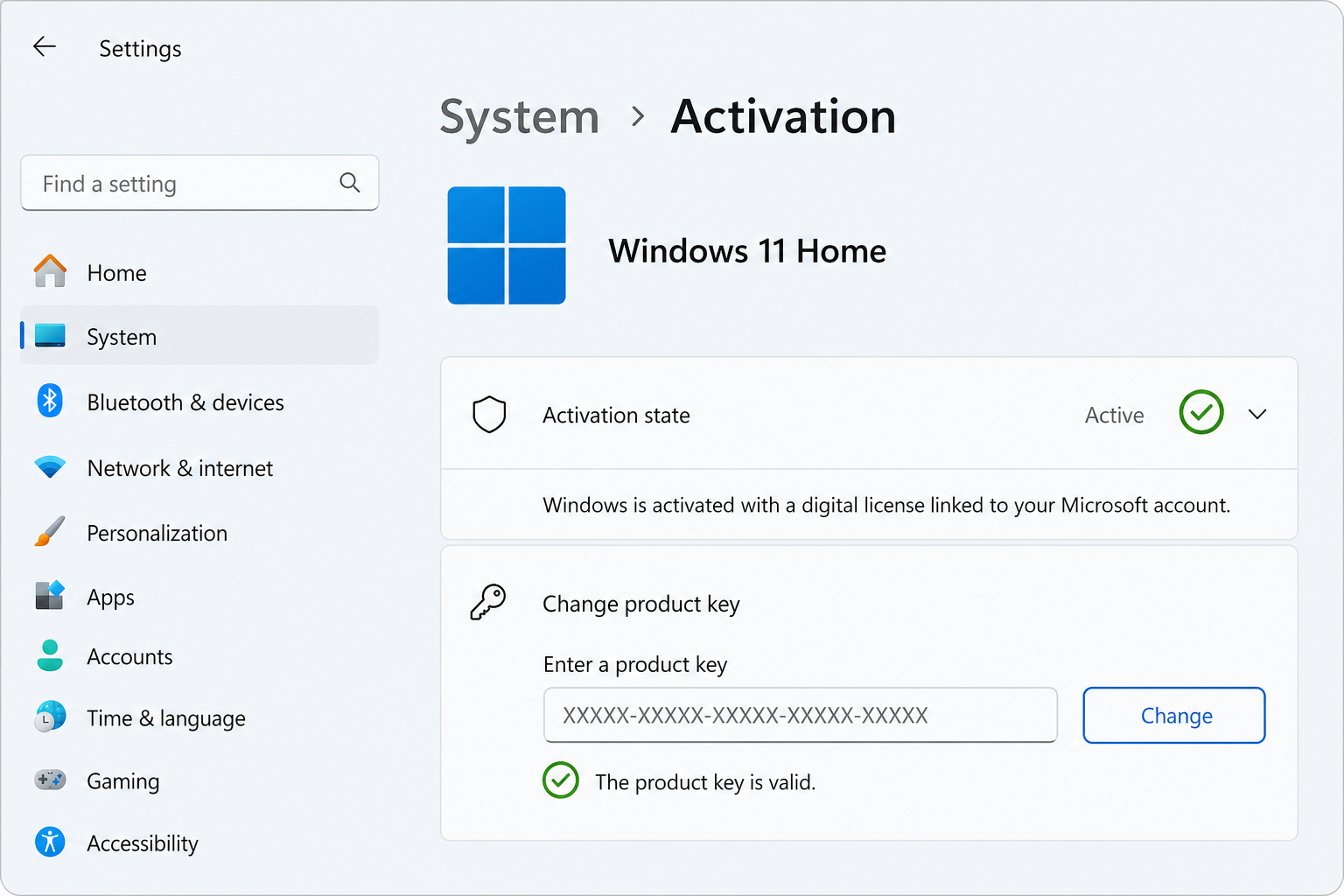
Even a genuine discounted key comes with a few practical caveats that many flash-sale buyers don’t expect. Activation depends on hardware compatibility, the correct edition being installed first, and — for OEM keys — permanently binding to the first device it’s activated on.
-
Edition mismatch: a Pro key will not activate a Home installation. You must install the matching edition first, or use the built-in “Change product key” upgrade path.
-
TPM 2.0 and Secure Boot: Windows 11 Pro requires UEFI firmware with Secure Boot and a TPM 2.0 module. Older PCs without this may install but fail later checks.
-
One-device binding: OEM keys are locked to the first motherboard they activate on. If you upgrade hardware later, an OEM key generally won’t transfer — a retail key will.
-
VPN interference: some activation servers reject requests from behind a VPN. Disable it before trying to activate.
According to Microsoft’s own activation documentation, keys are validated against the same servers regardless of where you bought them — which is exactly why a genuine reseller key activates identically to one bought directly from Microsoft. You can review Microsoft’s official activation guidance for the full technical breakdown of how this verification works.
Buying Direct From Microsoft vs a Discounted Windows 11 Pro Deal
Buying direct from Microsoft guarantees the source but costs significantly more; buying through a vetted reseller can deliver the same genuine, updateable license for a fraction of the price, provided the reseller stands behind the key with support and a refund guarantee.
Microsoft currently lists Windows 11 Pro at €259.00 through its own store. That price includes the same activation rights, security updates, and feature access as a reseller key — the software itself is identical. What differs is the sales channel and the guarantees wrapped around it.
What a Trustworthy Reseller Should Offer
-
Instant email delivery of the key and official Microsoft download link
-
Clear labelling of OEM vs Retail licensing
-
A defined refund or replacement window if the key fails Microsoft’s genuine-software check
-
Support that can actually walk you through activation troubleshooting
Shop Key Online’s Windows 11 Pro OEM license is priced at €15.95 and includes instant delivery plus a 100% money-back guarantee if activation fails and support can’t resolve it — the same protection standard a careful buyer should expect from any windows 11 pro deal, discounted or not. For anyone who needs a transferable license instead, the Windows 11 Pro Retail key at €17.95 allows moving the license to a new PC later, which OEM keys don’t permit.
Common Red Flags in a Windows 11 Pro Deal Listing
The clearest warning signs are missing license-type details, no support contact, and prices so low they don’t cover even wholesale distributor costs. Genuine bulk discounts exist, but there’s a floor below which a key almost certainly isn’t sourced legitimately.
-
No mention of whether the key is OEM, Retail, or Volume
-
Seller has no verifiable support channel, phone, or live chat
-
Reviews mention keys getting flagged as “not genuine” weeks after purchase
-
Payment only accepted via untraceable methods (crypto-only, wire transfer, gift cards)
-
Marketplace listing disappears and reappears under a new name repeatedly
Community discussions on forums like Reddit’s sysadmin and Linus Tech Tips communities have flagged exactly these patterns repeatedly when a Windows 10 or 11 Pro discount looks too aggressive relative to distributor wholesale pricing — worth a quick search before trusting an unfamiliar storefront with your payment details.
Step-by-Step: Activating a Windows 11 Pro License Key Safely

Activation itself takes under five minutes once you have a verified key and the correct edition installed. Follow this sequence to avoid the most common failure points.
-
Confirm your PC meets Windows 11 Pro’s requirements: 64-bit 1GHz+ CPU, 4GB RAM minimum, 64GB storage, UEFI Secure Boot, and TPM 2.0.
-
Install the Pro edition specifically — a Home installation cannot be activated with a Pro key without first using the built-in edition upgrade key.
-
Go to Settings > System > Activation, then select “Change product key.”
-
Enter the 25-character key exactly as received and click Next.
-
Disable any active VPN before submitting, since some activation servers reject VPN traffic.
-
If activation fails, double-check for typos, confirm the edition matches, restart the PC, and contact the seller’s support with your order number and a screenshot of the error.
Every step here matches what Microsoft’s own activation servers check for, regardless of where the key was purchased — which is why a properly sourced discounted key activates exactly the same way as a full-price one.
FAQ
How do I download Windows 11 Pro after buying a key?
Use Microsoft’s Installation Assistant if you’re upgrading from Windows 10 with your files intact, or the Media Creation Tool to build a bootable USB or ISO for a clean install. Both are official Microsoft tools and don’t require anything beyond the product key you already own.
How do I install Windows 11 Pro from a USB drive?
Create the bootable media with the Media Creation Tool or Rufus using an 8GB+ flash drive, then boot from that USB, follow the setup prompts, and enter your product key when asked. This method works whether you’re doing a clean install or moving to different hardware.
How do I activate Windows 11 Pro once it’s installed?
Open Settings > System > Activation, choose “Change product key,” and enter your 25-character license. Windows verifies it against Microsoft’s servers automatically within seconds if the key is genuine and matches the installed edition.
Why does my Windows 11 Pro deal key say “not genuine” after activating?
This usually means the key was a volume license, was already used on another device, or was never issued through a proper channel. Contact the seller immediately — a reputable one will replace the key free or refund you in full.
Can I upgrade from Windows 11 Home to Pro without reinstalling?
Yes. Go to Settings > System > Activation, choose “Change product key,” and enter Microsoft’s generic upgrade key before entering your purchased Pro key. This switches the edition in place without wiping your files.
Is a discounted Windows 11 Pro deal ever as good as buying from Microsoft directly?
It can be, provided the seller sources genuine OEM or Retail keys and backs them with a real refund and support guarantee. The Windows installation and update experience is identical either way — the risk lies entirely in the seller’s sourcing and support, not the software itself.
