
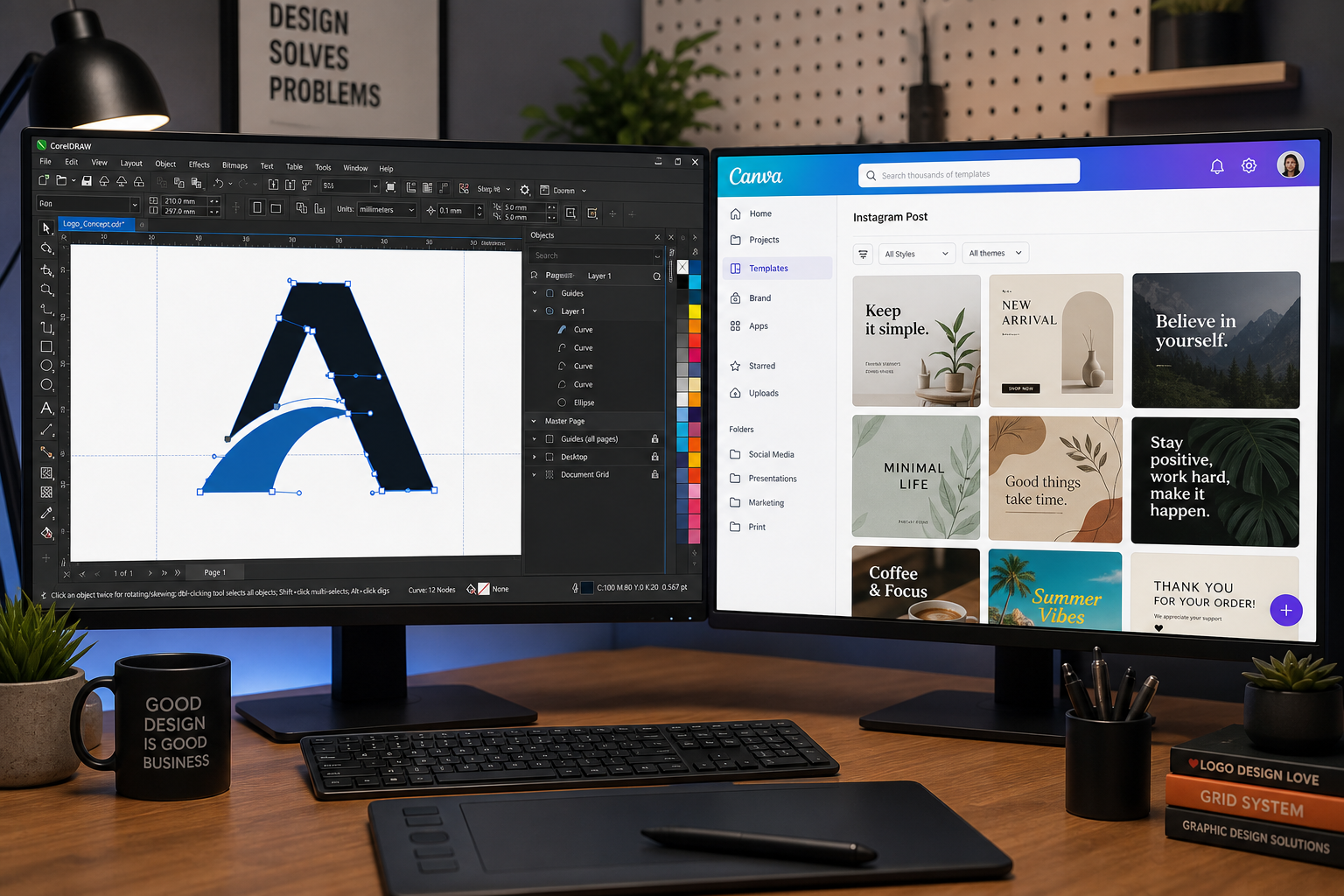
When it comes to a CorelDRAW vs Canva showdown in 2026, the answer hinges almost entirely on what kind of designer you are. CorelDRAW remains the gold standard for precision vector work, logo design, and technical illustration, while Canva has aggressively chased the professional market with its AI 2.0 platform. With over 100 new features launched at Canva Create 2026 and Google entering the AI design space, the competitive landscape has genuinely shifted — but the fundamentals of what each tool does best have not.
CorelDRAW vs Canva: Two Design Philosophies Explained

CorelDRAW was built from the ground up around vector objects — every curve, node, and path is a mathematical object you control with surgical precision. That philosophy shapes everything: how you draw a logo, how you prepare files for large-format print, and how you hand off artwork to a print bureau. Canva, by contrast, was built around templates and rapid content production. Its design canvas is pixel-friendly and browser-based, optimised for social graphics, presentations, and marketing collateral that needs to look great fast.
Neither philosophy is wrong. But they are genuinely different, and understanding that difference is what this design tool comparison is really about.
CorelDRAW 2026: What Professional Designers Actually Get
CorelDRAW Graphics Suite 2025 (the current release going into 2026) ships as a full creative ecosystem. The headline application gives you a professional-grade vector editor that rivals Adobe Illustrator in node-level control, with tools like the Knife, Envelope, and PowerClip that have no meaningful equivalent in Canva. Alongside it you get Corel PHOTO-PAINT for bitmap editing, Corel Font Manager, CorelDRAW Go (the browser edition), and — in the Technical Suite tier — CorelDRAW Technical Suite with CAD import capabilities.
- Precision Bézier drawing: Full node editing, pen pressure support, and sub-pixel accuracy for logo work that must scale from a business card to a billboard.
- Colour management: CMYK workflow with ICC profile support, spot colour, and print-ready output — Canva’s CMYK export is a Pro feature that still lacks full colour-profile control.
- AI tools in CorelDRAW 2026: AI-assisted background removal, text-to-image generation, and object segmentation are now baked into the suite, not bolted on as paid add-ons.
- File format depth: Native import/export for AI, EPS, SVG, CDR, DWG, DXF, PDF (print-ready), and more — giving studios the flexibility to exchange files with clients using any platform.
- Lifetime licensing: Unlike subscription-only competitors, CorelDRAW is available as a one-off lifetime licence. CorelDRAW Graphics Suite 2024 for Mac is available at ShopKeyOnline for €54.90 — a single payment with no recurring fees.
For designers doing logo creation, brand identity, or illustration work that will appear in print, on signage, or on merchandise, CorelDRAW 2026 continues to be the more capable environment.
Canva AI 2.0: A Serious Upgrade, But for Whom?

Canva’s 2026 push is genuinely impressive. Canva AI 2.0, announced at Canva Create 2026, generates fully layered, editable output from a single prompt — meaning you can describe a social media layout and receive a design you can immediately adjust, not just a flat image. Six new AI workflows extend that further, including agentic integrations with Slack, Gmail, and HubSpot. The Canva AI 2.0 announcement signals a clear intent to become a full end-to-end creative platform rather than just a template library.
That is a compelling offer — for marketing teams, social media managers, and non-designers who need to produce volume content quickly. For a professional designer crafting a brand identity from scratch, however, Canva AI 2.0’s strengths are largely peripheral to the core work. You still cannot edit individual Bézier nodes. You still cannot define a true CMYK spot colour. And you still cannot export a print-ready PDF with bleed and crop marks with the same reliability a print bureau expects.
Head-to-Head: Canva vs CorelDRAW for Key Design Tasks
CorelDRAW vs Canva for Logo Design
CorelDRAW wins decisively. Logo work demands true vector paths, colour mode control, and files that will survive scaling to any size without quality loss. CorelDRAW’s node editor, font management tools, and EPS/SVG export make it the professional choice. Canva lets you create a logo-like graphic, but the output is not the kind of production-ready master file a brand identity project requires. If your client is going to emboss, embroider, or engrave that logo, they need a proper vector — and that means CorelDRAW.
Illustration and Artwork
CorelDRAW again leads for complex illustration. The suite’s vector brushes, mesh fills, and multi-object manipulation give illustrators the granular control needed for editorial, character, or technical artwork. Canva’s illustration capabilities are limited to combining pre-made elements — it is composition, not creation.
Social Media & Marketing Graphics
Canva is the faster choice for volume social content. Its template library, brand kit, and direct-share integrations are genuinely superior for marketing teams churning out consistent graphics at speed. A solo designer producing Instagram carousels for five clients is better served by Canva’s workflow than by CorelDRAW. This is where Canva’s design tool comparison advantage is real and should be acknowledged honestly.
Print Production
CorelDRAW is the professional print tool. CMYK colour management, bleed settings, imposition, and format versatility are deeply integrated. Explore our CorelDRAW print production workflow guide for a full breakdown of how to set up press-ready files — it covers everything from CMYK profiles to crop marks and imposition layouts.
Learning Curve
Canva has almost no learning curve; a newcomer can produce a polished-looking graphic in minutes. CorelDRAW has a steeper on-ramp, but Corel’s built-in learning resources, YouTube tutorials, and the active user community mean most designers feel confident within a few weeks. The investment pays off in capability.
CorelDRAW vs Canva Pricing: Lifetime Licence vs Subscription
This is where the Canva vs CorelDRAW conversation becomes very practical. Canva Pro costs around £10/month (approximately £120/year) with no option to own the software outright. Canva’s enterprise tier pushes costs higher still. CorelDRAW Graphics Suite, purchased as a lifetime licence through ShopKeyOnline, is a one-time outlay. CorelDRAW Graphics Suite 2025 for Mac is available for €64.90 — meaning a professional could break even versus a Canva Pro subscription in under seven months and own the software indefinitely thereafter.
For freelancers and studios watching overheads, the lifetime licence model is a compelling financial argument — especially when the software itself is more capable for professional-grade work.
Google Enters AI Design: Does It Change Anything?

Google’s move into AI-assisted design tools in 2026 — primarily through Workspace integrations and generative AI in tools like Google Slides and Google Docs — adds another dimension to the market. For document-based design and simple visual communication, Google’s embedded AI is increasingly capable. But Google is not building a vector graphics editor. It is building productivity software with visual polish. Neither CorelDRAW nor Canva is directly threatened by Google’s 2026 plays — though Canva, operating in the document-and-template space, may feel the competitive pressure more acutely over the next two to three years.
Who Should Choose CorelDRAW in 2026?
Based on this design tool comparison, CorelDRAW is the clear choice if you:
- Create logos, brand identities, or illustrations professionally
- Deliver print-ready artwork (brochures, signage, packaging, merchandise)
- Need reliable CMYK colour management and spot colour output
- Work with technical or engineering drawings (CorelDRAW Technical Suite)
- Prefer a one-time licence over an ongoing subscription
- Regularly exchange files with print bureaus, sign shops, or embroidery suppliers
Who Should Choose Canva in 2026?
Canva is the better fit if you:
- Produce high-volume social media and marketing content
- Work in a non-design role and need to look competent fast
- Collaborate with non-designers who need to edit templates without training
- Rely on AI-generated layout suggestions and agentic design workflows
- Prioritise cloud-based access and cross-device flexibility above all else
The Verdict on CorelDRAW vs Canva in 2026
The CorelDRAW vs Canva debate does not have a single winner — it has two different audiences. Canva AI 2.0 is a genuine evolution of the platform and it will continue to attract marketers, educators, and generalist creators. But it has not closed the gap with professional design suites on the things that matter most to working designers: vector precision, print-ready output, and file format fidelity.
CorelDRAW 2026 remains the stronger choice for any designer whose work will appear in print, on a sign, as a stitched logo on a polo shirt, or as a scalable brand asset that needs to look perfect at every size. And with lifetime licences available through ShopKeyOnline at a fraction of the subscription costs charged by cloud-only competitors, the value case in 2026 is as strong as it has ever been.
FAQ
Is CorelDRAW better than Canva for professional logo design?
Yes, for professional logo design CorelDRAW is the stronger tool. It offers true Bézier vector editing, CMYK colour mode, and export formats (EPS, SVG, PDF) that print bureaus and production suppliers require. Canva can produce a logo-style graphic, but the output lacks the production-ready fidelity that professional brand identity work demands. If a client needs to embroider, engrave, or print their logo at large format, CorelDRAW is the correct tool.
Can Canva replace CorelDRAW for a freelance graphic designer?
For most freelance graphic designers working on brand identity, illustration, or print work, Canva cannot replace CorelDRAW. Canva excels at volume social content and template-driven marketing graphics, but it lacks the node-level vector control, CMYK workflow, and file format depth that professional design projects require. Some freelancers use both: CorelDRAW for production work and Canva for quick client-facing mockups or social assets.
What does Canva AI 2.0 actually offer in 2026?
Canva AI 2.0, launched at Canva Create 2026, generates fully layered and editable design layouts from a single text prompt. It also introduced six new agentic workflows and integrations with tools like Slack, Gmail, and HubSpot, making it a more connected platform for marketing teams. While impressive for content production, it still does not replace professional vector editing capabilities for logo and illustration work.
Is CorelDRAW available as a one-time purchase rather than a subscription?
Yes. Unlike Canva, which is subscription-only, CorelDRAW Graphics Suite is available as a lifetime licence — meaning a single payment with no recurring fees. ShopKeyOnline offers lifetime licences for both Windows and Mac editions of CorelDRAW Graphics Suite and Technical Suite, representing strong long-term value compared to annual subscription costs. Check the product pages for current pricing.
How does CorelDRAW handle CMYK for print compared to Canva?
CorelDRAW has comprehensive CMYK colour management built in, including ICC profile support, spot colour definitions, and print-ready PDF export with bleed and crop marks. Canva Pro does offer a CMYK PDF download option, but it lacks full ICC profile control and the depth of prepress features professionals need. For any work destined for commercial printing, CorelDRAW is the significantly more reliable choice.
