
The Excel KB5002914 copy-paste bug arrived with Microsoft’s September 2026 Patch Tuesday and immediately caused chaos across offices worldwide. If Ctrl+C and Ctrl+V have suddenly stopped working in Excel — or formula dragging has gone dead — this update is almost certainly the culprit. Here is everything you need to know to get back to work fast.
What Is KB5002914 and Why Does It Break Excel?
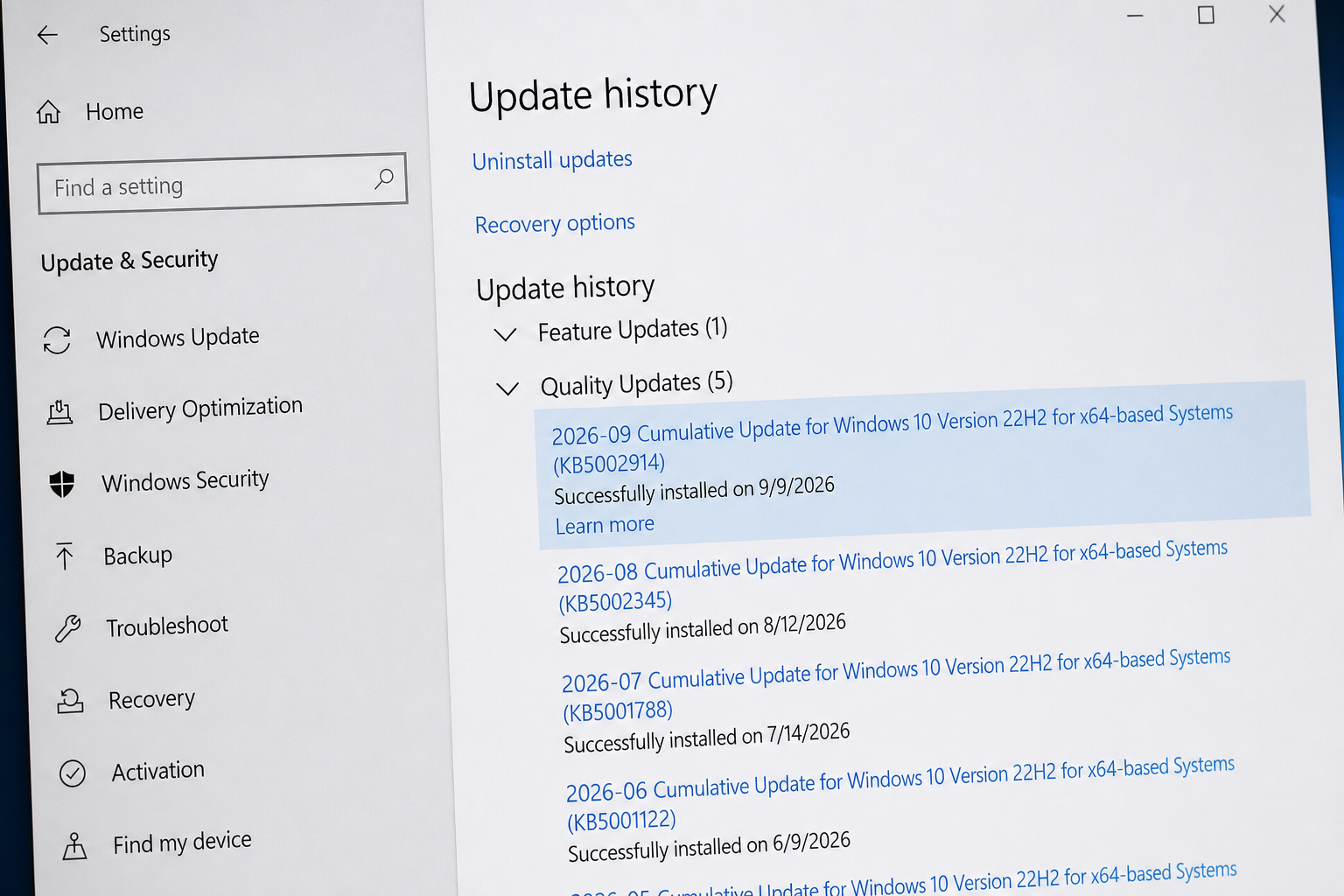
KB5002914 is a security update released by Microsoft as part of the September 2026 Patch Tuesday cycle. It targets MSI-based (volume-licensed, standalone) installations of Microsoft Office, covering Excel versions from 2016 through to 2021. The update was intended to patch security vulnerabilities in the Office suite, but it introduced a regression that interferes with clipboard operations at the application level.
According to reports on the Microsoft Learn community forums, the issue manifests immediately after installation: users find that Ctrl+C, Ctrl+V, right-click copy, right-click paste, and even the ribbon Copy/Paste buttons either do nothing or produce an error. Formula dragging — the handle used to extend a formula across cells — is also affected on some machines. The root cause appears to be a conflict introduced in the update’s security-hardening code that disrupts how Excel communicates with the Windows clipboard.
Which Versions of Excel Are Affected?
Not every Excel installation is hit equally. The KB5002914 Excel fix requirement mainly applies to:
- Excel 2016 — MSI installation (the most widely reported)
- Excel 2019 — MSI and some Click-to-Run installs
- Excel 2021 — Version 2108, Build 14334.20906 and nearby builds
- Office 365 / Microsoft 365 desktop — largely unaffected, as its update channel is separate
Click-to-Run installations (the kind delivered via the Microsoft 365 subscription channel) receive a different update mechanism and are not exposed to KB5002914 in the same way. If your organisation deployed Office via a volume-licence MSI installer, you are in the affected group.
How to Check Whether KB5002914 Is Installed
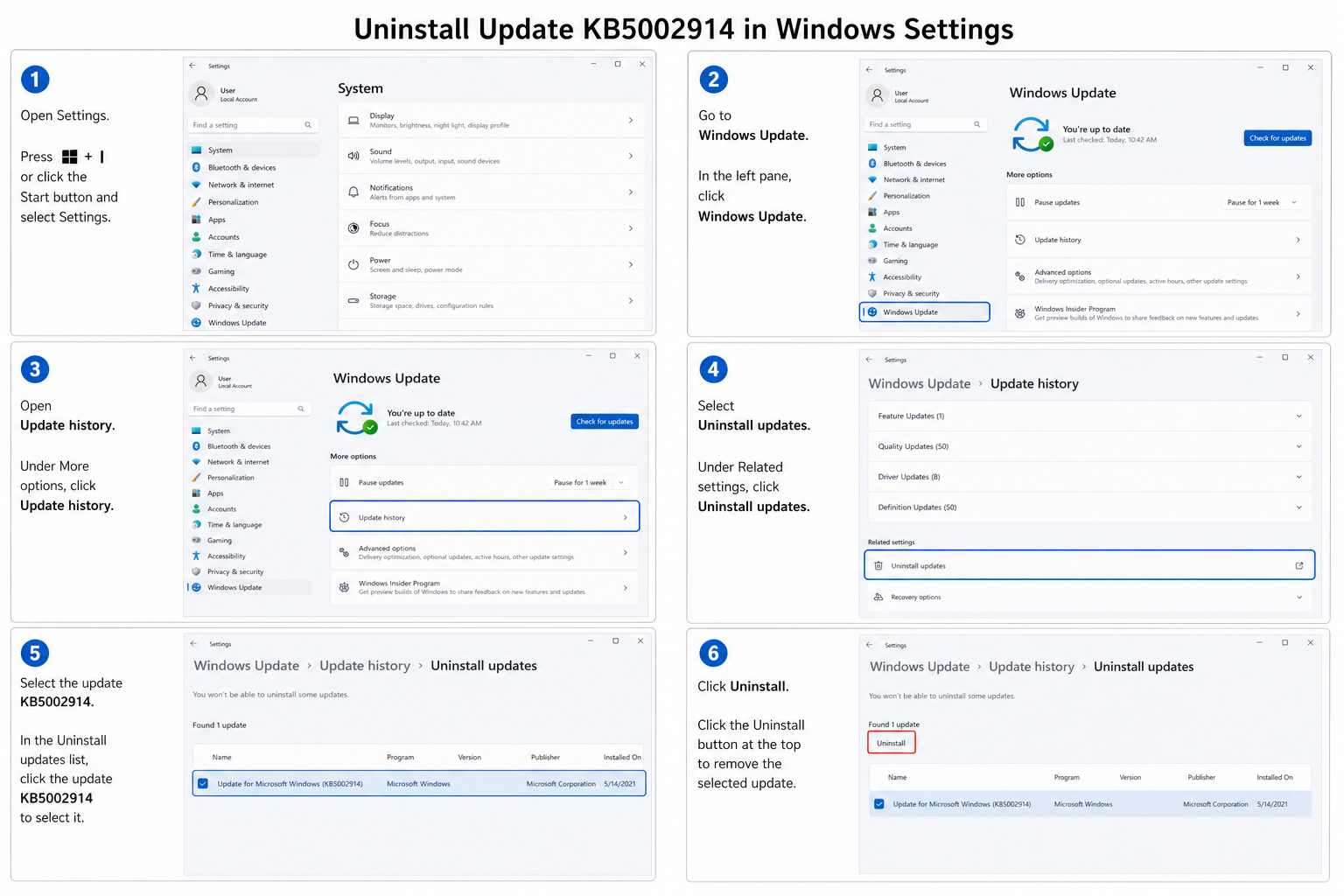
Before attempting any fix, confirm whether the update is actually present on your machine:
- Press Windows + I to open Settings.
- Go to Windows Update > Update History.
- Click Uninstall Updates.
- In the search box, type KB5002914.
- If it appears in the list, the update is installed and is the likely cause of your Excel copy paste not working issue.
Alternatively, open the Control Panel, navigate to Programs > Programs and Features > View Installed Updates, and search for the KB number there.
KB5002914 Workaround: Roll Back the Update
The most reliable KB5002914 workaround right now is to uninstall the update entirely. Microsoft had not released a corrective patch at the time of writing (September 2026), so rolling back is the only confirmed method to restore full clipboard functionality.
Step-by-Step Rollback for MSI Installations
- Open Settings > Windows Update > Update History > Uninstall Updates.
- Locate KB5002914 and select it.
- Click Uninstall and confirm.
- Restart your computer.
- Launch Excel and test copy-paste — it should be restored.
Prevent Re-installation While You Wait for a Fix
Windows Update will attempt to reinstall KB5002914 on the next update cycle unless you pause it. To buy yourself time:
- Go to Settings > Windows Update and click Pause Updates (up to 5 weeks available on Windows 11).
- For IT administrators managing a fleet via WSUS or Intune, decline KB5002914 at the server level until Microsoft issues a corrected build.
- On standalone machines, you can also use the Show or Hide Updates troubleshooter (wushowhide.diagcab) to block the specific KB from reinstalling automatically.
Alternative Workarounds If You Cannot Roll Back
In some enterprise environments, rolling back a security update requires change-control approval, which takes time. If you are stuck with KB5002914 installed and need Excel copy paste not working resolved immediately, try these interim options:
- Use Paste Special (Ctrl+Alt+V): Some users report that the standard Ctrl+V fails but Paste Special still works for values and formulas.
- Drag with the mouse: If keyboard shortcuts are broken, right-click drag between cells, then choose Copy Here or Move Here from the context menu.
- Use the Office Clipboard pane: Open it via Home > Clipboard (the small launcher arrow). Copying content to the Office Clipboard pane and pasting from there sometimes bypasses the broken Windows clipboard pathway.
- Export and re-import via CSV: For bulk data moves, save the source sheet as CSV, then open it in the destination workbook — not elegant, but functional.
- Repair Office: Run an Online Repair (Control Panel > Programs > Office > Change > Online Repair). This does not remove the security update but occasionally resets file associations that the update disturbs.
When Is Microsoft’s Official KB5002914 Fix Expected?
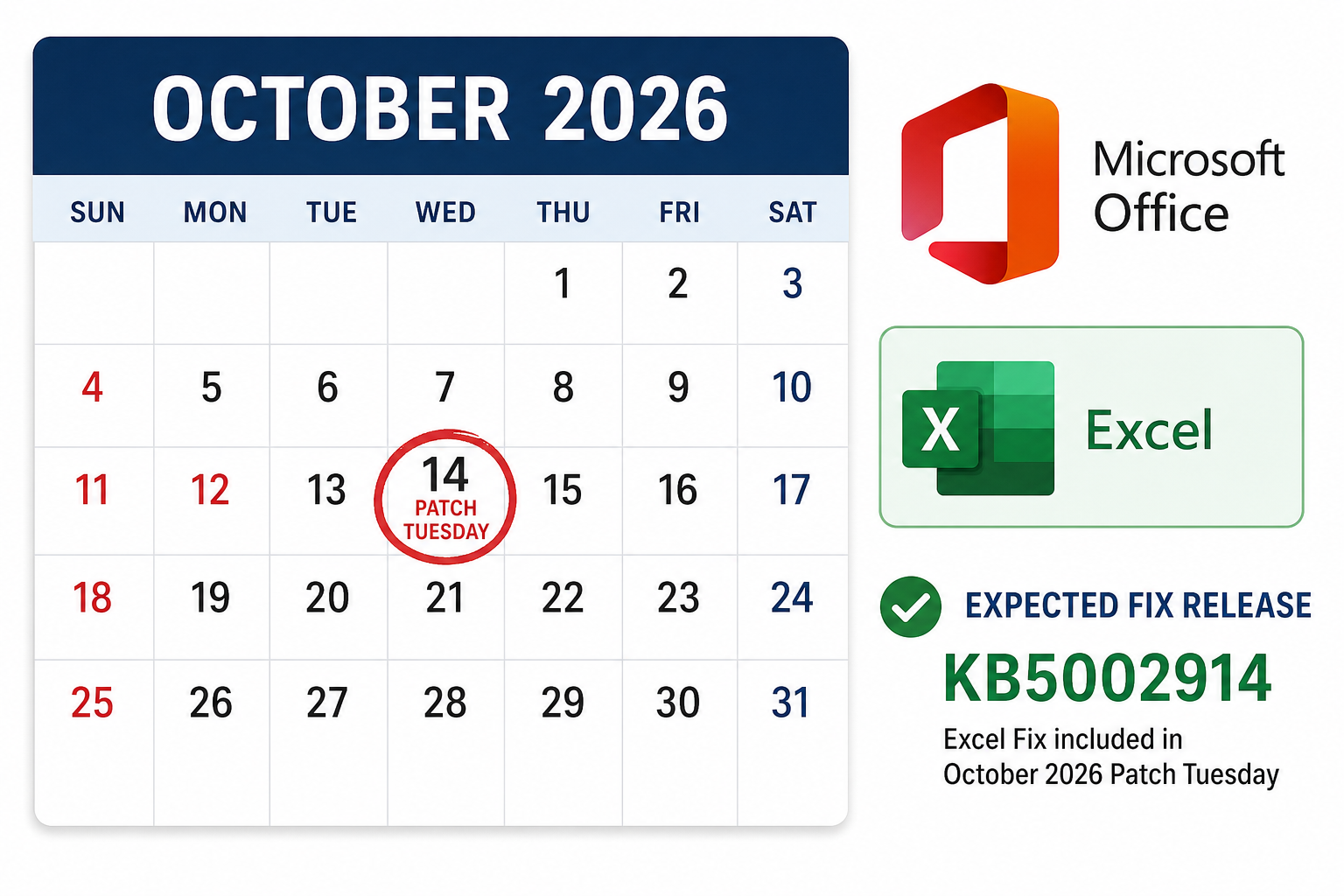
Microsoft acknowledged the copy-paste regression on its community forums shortly after reports flooded in. Based on the standard Patch Tuesday cadence — with updates releasing on the second Tuesday of each month — the earliest a corrected cumulative patch could arrive is October 2026. Microsoft’s track record with critical regression fixes suggests an out-of-band hotfix is also possible if community pressure mounts, though none had been confirmed at publication time.
Watch the BleepingComputer KB5002914 coverage for real-time updates — they typically break patch-fix announcements within hours of Microsoft publishing them.
Is This a Good Time to Upgrade Your Office Licence?
The Excel KB5002914 copy-paste bug shines a spotlight on something many users already knew: older MSI-based Office installs accumulate quirks that newer perpetual or subscription licences handle more smoothly. If you are running Excel 2016 or a patched-together 2019 install, this incident is a reasonable prompt to ask whether your current setup is still fit for purpose.
ShopKeyOnline stocks genuine perpetual licences for the two most current Office releases, delivered instantly by email:
- Microsoft Office 2021 Professional Plus — a stable, one-time-purchase suite that is well past its teething issues, from €28.95.
- Microsoft Office 2024 Pro Plus — the latest perpetual release with the newest feature set, from €24.50.
Both licences come with 24/7 customer support, official Microsoft download links, and a 100% money-back guarantee if activation fails. Upgrading means you are on a clean, up-to-date build — far less likely to be caught out by a regression in a legacy update branch.
FAQ: Excel Copy-Paste Bug KB5002914
Does KB5002914 affect Microsoft 365 subscribers?
Generally no. Microsoft 365 (formerly Office 365) uses a Click-to-Run installation channel that receives updates separately from the MSI-based packages targeted by KB5002914. If you use a Microsoft 365 subscription and your copy-paste is broken, the cause is likely a different issue unrelated to this update.
Will uninstalling KB5002914 leave my PC less secure?
KB5002914 was a security update, so removing it does reintroduce the vulnerabilities it patched — temporarily. The practical risk is low for most home and small-business users over a short window, but enterprise IT teams should assess exposure and apply compensating controls (such as restricting macro execution or disabling external content) until Microsoft issues a corrected build.
How do I know when the KB5002914 fix has been released?
Check Windows Update on the second Tuesday of October 2026. Microsoft also posts patch notes to the Microsoft Update Catalog and the Release Notes page for each Office version. Subscribe to BleepingComputer’s Microsoft patch coverage for near-instant notification.
Can I fix the Excel copy paste not working issue without uninstalling the update?
No permanent fix short of uninstalling KB5002914 has been confirmed. The interim workarounds — Paste Special, the Office Clipboard pane, right-click drag — can keep you productive, but they do not resolve the underlying clipboard regression. Uninstalling is the cleanest and most complete solution available right now.
Does the bug affect Excel on Mac?
No. KB5002914 is a Windows-only update targeting MSI-based Office packages. Excel for Mac follows an entirely separate update path and is not affected by this regression.
Should I upgrade to Office 2024 to avoid this kind of problem?
Upgrading to a newer, actively maintained Office version reduces the chance of being caught by legacy-branch regressions. Office 2024 Pro Plus and Office 2021 Pro Plus both sit on more recent code bases with better-tested update paths. ShopKeyOnline offers both at competitive prices with instant delivery — worth considering if your current install is causing repeated headaches.
