

Windows age verification is now moving from individual websites straight into the operating system itself. Microsoft has built out an Age Signals API for Windows 11 that lets apps query a user’s age bracket at the OS level — without ever accessing or storing their actual date of birth. Whether you’re a home user wondering what will suddenly be restricted, an IT administrator planning a compliance response, or a business evaluating device management policies, this guide covers everything you need to know about Microsoft’s new age-checking architecture.
What Is Windows Age Verification?
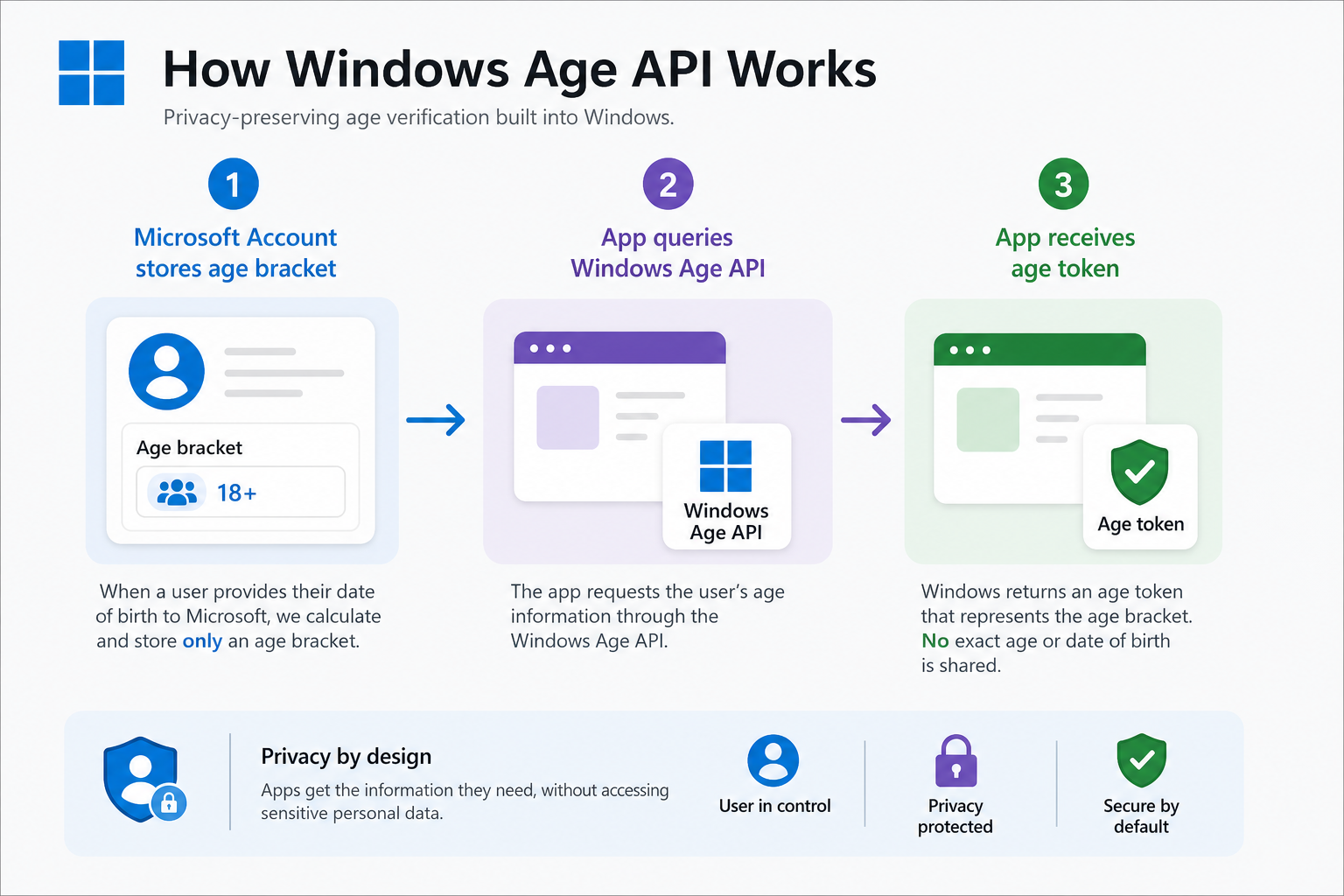
Windows age verification is Microsoft’s structured answer to a rising tide of legislation requiring digital platforms — including operating systems — to know a user’s approximate age before granting access to certain content or services. Rather than leaving every app to build its own identity-checking pipeline, Microsoft has embedded the mechanism into Windows 11 itself through the Age Signals API, often referred to as the Windows Age API.
The core principle is straightforward: the operating system holds a declared age range for the signed-in Microsoft account, and apps can query that range through a standardised API call. The app receives a bracket — such as Child (under 13), Teen (13–17), or Adult (18 and over) — and adjusts its behaviour accordingly. At no point does the app receive the user’s actual birthday. According to Microsoft’s official Age Signals developer documentation on Microsoft Learn, the goal is to enable safe, age-appropriate experiences without creating a centralised repository of sensitive identity data.
What Triggers an OS-Level Age Check
An OS-level age check fires whenever an app calls the Windows Age API and the signed-in Microsoft account has not yet provided a recognised age declaration. The most common triggers include:
- Launching apps with age-restricted content — gaming apps, social platforms, and entertainment services that integrate the API will prompt a verification step.
- Microsoft Store downloads — apps carrying a mature or adult content rating may require an age declaration before the download completes.
- Microsoft Family Safety configurations — accounts flagged as belonging to a child or teenager within the Family Safety ecosystem automatically return the appropriate age bracket to any querying app.
- Third-party developer integrations — any Windows developer who adopts the Age Signals API in their product relies on the OS-level declaration rather than running a separate, app-specific check.
Crucially, the OS-level age check is not a blanket gate across everything you do in Windows. It only activates for apps and services that explicitly call the API. Standard productivity software, most enterprise line-of-business tools, and the Windows desktop experience itself are entirely unaffected for correctly configured adult accounts.
Which Content and Services Are Restricted
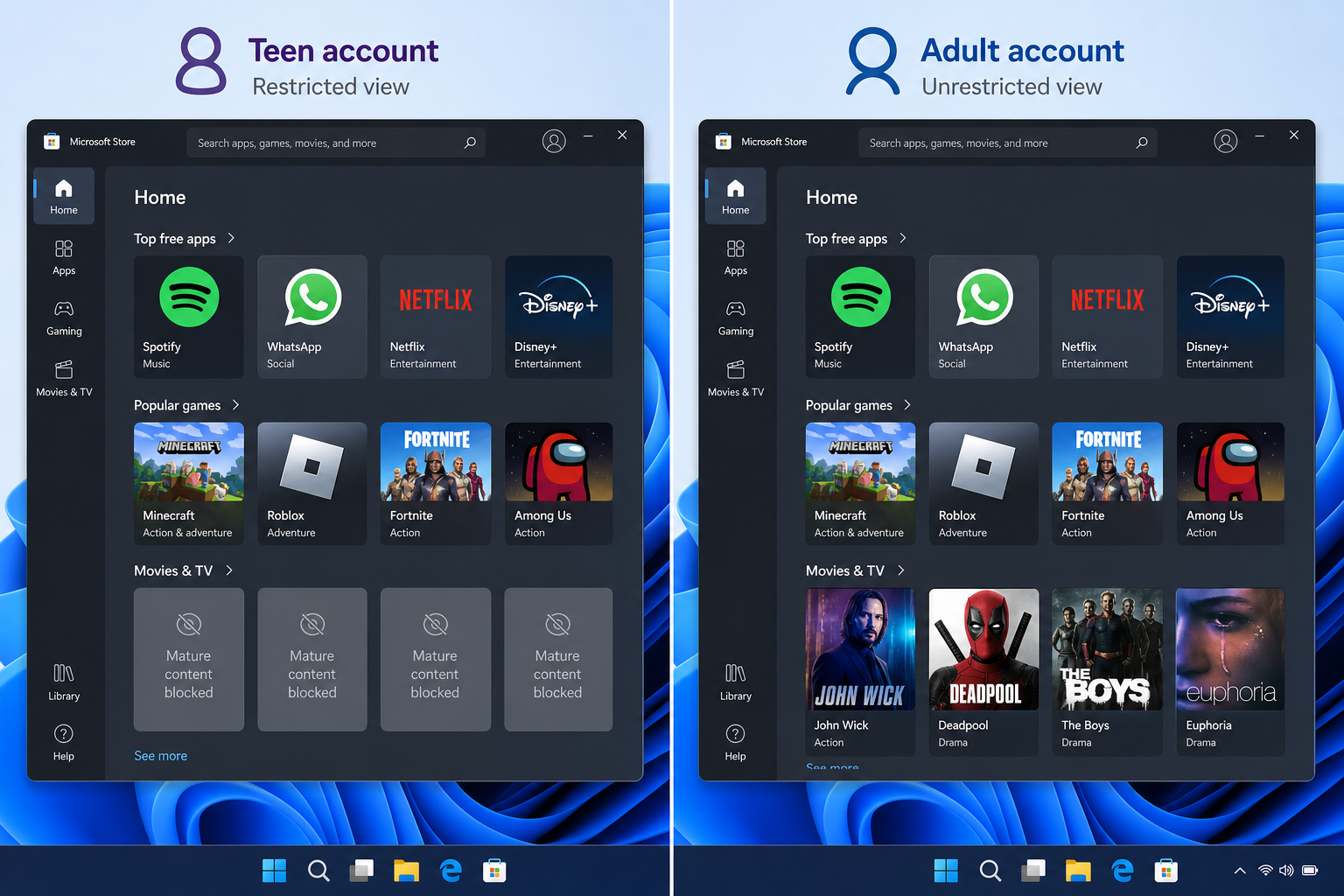
The restrictions are set by the app developer, not by Microsoft centrally. When the API returns an age bracket below the developer’s chosen threshold, the app can block specific features, limit content visibility, or deny access altogether. In practice, the categories most likely to enforce restrictions are:
- Adult-rated games and in-app purchases within those titles
- Mature content on streaming and social media platforms that have integrated the API
- Gambling-adjacent features inside entertainment applications
- AI-generated content tools that produce material deemed unsuitable for minors
- Certain Microsoft Store app categories flagged under the store’s content rating policies
For enterprise environments, the practical impact on day-to-day operations is likely to be minimal. Line-of-business applications are not meaningful consumers of the Age API. Consumer-facing devices deployed in schools, public libraries, or shared-access kiosks running Windows 11 are a different story — those endpoints may behave differently as more developers adopt the standard.
Which Regions Are Affected First
The rollout is driven primarily by legislation rather than a Microsoft-led global launch. Two overlapping legal frameworks are the main catalysts.
California AB 1043 requires operating systems to transmit age signals to app developers by 2027. California is effectively the first US market for any real compliance obligation, because the state’s consumer-protection reach means any OS sold to California residents must comply with its terms. Lying about your age during an OS-level verification in California can result in a fine of up to $2,500 per violation under the state’s enforcement mechanism.
The Parents Decide Act (H.R.8250) was introduced in the US House of Representatives on 13 April 2026 and would extend OS-level age verification to all US states if passed into law. It would require operating system providers to collect date-of-birth information and share it — in bracket form — with any app that requests it. As Windows Central reports, the bill covers “any information as is necessary” — language that has attracted significant criticism from civil liberties groups concerned about scope creep.
Outside the United States, the UK’s Online Safety Act and the EU’s Digital Services Act already impose age-appropriate design obligations on platforms. Microsoft’s Age API provides a ready-made compliance mechanism for those frameworks too, making a broader international rollout a question of timing rather than technical feasibility.
How the Windows Age API Works Under the Hood
The Windows Age API sits as a privacy-preserving intermediary between your Microsoft account profile and the applications running on your device. The flow works like this:
- Age declaration at account level — When a Microsoft account is created, the user provides a date of birth. Windows derives and stores the age bracket, not the raw date, in the portion of the account profile accessible to the OS locally.
- App queries the API — A developer calls the Age Signals API from within their application. The OS returns a standardised age group token: Child, Teen, or Adult.
- App enforces its own policy — The app determines what to restrict. Microsoft supplies the signal; the developer decides the consequence.
- No raw data is transmitted — The app never receives an actual date of birth. This architecture is designed to satisfy both child-safety legislation and data-minimisation principles under GDPR and similar frameworks.
For family accounts managed through Microsoft Family Safety, a parent’s verified adult status is already on record. The OS-level age check for those accounts is essentially instantaneous and invisible. Child accounts are automatically flagged with the Child or Teen bracket as appropriate.
What Enterprises Need to Do Right Now
For IT administrators and enterprise device managers, age verification in Windows introduces a new variable in endpoint policy planning. Most enterprise fleets are largely unaffected today — but proactive preparation now will prevent reactive scrambling once legislative deadlines arrive.
Audit your Microsoft account types. Are shared devices enrolled with personal Microsoft accounts or managed Entra ID (formerly Azure AD) accounts? Corporate Entra ID accounts typically carry age-declaration data tied to HR records. Devices running in kiosk mode with guest or unverified accounts may generate unexpected Age API prompts once more apps integrate the standard.
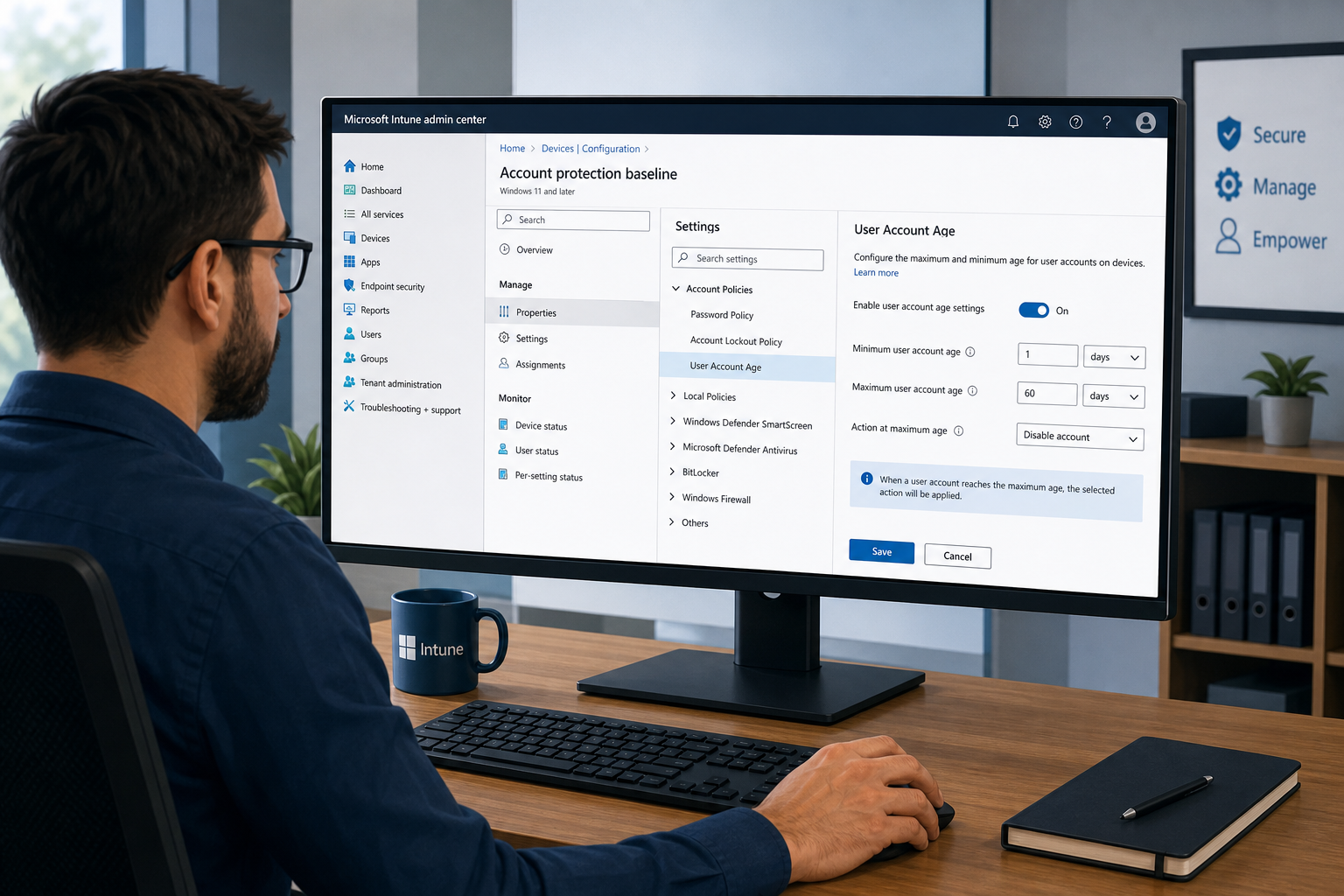
Review MDM and Intune policies. Microsoft Intune does not currently expose a dedicated Age API control policy, but Windows Configuration Designer profiles can restrict Microsoft Store access — one of the primary surfaces where age prompts appear. If your fleet has Store access disabled via Intune or Group Policy, your immediate exposure is minimal.
Communicate with your software vendors. Any ISV whose Windows application your organisation depends on may choose to adopt the Age API in a future update. Ask your critical vendors about their roadmap for Age API integration so you can anticipate user experience changes well in advance.
Update BYOD and shared-device policies. If employees use personal Windows 11 devices to access corporate apps, their personal Microsoft account age declaration will govern what the OS returns to any querying app. This is worth flagging in your next policy revision cycle.
Organisations already running Windows 11 Pro across their fleet are best placed to manage these changes — Pro includes the full Group Policy and MDM control set needed to configure account restrictions and Store access. If your team is evaluating its OS licensing strategy, browse the full Microsoft Windows range at Shop Key Online for genuine, instantly delivered licence keys at competitive prices.
Privacy Concerns and What Microsoft Says
Reaction to age verification in Windows has not been uniformly positive. Several legitimate concerns deserve acknowledgement:
- Normalising identity checks at the OS layer — Critics argue that embedding any verification mechanism into an operating system sets a precedent for broader identity gatekeeping in the future, regardless of how benign the initial use case appears.
- Account sharing on family PCs — A shared household device logged into an adult account could inadvertently grant a child full access if no secondary check exists at the app level.
- The Parents Decide Act’s expansive language — The bill’s phrase “any information as is necessary” has alarmed privacy advocates who argue it could justify collecting considerably more than a simple age bracket.
- Enforcement asymmetry — State-level fines (California’s $2,500 per violation) create compliance pressure on users who may not fully understand the new rules.
Microsoft’s stated position is that the Age API is deliberately architected to be privacy-preserving. The company does not share raw birthdates with apps, does not log what age-restricted content a user attempted to access, and frames the system as an industry-led alternative to far more invasive government-mandated identity verification schemes. Keeping Windows 11 fully updated ensures you receive any refinements Microsoft ships to this system as the legislative landscape solidifies.
Frequently Asked Questions
Will Windows age verification affect my existing apps?
Only apps that explicitly call the Windows Age API will be affected. Apps that do not integrate the API will not change their behaviour at all. The vast majority of existing productivity software, creative tools, and enterprise applications are unlikely to implement it in the near term — the API is most relevant to consumer entertainment and social apps.
Can I opt out of Windows age verification?
There is no user-facing toggle to disable the Age API itself — it is a developer-facing system. If your Microsoft account correctly identifies you as an adult (18+), apps querying the API will receive an Adult token and apply no restrictions. Keeping your Microsoft account date of birth accurate is the simplest way to avoid unexpected blocks.
What happens if my account has no age on file?
If an app queries the OS-level age check and no age declaration is present, the app’s own logic determines what happens next. Some developers may default to the most restrictive setting (treating the account as a minor) until an age is declared; others may skip the check entirely. Microsoft recommends keeping account details current to avoid unintended content restrictions.
Does the Windows Age API affect Windows 10 users?
The Age Signals API is a Windows 11 feature and is not natively present in Windows 10. However, Windows 10 reached the end of its mainstream extended support in October 2025, meaning devices still running Windows 10 no longer receive security updates — which is a compliance concern entirely separate from age verification. Upgrading to Windows 11 addresses both issues simultaneously.
How should IT admins prepare for age verification in Windows?
Start by auditing which Microsoft account types are in use across managed devices, then review Intune and Group Policy configurations for Microsoft Store access. Engage your critical software vendors about their Age API roadmaps, and update your BYOD and shared-device policies to reflect the new OS-level signal. Devices running Windows 11 Pro with active Group Policy infrastructure are best positioned to adapt quickly as legislation finalises.
