
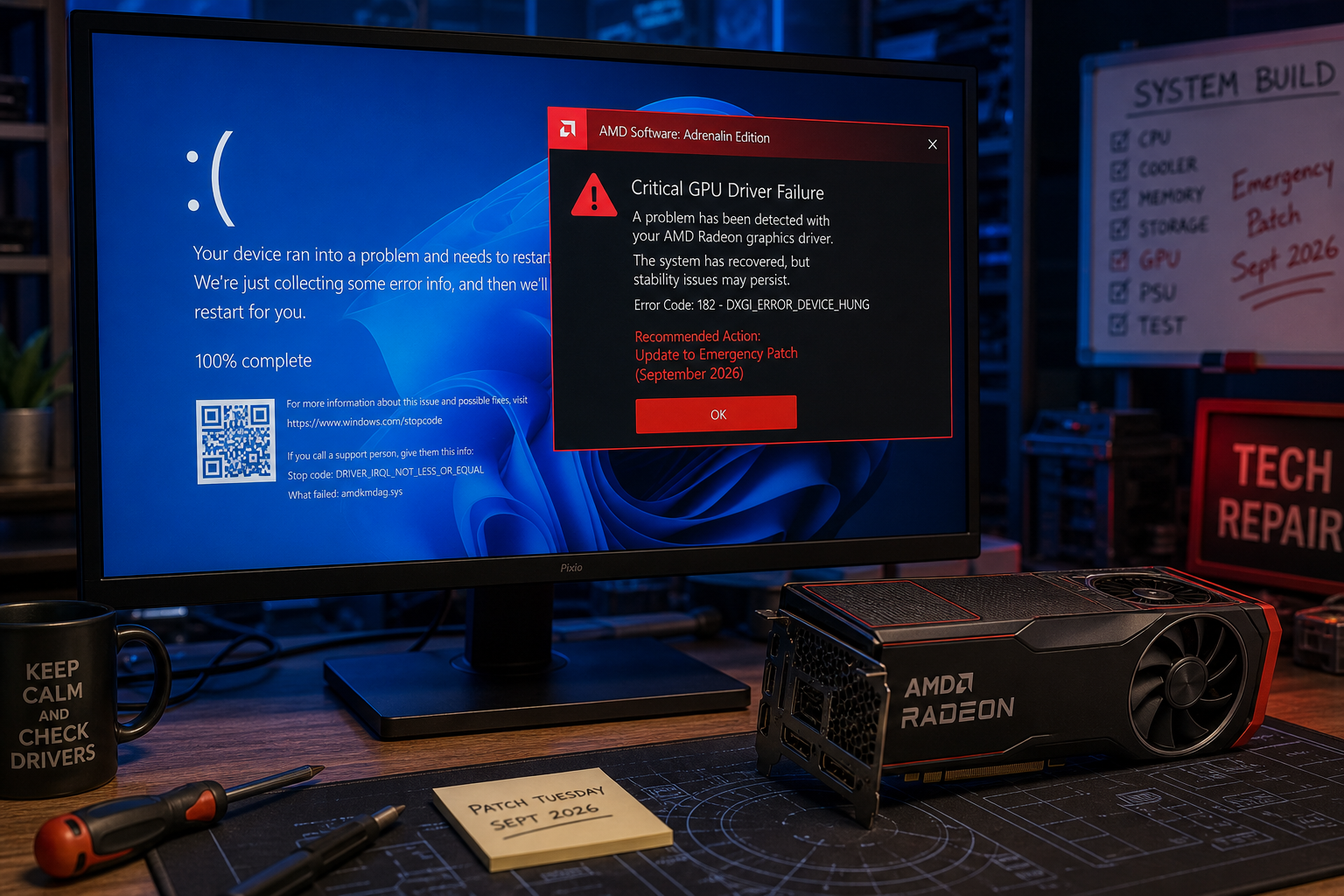
AMD GPU driver crashes on Windows 11 spiked sharply in September 2026 after Microsoft pushed a cumulative security update and a follow-up emergency patch that left Radeon graphics users stranded. If your system is freezing, throwing black screens, or hanging in File Explorer, this guide explains what went wrong and gives you a clear, tested path to fix or safely roll back — without waiting for Microsoft to ship another update.
What Caused the AMD GPU Driver Crashes in September 2026
Microsoft’s September 2026 Patch Tuesday update (KB5124008) introduced a low-level change to how Windows 11 handles GPU memory scheduling. For most hardware, the change was transparent. For AMD Radeon owners, it exposed a deep incompatibility between the Windows kernel’s updated memory manager and the Radeon driver stack — triggering system-level GPU driver crashes, hard freezes mid-session, and in some cases full blue screens.
Compounding the problem, File Explorer began hanging whenever it attempted to render GPU-accelerated thumbnail previews. Microsoft acknowledged the AMD Radeon issue publicly and rushed out an out-of-band patch, KB5129195, on 15 September 2026. Crucially, KB5129195 addresses the privilege-elevation security vulnerability (CVE-2026-62721) but does not fix the AMD GPU driver crash or File Explorer hang-ups. Those remain open known issues as of the article date.
Which Systems Are Affected by the AMD Driver Crash
Not every AMD Radeon owner is hitting the same fault. Reports are concentrated on a specific combination of hardware and driver version. The clearest pattern from community reports and AMD’s own support threads:
- GPU families: RX 6000 (RDNA 2) and RX 7000 (RDNA 3) series are most commonly cited; RX 5000 (RDNA 1) users report fewer problems.
- Radeon Software version: Adrenalin Edition 24.12.1 and 25.x builds installed on top of KB5124008 are the primary trigger.
- Workloads: Crashes are most frequent under gaming loads, hardware-accelerated video playback, and GPU-accelerated thumbnail rendering in File Explorer.
- Windows version: Windows 11 24H2 and 25H2 are both affected; Windows 10 with the September update has not shown the same rate of GPU driver conflict.
If you are running an NVIDIA or Intel Arc GPU, KB5124008 is unlikely to cause the same GPU driver conflict — though the File Explorer hang is reported across a wider hardware base.
Stop the Windows Driver Conflict Fast: Disable GPU Thumbnails
Before touching drivers or updates, the fastest way to stop the Windows driver conflict from triggering repeatedly is to disable File Explorer’s GPU-accelerated thumbnail rendering. This keeps your system stable while you plan a longer-term fix.
- Open File Explorer and go to View → Options → Change folder and search options.
- Click the View tab and tick “Always show icons, never thumbnails”.
- Click Apply to Folders, then OK.
- Restart Explorer via Task Manager (right-click the taskbar → Task Manager → right-click Windows Explorer → Restart).
This disables the GPU thumbnail path that is triggering the crash loop for most users. File performance returns to normal; you simply see generic file-type icons instead of image previews until a permanent patch is available.
How to Roll Back Your Driver After AMD GPU Driver Crashes
Rolling back to a driver version that pre-dates the September conflict is the most reliable way to restore full GPU stability. AMD’s own troubleshooting guidance recommends a clean driver removal via Display Driver Uninstaller (DDU) in Safe Mode before reinstalling an older build.
Step 1 — Download a Stable Driver Version First
Before wiping anything, download Adrenalin Edition 24.10.1 (October 2024) from AMD’s official support and driver resources page. This is the last broadly stable build before the problematic December 2024 and 2025 series that interact poorly with the September 2026 kernel change. Save the installer to a USB stick or a non-system drive.
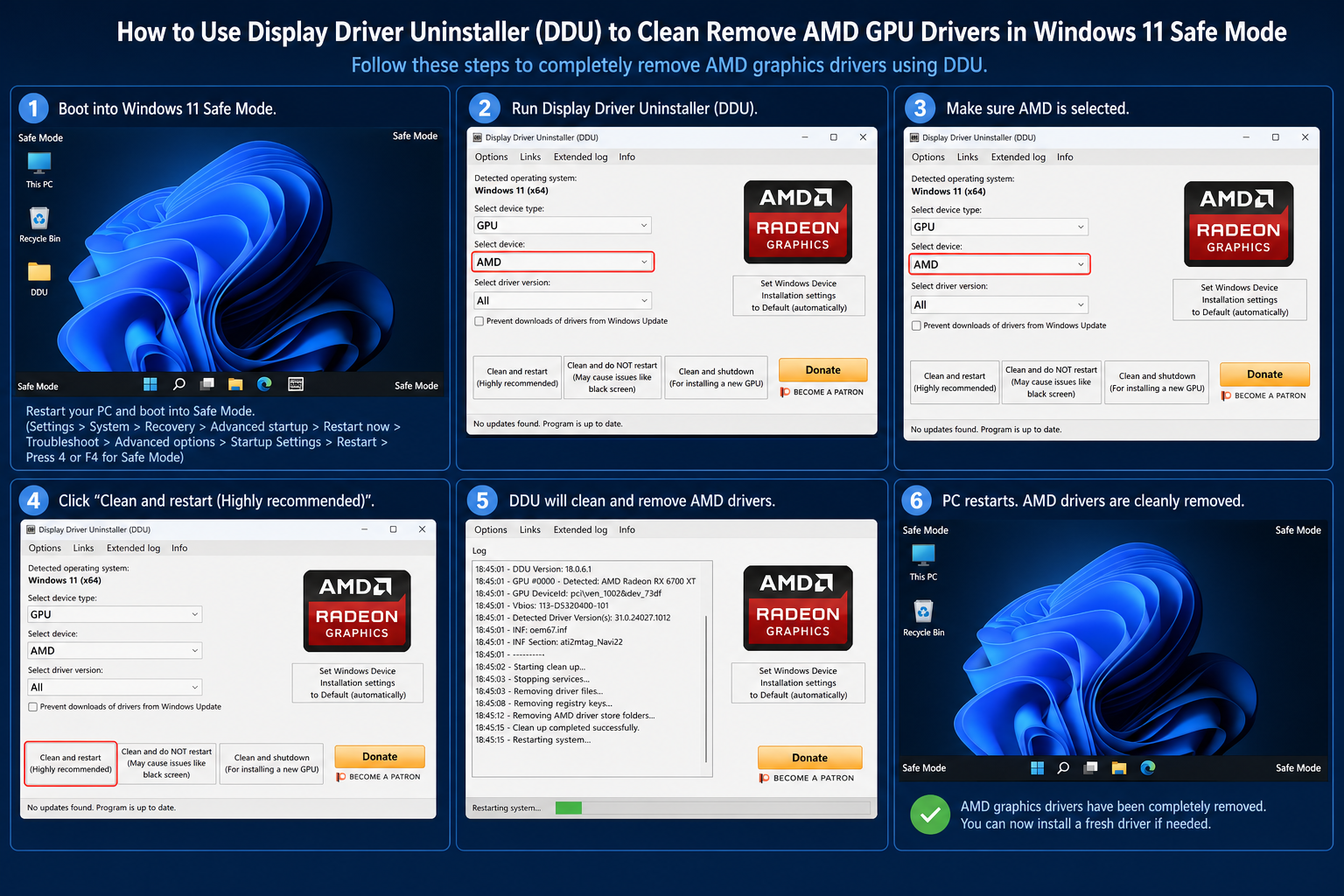
Step 2 — Boot into Safe Mode
Go to Settings → System → Recovery → Advanced startup → Restart now. On the recovery screen choose Troubleshoot → Advanced Options → Startup Settings → Restart, then press 4 for Safe Mode.
Step 3 — Clean Remove with DDU
Run Display Driver Uninstaller, select GPU → AMD, and choose “Clean and restart”. DDU removes all Radeon driver files, registry entries, and residual shader caches that can cause conflicts after a manual uninstall.
Step 4 — Install the Stable Driver
After the clean reboot, run the 24.10.1 installer you downloaded. Choose Custom Install → Factory Reset to ensure no legacy files carry over. Restart once more when prompted.
Step 5 — Block Automatic Driver Updates
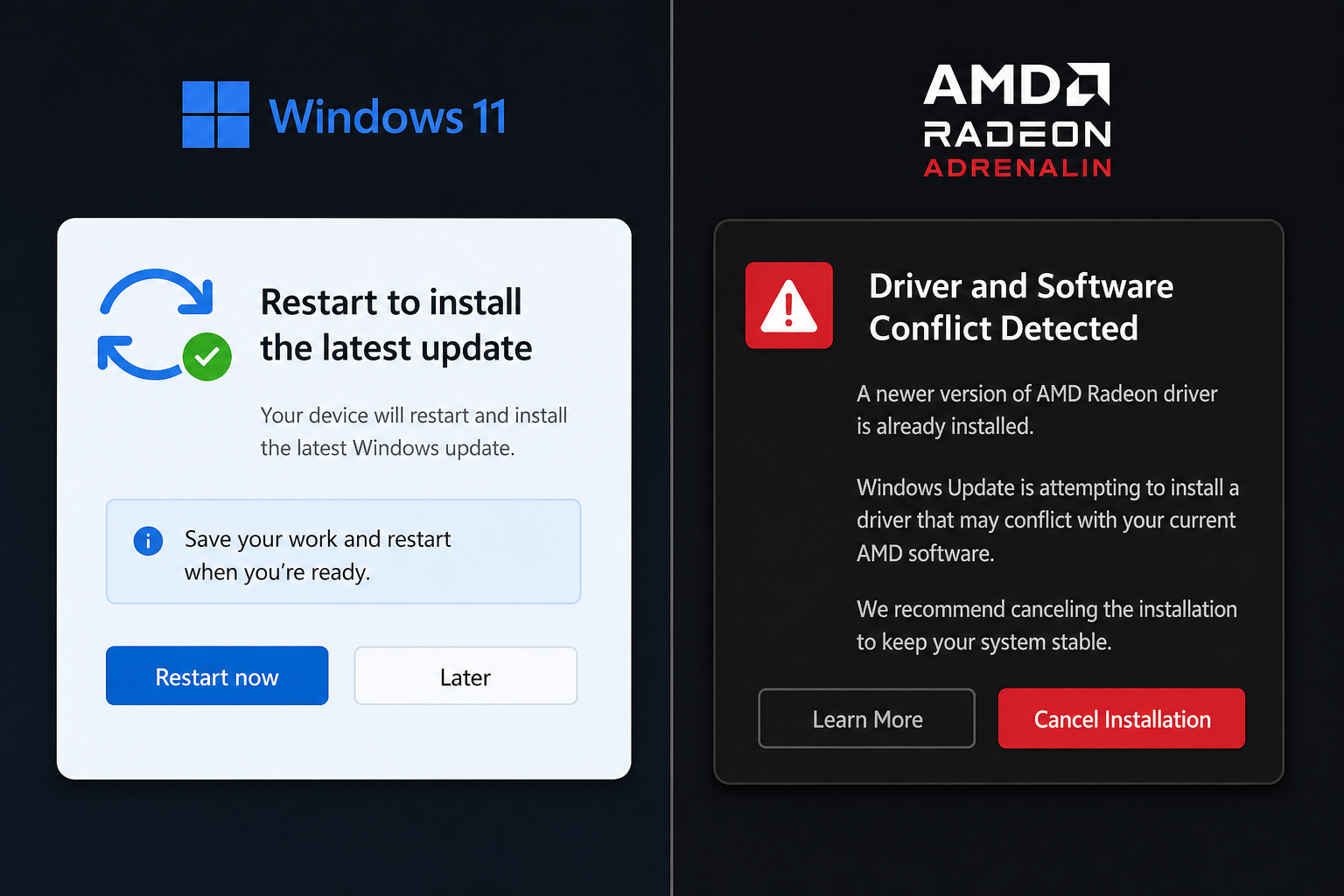
Windows Update will try to push a newer Radeon driver automatically. Temporarily prevent this: open Device Manager, right-click your AMD display adapter, select Properties → Driver → Update Driver, and use the Group Policy workaround or the Show or hide updates troubleshooter (available via Microsoft’s Windows Update tools) to hide the conflicting driver update until AMD ships a patched build.
How to Uninstall KB5124008 and Revert the Windows Update
If rolling back the driver alone does not resolve your AMD driver crash Windows symptoms — particularly if you are seeing BSOD stops rather than simple hangs — removing the underlying update is the next step. Be aware that this also removes the security fix for CVE-2026-62721, so apply alternative mitigations on exposed machines.
- Open Settings → Windows Update → Update history → Uninstall updates.
- Locate KB5124008 in the list and click Uninstall.
- When prompted, restart immediately.
- After restart, pause Windows Updates for up to 5 weeks (Settings → Windows Update → Pause) to prevent automatic reinstallation while you monitor AMD’s response.
Community reports confirm that removing KB5124008, repairing residual damage, and then reinstalling the AMD driver to 24.10.1 returns GPU driver crash fix stability to affected systems — aligning with the experience documented in Microsoft’s own Answers forum.
GPU Driver Crash Fix: Advanced Steps for Persistent Cases
A small proportion of users find crashes continue even after the driver rollback and update removal. These steps address deeper Windows driver conflict scenarios.
Run the System File Checker and DISM
Open an elevated Command Prompt and run:
sfc /scannow— repairs corrupted protected system files.DISM /Online /Cleanup-Image /RestoreHealth— restores the Windows component store from Windows Update.
Both commands together address cases where the September update left partial file corruption that keeps triggering driver instability even after the rollback.
Check Event Viewer for Specific Stop Codes
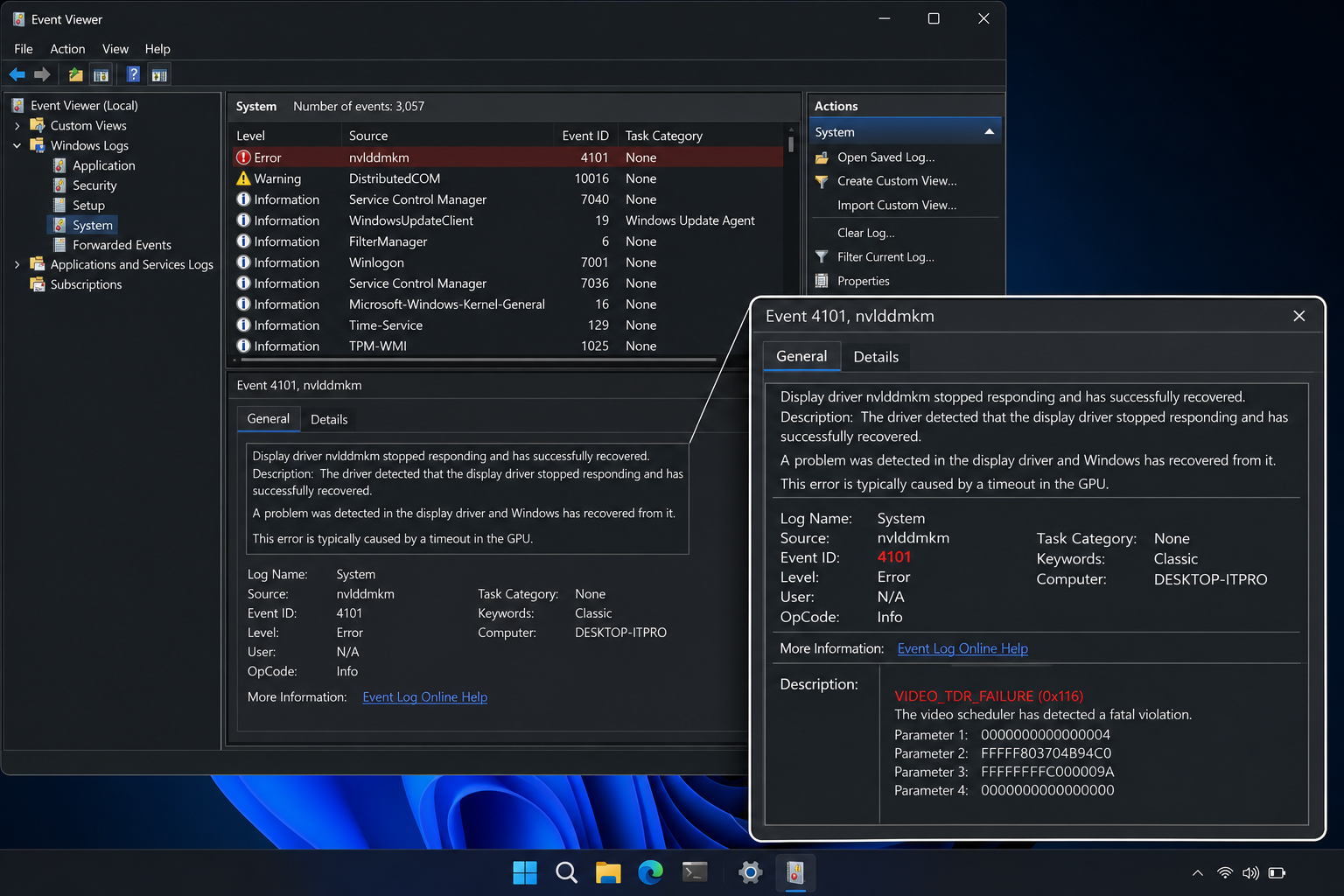
Go to Event Viewer → Windows Logs → System and filter for Event ID 41 (kernel power — unexpected shutdown) and Event ID 1001 (BugCheck). The stop code logged at crash time narrows the fault precisely. VIDEO_TDR_FAILURE confirms a GPU driver crash fix is needed at the driver layer; MEMORY_MANAGEMENT may point to a hardware memory issue coinciding with the update. For a full breakdown of stop codes, see our guide to BSOD error codes and what each crash screen means.
Test with Hardware-Accelerated GPU Scheduling Disabled
HAGS (Hardware-Accelerated GPU Scheduling) is enabled by default on Windows 11 with RDNA 2+ GPUs. The September 2026 kernel change interacts poorly with HAGS on some boards. Temporarily disable it via Settings → Display → Graphics → Change default graphics settings → Hardware-accelerated GPU scheduling → Off and reboot to check if stability returns.
What Microsoft and AMD Are Doing About It
Microsoft’s support documentation lists the AMD Radeon GPU crash and the File Explorer hang as known issues with the September 2026 cumulative update, with a fix “under investigation.” AMD has not yet shipped a driver update that resolves the Windows driver conflict introduced by KB5124008, though the company’s support team confirmed they are working with Microsoft engineering on a coordinated fix. Expect a patched Adrenalin release to land within weeks of this article’s publication — check AMD’s Radeon Software release notes page for confirmed build numbers before updating.
Keep Your Windows 11 Licence Stable While You Wait
Driver conflicts are frustrating, but they are temporary. Your Windows 11 licence and activation are entirely unaffected by this update issue — rolled-back updates and clean driver installs do not invalidate a genuine key. If you are still running an older Windows version and were planning an upgrade, this is a good moment to get a legitimate licence in place so you can apply the permanent fix the moment AMD and Microsoft release it. Shop Key Online carries Microsoft Windows 11 Pro OEM with instant email delivery, so you are ready to update cleanly as soon as the dust settles.
Frequently Asked Questions
Does the KB5129195 emergency patch fix AMD GPU driver crashes?
No. KB5129195 addresses a privilege-elevation security vulnerability (CVE-2026-62721) and was released as an out-of-band emergency update on 15 September 2026. Microsoft has explicitly confirmed that the AMD Radeon GPU driver crash and File Explorer hang-ups are separate known issues that remain unresolved in KB5129195. A dedicated fix is still under investigation.
Which AMD GPUs are most affected by the Windows driver conflict?
RX 6000 (RDNA 2) and RX 7000 (RDNA 3) series cards running Adrenalin Edition 24.12.1 or any 25.x build on top of KB5124008 show the highest crash rates. RX 5000 series users report far fewer problems. NVIDIA and Intel Arc GPU owners are not experiencing the same GPU driver crash fix scenario, though some may see the File Explorer hang.
Is it safe to uninstall KB5124008?
Uninstalling KB5124008 removes both the AMD driver conflict and the security patch for CVE-2026-62721 — a privilege-elevation vulnerability. On machines connected to the open internet or used for sensitive work, weigh the stability benefit against the security exposure. Pause Windows Update after removal to prevent automatic reinstallation, and monitor Microsoft’s known-issues page for the corrected cumulative update.
How do I stop Windows Update from reinstalling the conflicting AMD driver?
Use Microsoft’s “Show or hide updates” troubleshooter to hide the specific Radeon driver update, or use Group Policy (gpedit.msc → Computer Configuration → Administrative Templates → Windows Components → Windows Update → Do not include drivers with Windows Updates) to block driver delivery via Windows Update entirely. Re-enable it once AMD ships a confirmed compatible Adrenalin build.
Will rolling back my AMD driver affect my games or other software?
Reverting to Adrenalin 24.10.1 means you lose performance optimisations and game-specific profiles added in later releases, but core compatibility with DirectX 12 and Vulkan applications remains intact. Most games will run normally. Features like AMD Fluid Motion Frames 2 or FSR 4 optimisations introduced after October 2024 will not be available until you update to a fixed driver build.
