
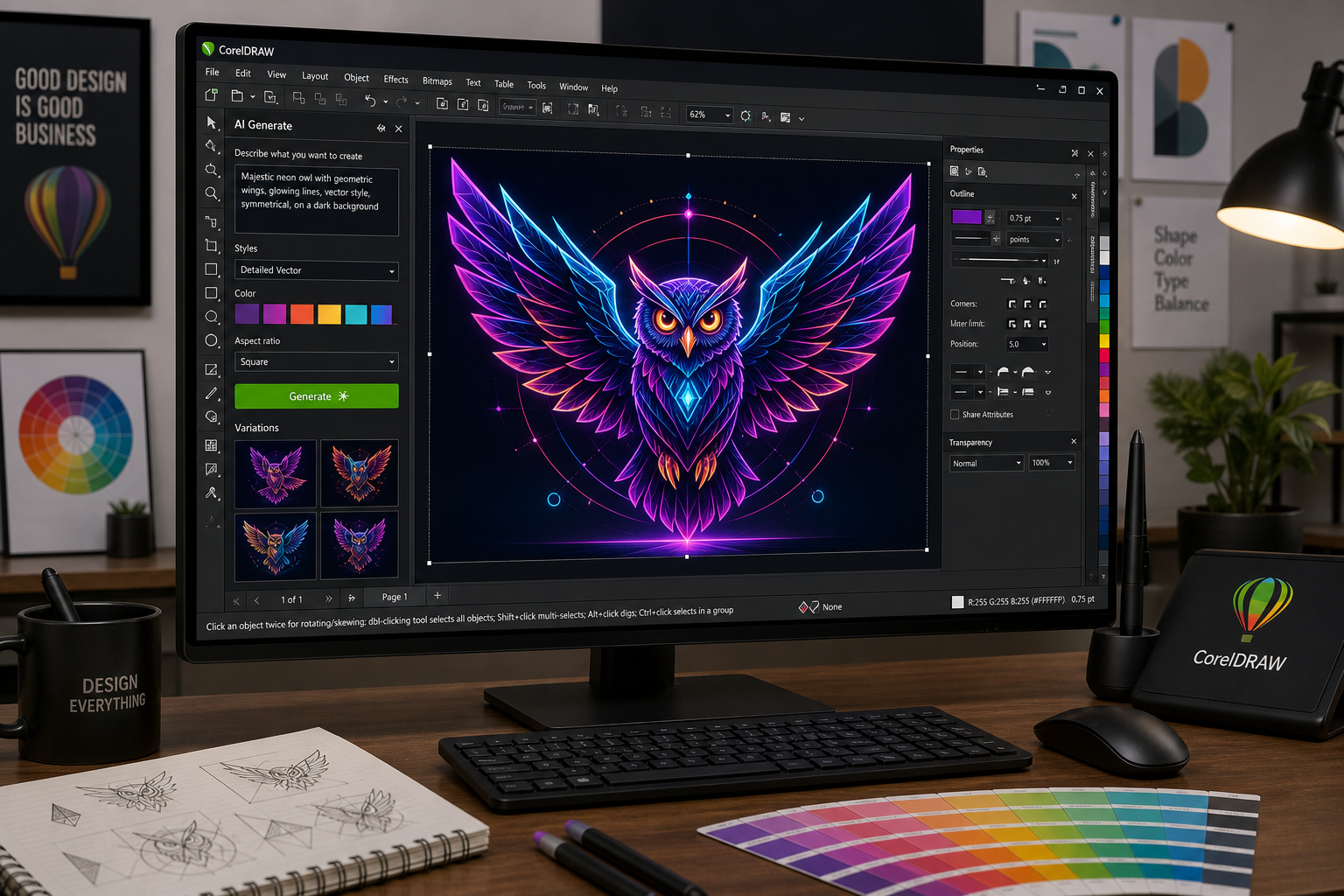
CorelDRAW 2026 AI features represent the most significant leap in the software’s 37-year history, bringing generative image creation, one-click background removal, and precision AI masking directly into the vector workflow professionals rely on every day. If you’re evaluating whether this release justifies an upgrade — or choosing between CorelDRAW and competing platforms — this guide breaks down exactly what’s new, what genuinely helps, and what to watch out for.
What’s Driving the AI Push in CorelDRAW 2026?
The graphic design software market has shifted decisively toward AI-assisted tooling. Adobe has integrated Firefly into Illustrator and Photoshop; Canva has added Magic Studio features; and Affinity is exploring AI filters. CorelDRAW’s developer Corel responded with its most AI-forward release yet, officially launched in March 2026. The aim is clear: give professional designers tools that cut production time without forcing them to abandon the vector-first workflow CorelDRAW built its reputation on.
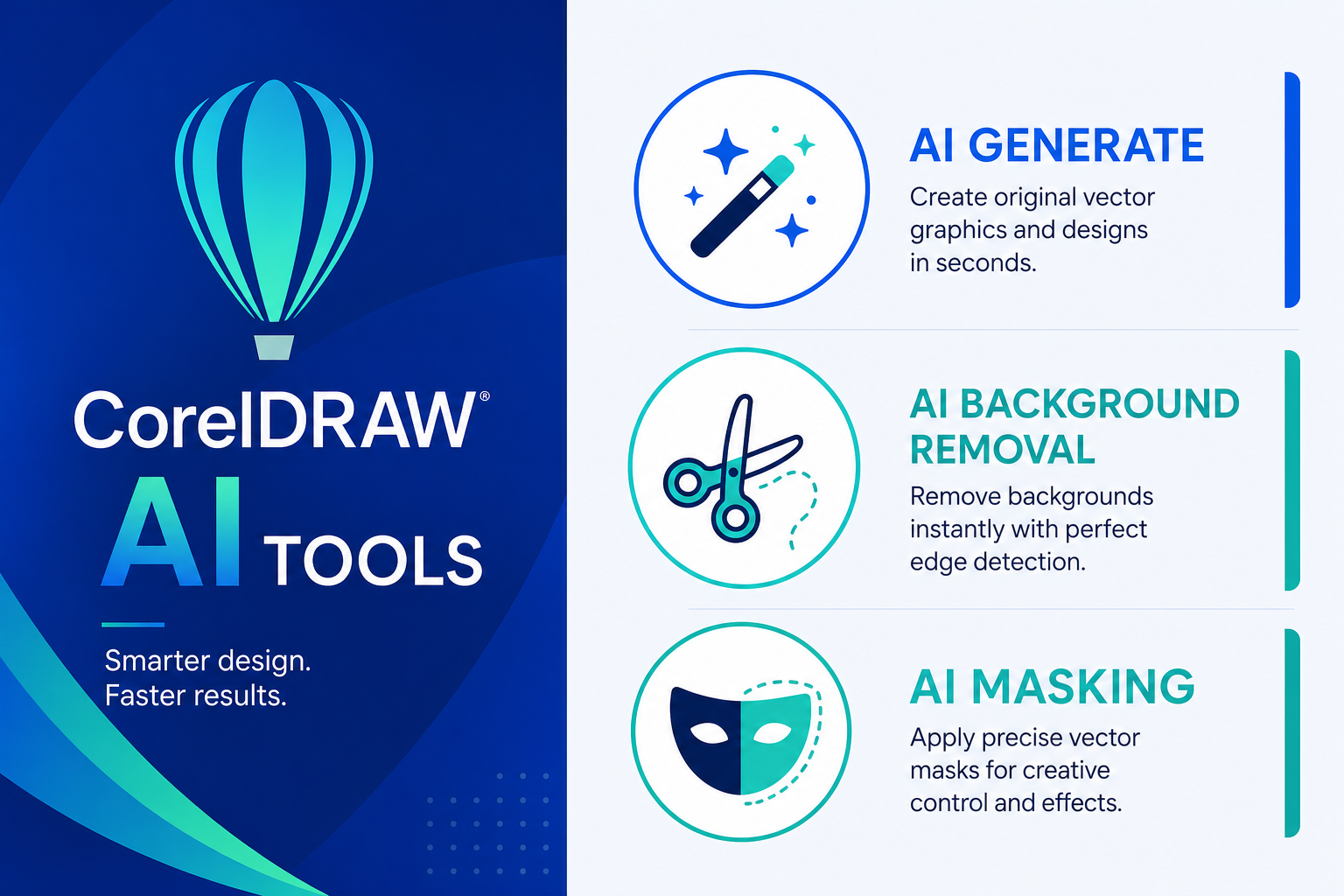
According to Corel’s official announcement, the 2026 suite centres on three headline AI capabilities: AI Generate (text-to-image creation), AI Remove Background (one-click subject isolation), and AI-assisted masking inside Corel PHOTO-PAINT. Alongside these, Corel has shipped a refreshed, modernised interface and meaningful performance improvements that make the day-to-day experience noticeably snappier.
CorelDRAW AI Tools: The Three Headline Features
1. AI Generate — Text-to-Image Inside Your Vector Workspace
AI Generate lets designers type a prompt and produce an original raster image without leaving CorelDRAW. The generated asset drops straight onto the canvas, ready to be traced, masked, or used as a reference — a workflow that previously required jumping between half a dozen separate applications. Unlike Firefly in Adobe Illustrator, which pushes users toward a subscription-gated cloud service, CorelDRAW’s implementation works through an AI credits system, giving more control over usage costs for studios billing by the project.
The quality of outputs is competitive with mid-tier generative tools. CorelDRAW is not trying to replace Midjourney or Stable Diffusion here; it’s aiming to slot AI generation into the spot where designers previously sourced stock imagery — faster, cheaper, and commercially safer because Corel trains its model on licensed content.
2. AI Remove Background — One Click, Production-Ready Results
Background removal has historically been one of the more tedious tasks in product photography retouching and catalogue design. The new AI Remove Background tool in CorelDRAW 2026 detects the primary subject automatically and isolates it in a single click, preserving fine edge detail — hair, fur, and complex foliage included — with accuracy that previously required manual masking or a specialist tool like remove.bg.
This is arguably the most immediately practical of the new CorelDRAW 2026 new features for production designers. Print shops, packaging designers, and e-commerce teams handling high-volume image editing will see the biggest time savings here.
3. AI-Assisted Masking in Corel PHOTO-PAINT
The AI masking tools inside Corel PHOTO-PAINT have been substantially upgraded. Designers can now use AI-assisted subject selection for clip masking — combining automated detection with manual refinement controls for complex compositions. This directly rivals Photoshop’s Select Subject and Refine Edge workflow, and for CorelDRAW loyalists who have always preferred to stay inside one suite, it removes one of the last genuine reasons to keep Photoshop open in the background.
CorelDRAW 2026 New Features Beyond AI
Not every improvement in the 2026 release is AI-driven, and it’s worth recognising the non-AI updates that contribute to a better overall experience.
- Refreshed, modern interface: The UI has been redesigned for clarity and reduced visual noise, with updated icons and better dark-mode support that aligns with contemporary OS aesthetics on both Windows and macOS.
- Performance improvements: Launch times and document-rendering speeds have been improved, particularly for complex multi-artboard projects with embedded bitmaps.
- Improved image remixing: Designers can blend existing assets with AI Generate outputs for hybrid compositions, a workflow suited to brand-consistent marketing material where a fully AI-generated image would look out of place.
- Stability fixes: Long-standing crash and memory issues reported in the 2024 and 2025 versions have been addressed, according to early adopter feedback collated by Morningstar’s independent review.
How CorelDRAW AI Tools Compare to Adobe and Affinity
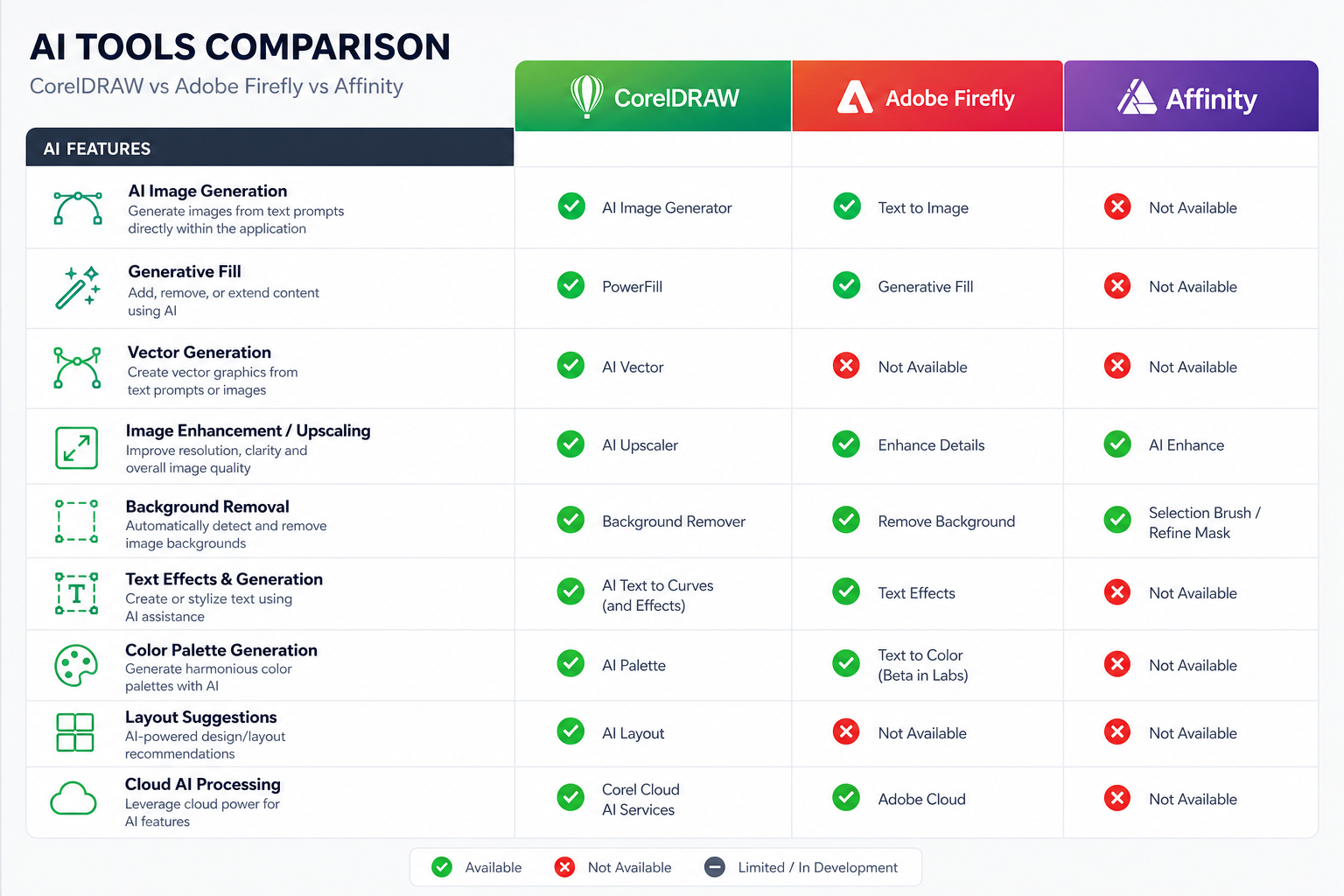
For professional designers choosing between platforms, the AI tooling race is now a genuine differentiator rather than a marketing footnote.
CorelDRAW 2026 vs Adobe Illustrator + Photoshop
Adobe’s ecosystem remains the industry default, and Firefly-powered Generative Fill in Photoshop is still the most polished AI image tool available for pixel-based work. However, Adobe’s pricing — typically around $54.99/month for the full Creative Cloud suite — is a significant ongoing cost. CorelDRAW has historically offered perpetual licensing options, and ShopKeyOnline stocks CorelDRAW Technical Suite for Windows and Mac at a fraction of the subscription equivalent, making total cost of ownership substantially lower for freelancers and small studios.
CorelDRAW 2026 vs Affinity Designer
Affinity Designer remains a compelling choice at its one-time price point, but its AI tooling is far less developed than what CorelDRAW now offers. Designers who need serious AI integration — particularly the generative creation and background removal workflows — will find CorelDRAW 2026 the stronger platform in 2026.
Practical Verdict
CorelDRAW’s AI design tools in 2026 genuinely close the gap with Adobe on the features that matter most for print and production workflows. They won’t replace Photoshop for photographers or Illustrator for complex brand identity work, but for the large segment of designers who live in CorelDRAW for layout, technical illustration, and print production, these additions remove real friction from daily work.
Who Should Upgrade to CorelDRAW 2026?

Not every designer needs to jump immediately, but the upgrade makes strong sense in several scenarios:
- High-volume production designers who process large quantities of product imagery will recoup time almost immediately through AI background removal.
- Print and packaging professionals who need the full CMYK, prepress, and technical illustration toolset that CorelDRAW uniquely provides, now augmented by AI generation for concept visuals.
- Freelancers on tight budgets who want to reduce their dependency on expensive Adobe CC subscriptions — CorelDRAW’s perpetual licence model continues to offer better long-term value.
- Teams currently on CorelDRAW 2023 or earlier, where the cumulative improvements across 2024, 2025, and 2026 represent a substantial quality-of-life jump.
AI Credits: What You Need to Know Before You Upgrade
The AI Generate and AI Remove Background features in CorelDRAW 2026 operate on an AI credits system. This means each generation or background removal action consumes a credit from your monthly or prepaid allowance. Corel provides a base credit allocation with the suite, and additional credits can be purchased separately.
For occasional users, the included credits will comfortably cover normal workflows. For high-volume studios running dozens of background removals a day, it’s worth calculating credit consumption against budget before committing — the credits model is similar in concept to Adobe’s generative credits in Firefly, though Corel’s pricing structure is generally more transparent for one-time purchasers.
Where to Get CorelDRAW at the Best Price
ShopKeyOnline carries a wide range of CorelDRAW licences for both Windows and macOS — from the standard Graphics Suite to the more technically focused Technical Suite. All licences come with an original activation key and official download links delivered by email, typically within minutes. You can browse the full CorelDRAW licence range to find the version that best suits your workflow and budget.
If you’re not yet ready for the 2026 release or want to evaluate earlier versions first, the CorelDRAW Technical Suite 2025 for Windows is available for €69.90 as a lifetime licence for one device — a compelling alternative to a recurring subscription.
For deeper background on what CorelDRAW can do in production environments, see the CorelDRAW print production workflow guide and the broader overview of AI in design tools for 2025 and beyond.
For the official breakdown of every new capability in the March 2026 release, Corel’s own What’s New in CorelDRAW Graphics Suite 2026 page is the most authoritative reference, covering each AI tool with step-by-step guidance.
Frequently Asked Questions
What are the main CorelDRAW 2026 AI features?
The three headline AI additions are AI Generate (text-to-image creation), AI Remove Background (one-click subject isolation), and upgraded AI-assisted masking in Corel PHOTO-PAINT. The suite also ships with a modernised interface and performance improvements that benefit all users regardless of whether they use the AI tools.
Do CorelDRAW AI tools require an internet connection?
Yes. The AI Generate and AI Remove Background features are cloud-processed and require an active internet connection to function. Standard vector editing, typography, and layout tools continue to work fully offline, as they always have.
How does the AI credits system work in CorelDRAW 2026?
Each AI Generate image or AI Remove Background action consumes one or more AI credits. Corel includes a base allocation of credits with the suite licence. Additional credits can be purchased from Corel directly if you exhaust your allowance. Corel publishes current credit pricing on its official website.
Is CorelDRAW 2026 better than Adobe Illustrator for AI design tools?
For vector illustration and brand identity work, Adobe Illustrator’s Firefly integration and broader Creative Cloud ecosystem still edges ahead. However, for print production, packaging, and technical illustration — CorelDRAW’s traditional strengths — the 2026 AI tools are genuinely competitive. CorelDRAW also holds a significant advantage on total cost of ownership thanks to its perpetual licensing model.
Which CorelDRAW version should I buy right now?
If AI-assisted design is a priority, the 2026 release is the clear choice — but it is only available through Corel’s own subscription as of this writing. For a lifetime perpetual licence at the best value, CorelDRAW Technical Suite 2025 delivers the most capable non-subscription version currently available on ShopKeyOnline and includes the professional technical illustration toolset.
Can I use CorelDRAW 2026 AI features on a Mac?
Yes. CorelDRAW Graphics Suite 2026 is available for both Windows and macOS. The AI Generate and AI Remove Background tools function identically on both platforms. ShopKeyOnline also carries Mac-compatible licences for earlier CorelDRAW versions if you prefer a perpetual option.
