
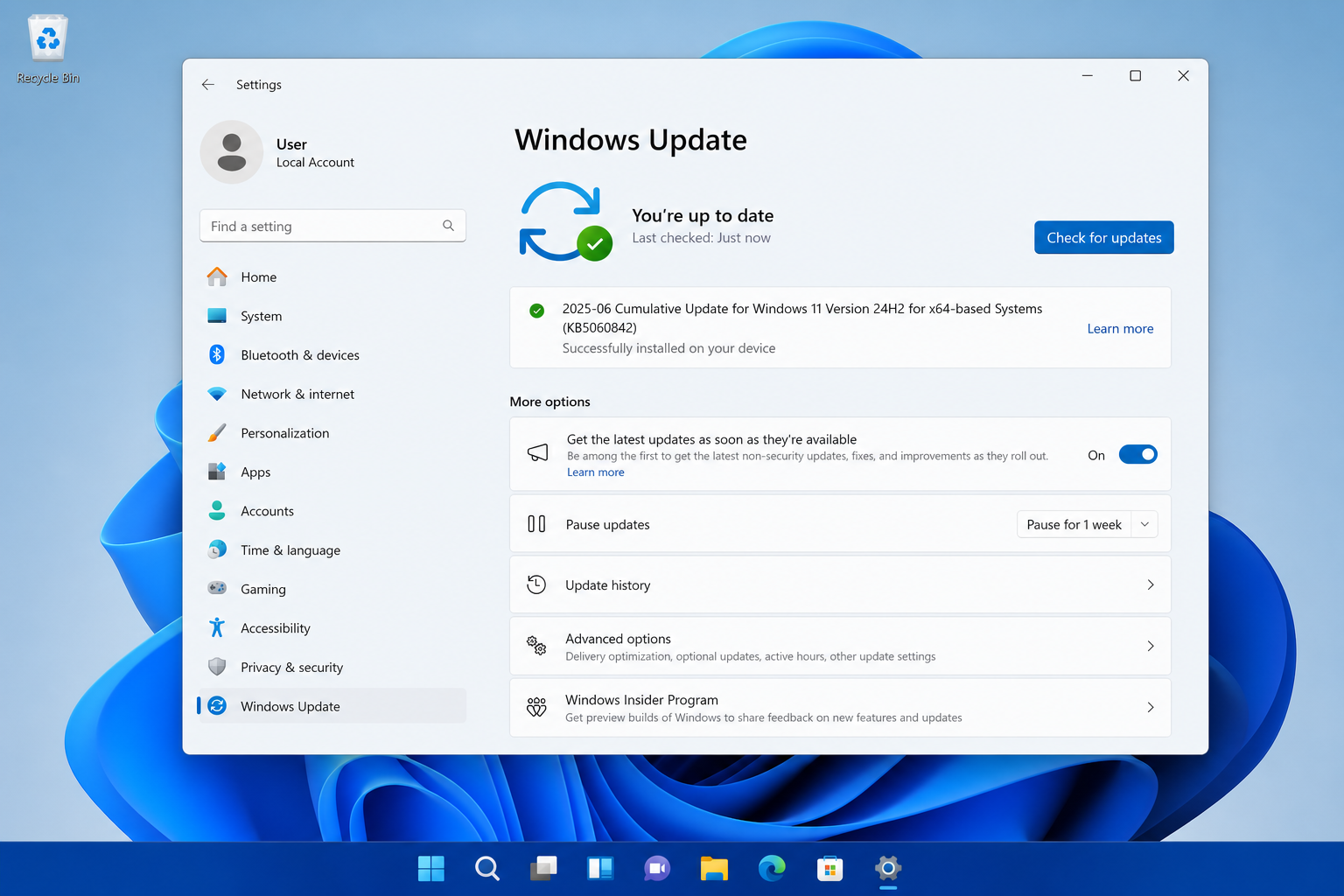
The Windows 11 June update (KB5060842, OS Build 26100.4349) landed on 10 June 2025, and while it genuinely moves the needle on some long-standing user complaints, it also introduced a fresh bug and left a handful of persistent problems untouched. If you’re trying to decide whether to install it, hold it, or troubleshoot what broke afterward, this is your no-nonsense guide.
What Is the Windows 11 June Update?

KB5060842 is Microsoft’s June 2025 Patch Tuesday cumulative update for Windows 11 version 24H2. It carries security fixes alongside a batch of quality-of-life improvements — and it was briefly paused mid-rollout after a compatibility issue was discovered. Microsoft confirmed that affected devices would automatically receive a revised build containing all scheduled security improvements. OS Build 26100.4349 is the fully corrected version most users will now see via Windows Update.
The Real Windows 11 Update Improvements in June 2025

Several of the June 2025 Windows patch changes are genuinely useful, particularly for Copilot+ PC owners and anyone who has lost sleep over disappearing system restore points.
System Restore Points Now Last 60 Days
One of the quietest but most welcome Windows 11 update improvements in this release: after installing KB5060842, Windows 11 24H2 retains system restore points for up to 60 days — up from the previous default of around 10-15 days. This is a meaningful safety net if you need to roll back after a bad driver install or a software conflict weeks down the line.
Memory Leak in Input Service Fixed
A persistent memory leak in the Windows Input Service has been addressed. The bug caused steadily increasing memory usage over time, quietly degrading performance on machines left running for extended periods. If you noticed your PC slowing down days after a reboot without any obvious cause, this fix is relevant to you.
Drag Tray Share UI for Copilot+ PCs
Copilot+ PC users get a new Drag Tray sharing interface — drag a file toward the bottom of the screen to surface sharing and editing options in a contextual tray. It’s a small but practical interaction improvement that reduces the need to right-click through menus for common file-sharing actions.
Windows Search and Click to Do Enhancements
The June 2025 update also polishes the Windows Search experience and expands Click to Do functionality on supported hardware. These KB5060842 fixes are part of Microsoft’s ongoing push to make AI-assisted features feel like genuine productivity tools rather than tech demos bolted onto the taskbar.
Voice Access in Quick Settings
Voice Access can now be toggled directly from the Quick Settings panel, removing the roundabout journey through the Accessibility settings page. For users who rely on voice control — or who are just starting to explore it — this is a meaningful accessibility win.
- System restore point retention: extended to 60 days
- Input Service memory leak: resolved
- Drag Tray share UI: available on Copilot+ PCs
- Windows Search improvements: faster, more accurate on 24H2
- Click to Do: expanded AI actions on Copilot+ hardware
- Voice Access shortcut: now in Quick Settings
- Security patches: covers multiple CVEs across the Windows kernel and components
What the June 2025 Windows Patch Broke: The Start Menu Search Bug
No Patch Tuesday is complete without at least one new problem, and KB5060842 delivered a notable one almost immediately. The Windows 11 June update caused Start Menu search to stop working for a significant number of users — entering a query either returned a blank screen or looped indefinitely without results.
The root cause: Microsoft changed the internal search mechanism in Windows 11 24H2 to use msedgewebview2.exe, and this broke compatibility with certain enterprise environment management tools (including Ivanti’s Environment Manager Agent). Home users on standard configurations reported similar issues, with community forums noting widespread reports across Dell devices and other hardware.
Microsoft’s recommended workaround for display-related rendering issues was to increase display scaling to 125% or 150% — a blunt fix that doesn’t suit everyone, particularly on 1080p laptop screens where bumping scaling just makes everything look large. For the search loop issue specifically, the most reliable fix reported by IT administrators involved navigating to Settings → System → Recovery and selecting “Fix problems using Windows Update.”
Persistent Problems the June Update Did Not Fix

The Windows 11 update improvements in June are real, but the patch didn’t sweep away the full list of complaints users have carried since 24H2 launched. Here’s what still lingers:
Taskbar Customisation Remains Limited
Windows 11’s taskbar is still far more restrictive than its Windows 10 counterpart. You cannot drag and reposition it to the sides or top of the screen. Third-party tools like StartAllBack continue to fill this gap, but Microsoft has not signalled any plans to restore native taskbar flexibility. The June patch makes no changes here.
Forced Microsoft Account Sign-In on Home Edition
Users setting up a new Windows 11 Home installation still face pressure to link a Microsoft account during setup, with the offline account option increasingly buried. The June update does not change this flow.
Advertising in the Start Menu and Settings
Promoted apps and suggested content in the Start Menu and Settings app remain active by default. Microsoft has introduced more granular controls in recent builds, but the defaults still favour ad-supported content that many users find intrusive. KB5060842 does not adjust these defaults.
File Explorer Performance on Large Directories
File Explorer can still lag noticeably when opening folders with thousands of files, particularly over network drives. This has been a slow-burn complaint for over a year, and the June release does not include targeted improvements for directory rendering performance.
Should You Install the Windows 11 June Update Now?
For the majority of home users running Windows 11 24H2 on standard hardware, installing the revised KB5060842 build is the right call. The security patches alone make it non-negotiable for internet-connected machines, and the memory leak fix and extended restore point window are tangible quality-of-life gains.
IT administrators managing enterprise fleets should test carefully before broad deployment, given the documented Start Menu search breakage with environment management tools. Check for a revised KB before pushing at scale, and have a rollback plan ready if search functionality is critical to end-user workflows.
If you experience Start Menu search issues after the update, try the Settings → System → Recovery → Fix problems using Windows Update path before attempting a full uninstall. Uninstalling can be done via Settings → Windows Update → Update history → Uninstall updates, but bear in mind that removing a security update leaves your system exposed until the next patch cycle.
What to Expect Next: July 2025 and Beyond
Microsoft’s Patch Tuesday cadence means the next cumulative update drops in July 2025. Based on current Insider Preview builds, there are signals of further Copilot+ feature expansions, additional Windows Search refinements, and — fingers crossed — a more durable fix for the Start Menu search regression introduced in June. The taskbar flexibility debate is likely to rumble on without resolution.
For those considering whether their current Windows licence is up to scratch — particularly if you’re still running Windows 10 ahead of its October 2026 end-of-support deadline — now is a good time to plan your upgrade path. You can find Microsoft Windows 11 Pro Retail keys at ShopKeyOnline for a straightforward route to a fully licensed 24H2 install. If you also need productivity software, the Windows 11 Pro + Office 2021 bundle offers both in one package at a competitive price.
For deeper reading on what Microsoft officially changed in this release, the official KB5060842 support page on Microsoft’s site lists every fix and known issue in the update.
Frequently Asked Questions
What does the Windows 11 June update fix?
KB5060842 addresses several issues: a memory leak in the Input Service that caused gradual performance degradation, system restore point retention (now 60 days), security vulnerabilities across Windows kernel components, and quality improvements to Windows Search and Click to Do on Copilot+ PCs.
Did the June 2025 Windows patch break Start Menu search?
Yes, for some users it did. Microsoft changed the underlying search engine in 24H2 to use msedgewebview2.exe, which clashed with certain enterprise tools and affected some standard configurations. The recommended fix is to go to Settings → System → Recovery and select “Fix problems using Windows Update.” A revised build was issued to resolve the most acute compatibility issue.
Is KB5060842 safe to install?
For home users on standard configurations, yes — the security fixes make it essential. Enterprise admins should validate against their environment management tools before broad deployment, given the documented Start Menu search regression. Check that you are installing the revised build (OS Build 26100.4349 or later) rather than the originally paused version.
Why was the Windows 11 June update paused?
Microsoft temporarily paused the rollout of KB5060842 after identifying a compatibility issue affecting a subset of devices. The company confirmed that affected machines would automatically receive a revised update containing all the scheduled security improvements. The pause was precautionary and resolved within the same day.
What Windows 11 issues does the June update still not fix?
Several long-standing complaints remain unaddressed: taskbar inflexibility (no drag-to-side support), forced Microsoft account prompts during Home edition setup, promotional content in the Start Menu and Settings, and File Explorer performance slowdowns on large or network-hosted directories. These are likely to persist into future releases unless Microsoft specifically prioritises them.
